OAuth Consent Phishing: How the Attack Works and Where to Block It
Attackers bypass traditional security controls by tricking users into voluntarily handing over access tokens that legitimate applications would use.
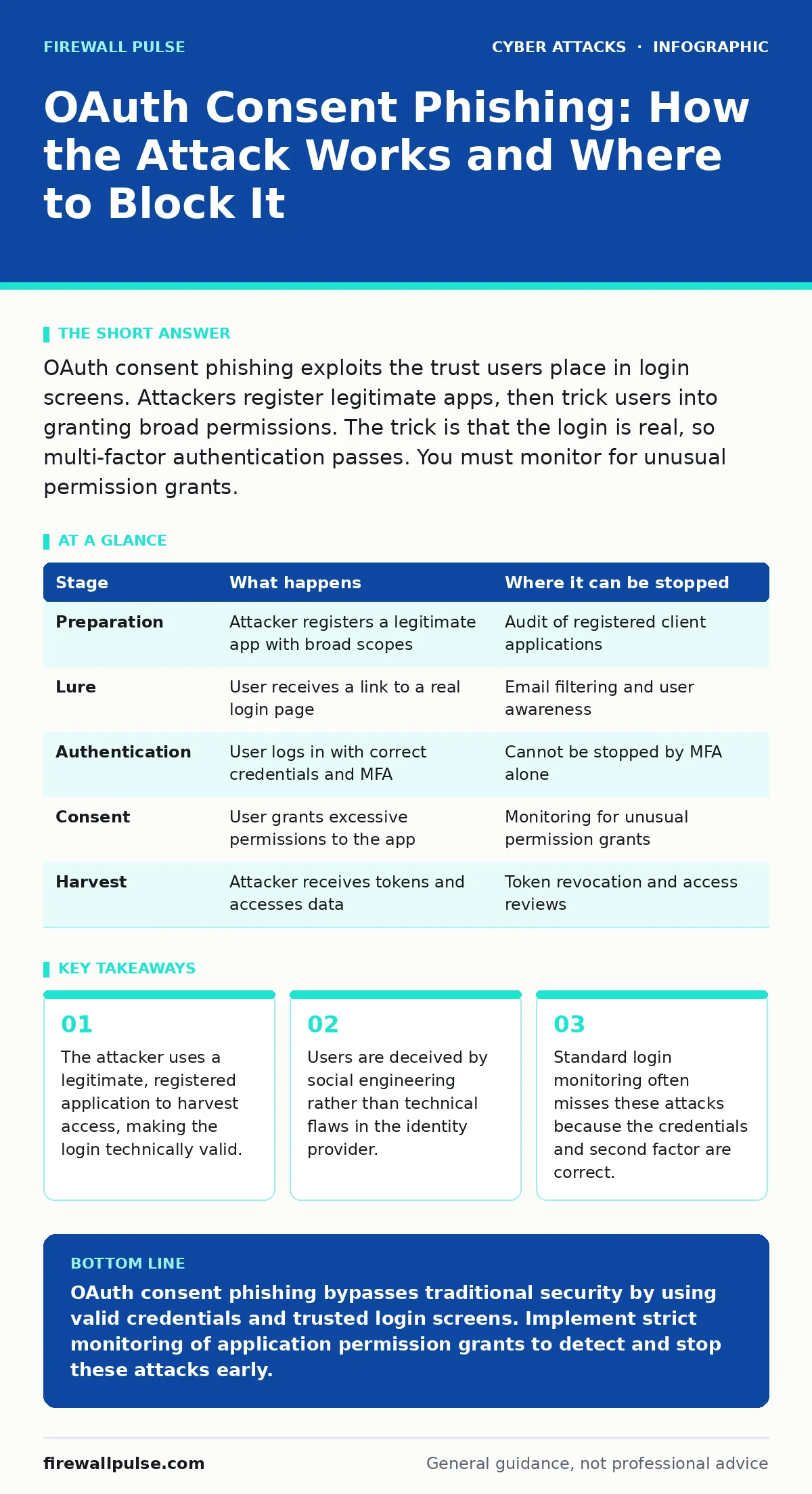
OAuth consent phishing exploits the trust users place in login screens. Attackers register legitimate apps, then trick users into granting broad permissions. The trick is that the login is real, so multi-factor authentication passes. You must monitor for unusual permission grants.
The Mechanics of Trusted Deception
OAuth is an open standard that allows applications to access user data without storing passwords. It works by issuing access tokens after a user grants permission. This system relies on trust. The identity provider trusts the application, and the user trusts the application’s request. Consent phishing breaks the second trust.
The attacker does not steal credentials. They do not bypass multi-factor authentication. Instead, they register a legitimate application with the identity provider. This application appears normal in the system logs. The attacker then tricks the user into logging in and granting permissions to this specific application.
Imagine a scenario where an employee receives an email asking them to verify their company account. The link leads to a real Microsoft or Google login page. The user enters their details and authenticates. Nothing is wrong with the login process. The error is in what happens next.
The Attacker’s Preparation
Before any victim is targeted, the attacker must establish a foothold within the identity platform. This requires registering a client application. The registration process is usually automated or uses a free tier. The attacker sets the application’s redirect URI to a domain they control.
The redirect URI is the address where the identity provider sends the access token after the user logs in. The attacker creates a landing page at this URI. This page confirms the successful login to the user. In the background, it captures the access token.
This preparation is invisible to security teams. The application looks like any other third-party tool. It has a name, a description, and a valid certificate. The only flaw is the intent behind it. The attacker waits for a user to interact with it.
The Initial Contact
The attack begins with a lure. This is often an email or a message on a collaboration platform. The message creates urgency. It might claim that an account requires verification, or that a document needs signing. The link provided is not a fake login page. It is a genuine OAuth authorisation request.
The URL structure reveals the mechanism. It contains the client ID of the attacker’s application. It also specifies the scopes, which are the permissions being requested. A standard app might request read-only access to profiles. The attacker’s app requests full access to mail, contacts, and files.
Users rarely inspect URLs. They see the familiar branding of the identity provider. They assume the request is safe because they recognise the login screen. The deception relies on the assumption that a valid login implies a valid request.
The Valid Login Screen
When the user clicks the link, they are redirected to the identity provider’s login page. This page is hosted by the provider, not the attacker. It is secure, encrypted, and legitimate. The user enters their username and password. If multi-factor authentication is enabled, they complete that step too.
From a technical perspective, everything is working correctly. The identity provider verifies the credentials. It issues a session. No firewall rules are triggered. No antivirus software raises an alert. The login is successful because the credentials are correct.
This stage defeats many detection methods. Systems that look for failed login attempts see nothing suspicious. Systems that block known phishing domains are bypassed because the domain is the provider’s own. The security boundary is the user’s judgment, not the network perimeter.
The Permission Trap
After authentication, the user sees the consent screen. This screen lists the permissions the application is requesting. It shows the application name and the provider’s branding. The text asks the user to allow or deny access.
Here is where the social engineering peaks. The attacker might name the application "Security Verification" or "Compliance Check". The requested scopes are often hidden in small print or listed as "Full access". The user, believing they are complying with a security requirement, clicks allow.
The user has just authorised the attacker’s application to act on their behalf. The identity provider issues an access token. This token is sent to the attacker’s redirect URI. The user sees a "Success" page. They believe they have secured their account. They have actually handed over the keys.
The Harvest and Persistence
The attacker’s server receives the access token. This token allows the application to access the user’s data without needing the password again. The attacker can also request a refresh token. This refresh token allows the application to generate new access tokens when the old ones expire.
With these tokens, the attacker can read emails, contacts, and files. They can impersonate the user to other applications. They can move laterally within the organisation. The activity appears to come from the user’s account. It is attributed to the legitimate application.
This persistence is dangerous. The token remains valid until it expires or is revoked. The user may not notice the intrusion for weeks. By then, the attacker has harvested valuable data or established further footholds.
Where the Chain Breaks
Interrupting this attack requires shifting focus from credentials to permissions. Traditional security operations centers often monitor for impossible travel or brute force attacks. These methods are ineffective here. The login is possible, and the force is voluntary.
You must monitor OAuth token issuance. Look for new applications being granted high-privilege scopes. Alert on users granting access to unfamiliar applications. Implement conditional access policies that restrict which applications can request sensitive data.
Education is also a factor. Users must understand that logging in does not mean everything is safe. They must review the permissions requested on the consent screen. If an app asks for more access than it needs, they should deny it.
Summary of Stages
The following table outlines the attack flow and detection points.
| Stage | What happens | Where it can be stopped |
|---|---|---|
| Preparation | Attacker registers a legitimate app with broad scopes | Audit of registered client applications |
| Lure | User receives a link to a real login page | Email filtering and user awareness |
| Authentication | User logs in with correct credentials and MFA | Cannot be stopped by MFA alone |
| Consent | User grants excessive permissions to the app | Monitoring for unusual permission grants |
| Harvest | Attacker receives tokens and accesses data | Token revocation and access reviews |
Final Considerations
OAuth consent phishing exploits the flexibility of modern identity systems. It turns a security feature into a vector. The attack is subtle because it uses the system as designed. Defending against it requires a deeper understanding of how applications interact with identity providers.
Regular reviews of application permissions are necessary. You must know what applications your users are authorising. You must set limits on what new applications can do. Without these controls, a valid login is all an attacker needs.
This approach complements other security measures. It adds a layer of defence against social engineering that bypasses technical controls. It ensures that even if a user is tricked, the damage is limited.
Key takeaways
- The attacker uses a legitimate, registered application to harvest access, making the login technically valid.
- Users are deceived by social engineering rather than technical flaws in the identity provider.
- Standard login monitoring often misses these attacks because the credentials and second factor are correct.
OAuth consent phishing bypasses traditional security by using valid credentials and trusted login screens. Implement strict monitoring of application permission grants to detect and stop these attacks early.
Frequently asked questions
How is OAuth consent phishing different from clone phishing?
Clone phishing copies a legitimate email to steal credentials. OAuth phishing uses a real login page to trick users into granting permissions, bypassing credential theft.
Can multi-factor authentication stop this attack?
No. MFA verifies the user’s identity, but the attack relies on the user voluntarily granting access. MFA is completed successfully before the deception occurs.
What is the best way to detect this attack?
Monitor identity provider logs for new applications requesting high-privilege scopes. Alert on users granting access to unfamiliar or internal apps with broad permissions.
Does this attack work with all identity providers?
It works with any provider that supports OAuth and allows users to grant consent. This includes most major cloud identity platforms used by organisations.
How this guide was produced: written by the Firewall Pulse editorial team with AI assistance, checked against the public references listed below, and reviewed when the facts change. See our editorial policy or report an error.