Stop Unauthorized Access: Practical Controls That Actually Work
Most breaches succeed because attackers move laterally after initial entry, not because they bypass the outer perimeter.

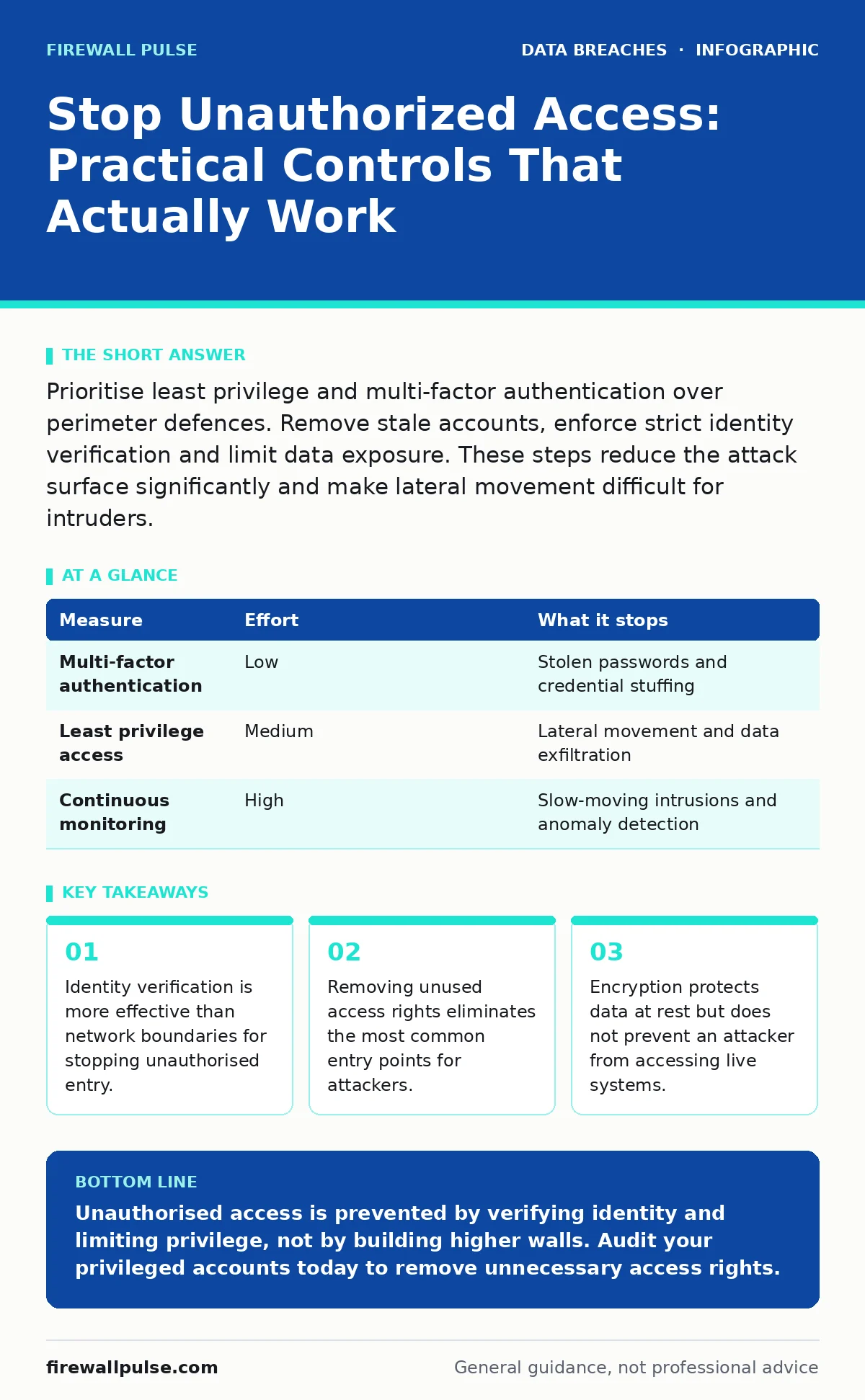
Prioritise least privilege and multi-factor authentication over perimeter defences. Remove stale accounts, enforce strict identity verification and limit data exposure. These steps reduce the attack surface significantly and make lateral movement difficult for intruders.
The Perimeter Is No Longer the Edge
Traditional security models assumed a castle wall could keep intruders out. That assumption fails in distributed environments where users access systems from anywhere. You must shift your focus from protecting the network boundary to protecting identity and data. The edge is now the user’s device and the cloud service they access.
Imagine an employee working from a coffee shop. Their laptop connects to your corporate resources via the internet. If you rely solely on firewalls to block external traffic, you miss the fact that the connection is already authorised. The risk lies in whether that specific user should have access to that specific resource at that moment.
Identity Is the New Perimeter
Multi-factor authentication adds a layer of verification beyond a password. It requires something the user knows, has or is. This stops attackers who have stolen credentials through phishing or database leaks. Passwords alone are fragile because humans reuse them and attackers automate guessing.
You should enforce multi-factor authentication for every administrative account and remote access session. Do not allow single-factor authentication for privileged roles. Even if an attacker obtains a password, they cannot proceed without the second factor. This simple step blocks the majority of credential-based attacks.
| Measure | Effort | What it stops |
|---|---|---|
| Multi-factor authentication | Low | Stolen passwords and credential stuffing |
| Least privilege access | Medium | Lateral movement and data exfiltration |
| Continuous monitoring | High | Slow-moving intrusions and anomaly detection |
Enforce Least Privilege Strictly
Least privilege means granting users only the access they need to do their jobs. Nothing more, nothing less. This principle limits the damage if an account is compromised. An attacker with read-only access cannot delete databases or install malware.
Many organisations grant broad access to simplify onboarding. This creates hidden risk. When an employee changes roles, their old permissions often remain. Over time, an account accumulates rights it no longer needs. This accumulation is known as privilege creep. You must review access rights regularly to remove stale permissions.
Remove Stale Accounts Aggressively
Former employees, contractors and interns often retain access after leaving. These accounts are invisible to daily operations but highly visible to attackers. They are easy targets because they lack active monitoring and multi-factor authentication.
You should have an automated process to disable accounts when employment ends. Link your human resources system to your identity provider. When an employee is terminated in HR, their access should revoke within minutes. Manual processes fail because people forget or lack the authority to act quickly.
Detect Anomalies, Not Just Signatures
Signature-based detection looks for known malicious patterns. It fails against new or modified threats. Behavioural analytics identify unusual activity based on baseline norms. For example, a user logging in from a new country at 3 a.m. is suspicious.
Imagine a database administrator who normally accesses files during business hours. Suddenly, they export large volumes of data at night. A signature scanner sees no malware, so it reports nothing. A behavioural system flags the deviation. You need tools that understand context, not just code.
See also: Least Privilege Access Checklist for Secure Systems · Cloud IAM Policies: The Hidden Lever for Security Control
Encrypt Data at Rest and in Transit
Encryption scrambles data so only authorised parties can read it. It protects information if physical devices are stolen or if network traffic is intercepted. However, encryption does not stop an attacker from accessing the system while it is running.
If an intruder gains valid credentials, they can read the data before it is encrypted or after it is decrypted. Encryption is a last line of defence, not a primary control. Use it to protect sensitive data stored on disks and transmitted over networks. Combine it with strong access controls for effective protection.
What Does Not Work Alone
Firewalls alone cannot stop unauthorised access. They filter traffic based on rules, but they cannot verify intent or identity. An attacker using a legitimate user’s credentials passes through firewall rules without triggering alarms.
Antivirus software is similarly limited. It scans for known malware signatures. It does not detect logical attacks or misuse of valid accounts. You must combine these tools with identity management and monitoring. Relying on a single layer creates a false sense of security.
Three Actions for Today
You can reduce risk immediately by focusing on high-impact, low-effort tasks. Start with identity verification, then clean up access rights, and finally verify your monitoring capabilities.
- Enable multi-factor authentication for all administrative accounts.
- Disable access for any employee who left in the last six months.
- Review logs for unusual login times or locations from privileged accounts.
Key takeaways
- Identity verification is more effective than network boundaries for stopping unauthorised entry.
- Removing unused access rights eliminates the most common entry points for attackers.
- Encryption protects data at rest but does not prevent an attacker from accessing live systems.
Unauthorised access is prevented by verifying identity and limiting privilege, not by building higher walls. Audit your privileged accounts today to remove unnecessary access rights.
Frequently asked questions
Does multi-factor authentication stop all attacks?
No. It stops credential theft but does not protect against insider threats or compromised devices.
How often should I review user access rights?
Review them quarterly or whenever an employee changes roles or leaves the organisation.
Is encryption enough to protect my data?
No. Encryption protects data at rest but does not prevent unauthorised access to live systems.
Can I automate access removal?
Yes. Integrate your HR system with your identity provider to trigger automatic deprovisioning.
How this guide was produced: written by the Firewall Pulse editorial team with AI assistance, checked against the public references listed below, and reviewed when the facts change. See our editorial policy or report an error.