Build a Security Operations Center: A Practical Implementation Plan
Most teams fail because they buy tools before defining detection logic, creating alert fatigue that buries real threats under noise.

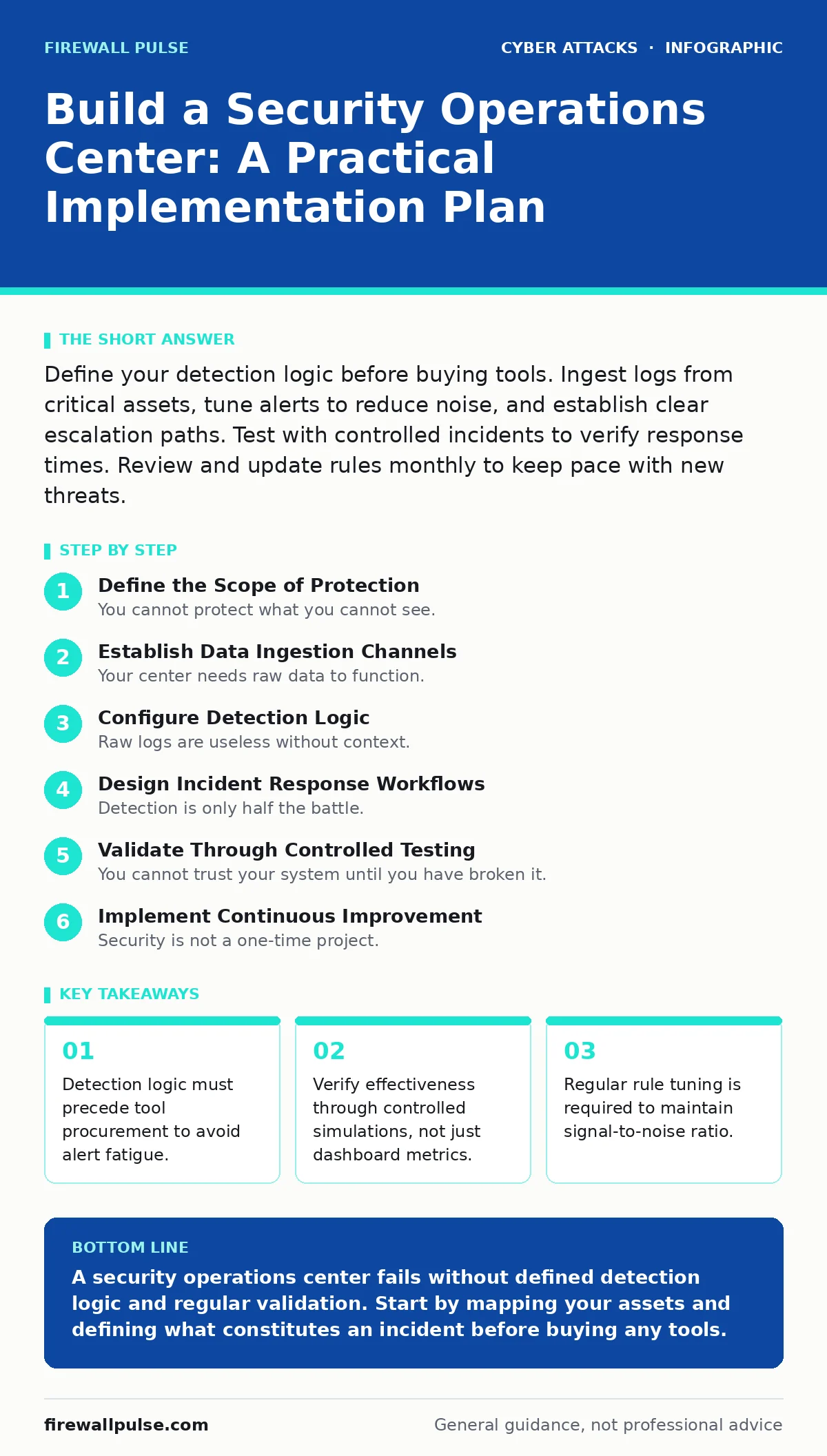
Define your detection logic before buying tools. Ingest logs from critical assets, tune alerts to reduce noise, and establish clear escalation paths. Test with controlled incidents to verify response times. Review and update rules monthly to keep pace with new threats.
Define the Scope of Protection
You cannot protect what you cannot see. Before configuring any software, you must map your critical assets. This includes servers, endpoints, and cloud instances that hold sensitive data or provide essential services. Without this inventory, your security operations center will monitor empty space or miss critical gaps.
Consider how attack surface reduction principles apply here. If you have not reduced the number of exposed services, your monitoring system will drown in noise from benign traffic. You must decide what constitutes a security event. Is a failed login an incident, or is it only an incident after five failures? This definition drives your entire architecture.
Establish Data Ingestion Channels
Your center needs raw data to function. You must collect logs from operating systems, applications, and network devices. This process is called log aggregation. It centralises disparate data sources into a single platform for analysis. Without comprehensive logging, you are reacting to symptoms rather than diagnosing causes.
Ensure you are capturing authentication logs, file integrity changes, and network connection records. Many organisations forget to enable verbose logging on database servers. This oversight leaves them blind to data exfiltration attempts. You must verify that timestamps are synchronised across all devices. Without accurate timing, correlating events across different systems becomes impossible.
Step 1: Deploy Log Collectors
Install lightweight agents on critical hosts to forward logs to your central platform. Configure these agents to send data over encrypted channels to prevent tampering. Verify connectivity by checking that logs appear in the central repository within minutes of generation.
- Install agents on all critical servers.
- Confirm log flow for authentication events.
- Validate timestamp synchronisation.
Configure Detection Logic
Raw logs are useless without context. You must create rules that trigger alerts when specific patterns emerge. This is detection engineering. It involves translating security hypotheses into technical queries. For example, you might define a rule that alerts when a user logs in from two geographically distant locations within minutes.
Avoid generic rules that trigger on common behaviour. A rule that alerts on every failed password attempt will generate thousands of false positives. Instead, focus on anomalous behaviour. Look for privilege escalation attempts or unusual data access patterns. This precision ensures your analysts spend time on real threats, not noise.
Step 2: Build Initial Detection Rules
Start with high-confidence indicators of compromise. These are known signatures of malicious activity. Layer these with behavioural analytics that look for deviations from the norm. Test each rule against historical data to measure its false positive rate. Adjust thresholds until the signal-to-noise ratio is acceptable.
- Create rules for known malicious hashes.
- Define behavioural baselines for user activity.
- Tune thresholds to reduce false positives.
Design Incident Response Workflows
Detection is only half the battle. You must define how your team responds when an alert triggers. This is your incident response plan. It outlines the steps for containment, eradication, and recovery. Every team member must know their role. Ambiguity during a crisis leads to delayed response and greater damage.
Integrate your detection platform with your ticketing system. When an alert fires, it should automatically create a ticket with relevant context. This reduces the manual work for analysts. Define clear escalation paths. If an analyst cannot resolve an issue within a set time, it must escalate to senior engineers.
Step 3: Map Response Procedures
Document the specific actions for common scenarios. For example, if you detect session cookie theft, the response might involve forcing a logout for all sessions of that user. If you identify DNS filtering bypass attempts, the response might involve blocking the domain at the firewall. Ensure these procedures are accessible during an incident.
- Document steps for common alert types.
- Integrate alerting with ticketing systems.
- Define escalation criteria and contacts.
Validate Through Controlled Testing
You cannot trust your system until you have broken it. You must simulate attacks to verify that your detection and response mechanisms work. This is purple teaming. It involves coordinating between offensive and defensive teams. The offensive team simulates attacks, while the defensive team monitors and responds.
Imagine a scenario where an attacker uses clone phishing to steal credentials. Your system should detect the anomalous login and trigger the appropriate response. If it does not, you have identified a gap. Use these exercises to refine your rules and procedures. Regular testing ensures your center remains effective against evolving threats.
Step 4: Execute Simulation Exercises
Run controlled simulations of common attack vectors. Include scenarios like brute force attacks and deepfake scams targeting executive accounts. Measure the time from detection to containment. Identify bottlenecks in your workflow. Use the findings to update your detection rules and response procedures.
- Simulate credential theft scenarios.
- Measure mean time to detect and respond.
- Update procedures based on findings.
See also: Threat Intelligence Platforms: 8 Practices for Actionable Data · Implement Mean Time to Detect: A Step-by-Step Rollout Plan
Implement Continuous Improvement
Security is not a one-time project. Threat actors change their tactics, and your environment evolves. You must continuously review and update your detection logic. This is tuning. It involves analysing false positives and negatives to refine your rules. You should also review new threat intelligence to identify emerging patterns.
Consider how OAuth consent phishing exploits user trust. If your current rules do not detect anomalous consent grants, you need to add them. Regularly review your log sources. Ensure you are capturing new data types as your infrastructure grows. This continuous cycle ensures your center remains relevant.
Step 5: Schedule Regular Reviews
Set a recurring schedule for reviewing detection rules. Analyse recent incidents to identify missed detections. Update rules to cover new attack techniques. Train your analysts on new procedures. This discipline prevents drift and ensures your team stays sharp.
- Review false positive reports monthly.
- Update rules based on new threat intel.
- Conduct training on new procedures.
Maintain Operational Readiness
Your center must be ready at all times. This requires regular maintenance of your tools and infrastructure. Ensure your platforms are patched and configured securely. Monitor the health of your log collectors and central repository. Downtime in your monitoring system leaves you blind.
Also, consider the human element. Analyst fatigue is a real risk. Rotate shifts and provide adequate rest. Ensure your team has the tools they need to work efficiently. A tired analyst misses threats. A well-supported team catches them.
Step 6: Monitor System Health
Check the status of your log ingestion pipelines daily. Ensure no data is being dropped. Monitor the performance of your analysis platform. Address any bottlenecks before they impact detection. This proactive maintenance prevents operational failures.
- Verify log ingestion rates daily.
- Monitor platform performance metrics.
- Address infrastructure issues promptly.
Key takeaways
- Detection logic must precede tool procurement to avoid alert fatigue.
- Verify effectiveness through controlled simulations, not just dashboard metrics.
- Regular rule tuning is required to maintain signal-to-noise ratio.
A security operations center fails without defined detection logic and regular validation. Start by mapping your assets and defining what constitutes an incident before buying any tools.
Frequently asked questions
How many analysts do I need for a security operations center?
The number depends on your alert volume and shift coverage. Start with a small team and scale as your detection logic matures and alert noise decreases.
Can I automate incident response completely?
No. Automation can handle routine tasks, but human judgment is required for complex incidents. Over-automation can lead to unintended consequences.
How often should I update detection rules?
Review rules monthly at a minimum. Update them immediately after significant changes to your infrastructure or after analysing new threat intelligence.
What is the biggest risk in building a security operations center?
Alert fatigue. If you generate too many false positives, analysts will ignore alerts, causing real threats to be missed. Focus on precision over volume.
How this guide was produced: written by the Firewall Pulse editorial team with AI assistance, checked against the public references listed below, and reviewed when the facts change. See our editorial policy or report an error.