How Insecure Container Images Work: The Step-by-Step Attack Path
Most container supply chain compromises occur long before deployment, exploiting trust in automated build pipelines and unsigned image layers.
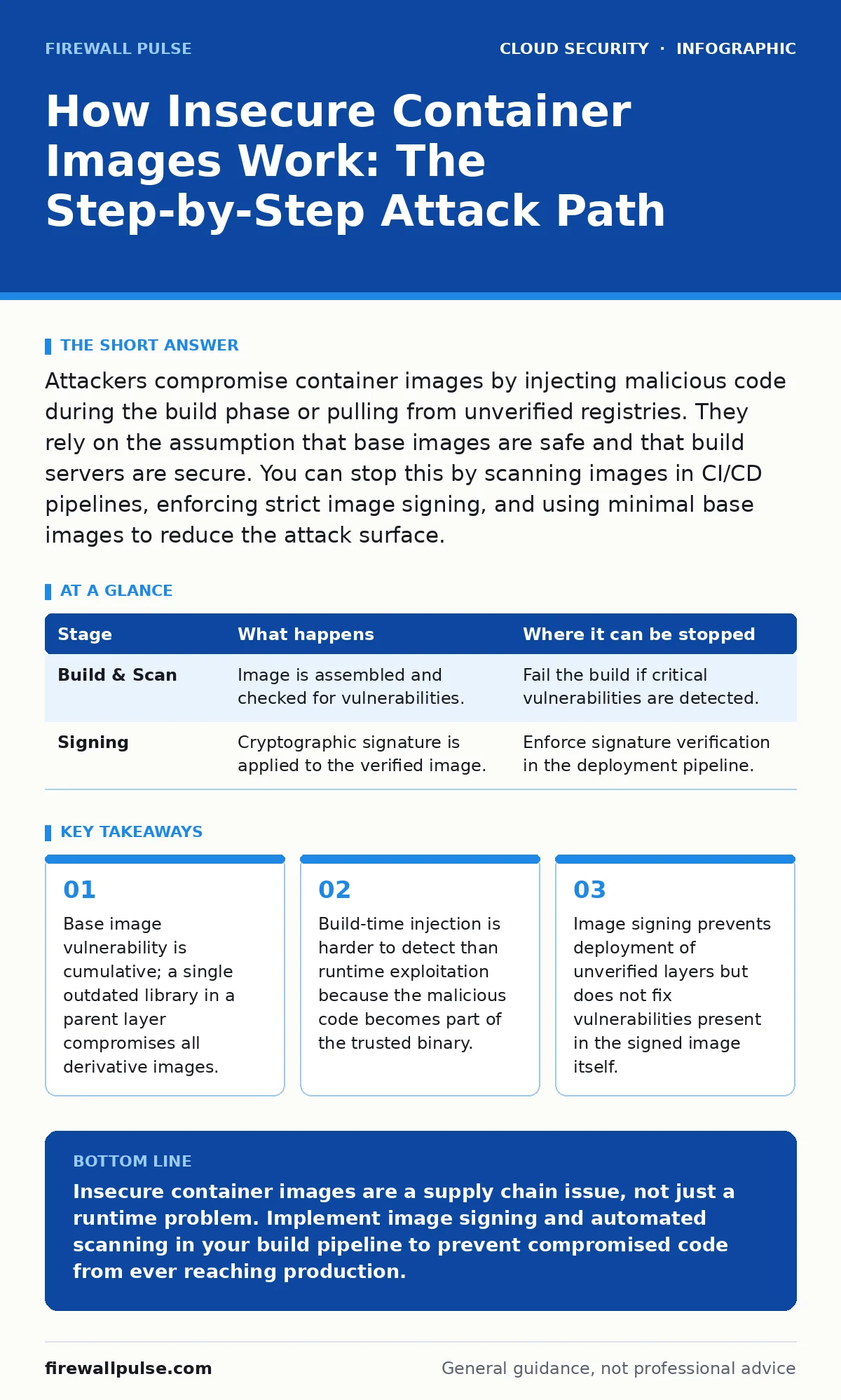
Attackers compromise container images by injecting malicious code during the build phase or pulling from unverified registries. They rely on the assumption that base images are safe and that build servers are secure. You can stop this by scanning images in CI/CD pipelines, enforcing strict image signing, and using minimal base images to reduce the attack surface.
The Silent Accumulation of Risk
Container images are not monolithic files. They are stacks of read-only layers, each representing a change to the filesystem. When you run a container, the runtime merges these layers into a single union filesystem. This efficiency creates a hidden risk profile. If one layer contains a vulnerability, every image derived from that layer inherits the flaw.
You might assume that fixing a vulnerability in a new layer overwrites the bad data. This is a misconception. The old layer remains in the image history, accessible to anyone with read access to the registry. Attackers often inspect the full layer history to find deprecated libraries or exposed secrets that were never truly deleted, only hidden.
Stage 1: The Compromised Base Image
The chain begins with the base image. Developers rarely write code from scratch; they pull from public registries using tags like latest or ubuntu:20.04. These tags are mutable. A maintainer can push new content to the same tag, or an attacker can hijack the tag if the maintainer’s credentials are stolen.
Suppose you pin your build to a specific digest, which is cryptographically unique. This prevents tag confusion attacks. However, if the base image itself was built with a vulnerable compiler or included a pre-installed package with a known flaw, your application inherits that exposure immediately. The flaw exists before your code even enters the pipeline.
Stage 2: Build-Time Injection
The build process runs on a shared infrastructure. In many organisations, the CI/CD server has broad permissions to pull secrets, push images, and deploy code. If an attacker gains access to the build server, they can modify the Dockerfile or inject payloads directly into the image layers.
This is not a runtime hack. The attacker edits the image while it is being assembled. They might add a new layer that contains a reverse shell or modify an existing layer to include a keylogger. Because the build server is trusted, the resulting image appears legitimate. It passes basic syntax checks and contains no obvious anomalies in the final file structure.
Stage 3: The Unscanned Push
Once built, the image is pushed to a container registry. Many teams treat this step as a simple file transfer. They do not scan the image for vulnerabilities or malware. They rely on the fact that the code worked in development.
This gap allows vulnerable libraries to persist. An image might contain a version of a logging library that allows remote code execution. If no scanner interrupts the push, this vulnerable image becomes the new standard for your application. It sits in the registry, waiting to be pulled by any service that references it. The vulnerability is now baked into your supply chain.
Stage 4: Deployment Without Verification
The orchestration layer pulls the image to run the workload. Without admission controls, the platform trusts the image simply because it exists in the approved registry. It does not check who signed it or whether it has changed since the last successful deployment.
Attackers exploit this trust by pushing a malicious image with the same name as a legitimate one. If the deployment process does not verify the cryptographic signature, the orchestrator runs the malicious code with the same permissions as the original application. The breach occurs at the deployment gate, not during execution.
See also: Implement Cloud Compliance: A Step-by-Step Guide for Secure Infrastructure
Stage 5: Runtime Exploitation
Once the container is running, the attacker’s payload executes. If the image was compromised at build time, the malicious code is already active. It might establish a persistent backdoor, exfiltrate data, or pivot to other services within the cluster.
Because the process appears as part of the normal application, standard monitoring might not flag it. The network traffic looks like legitimate application data. The attacker relies on the lack of visibility into the container’s internal processes. They wait for an opportunity to move laterally, often targeting services with broader network access.
Interrupting the Chain
You can stop this process at multiple points. The most effective interruption occurs during the build phase. By integrating vulnerability scanners into your CI/CD pipeline, you reject images that contain known flaws. This prevents the vulnerability from ever entering the registry.
Image signing adds a layer of cryptographic verification. You sign the image after a successful build and scan. The deployment platform then refuses to run any image that lacks a valid signature. This prevents an attacker from pushing a malicious image with the same name, as they cannot forge the signature without the private key.
| Stage | What happens | Where it can be stopped |
|---|---|---|
| Build & Scan | Image is assembled and checked for vulnerabilities. | Fail the build if critical vulnerabilities are detected. |
| Signing | Cryptographic signature is applied to the verified image. | Enforce signature verification in the deployment pipeline. |
The Hidden Cost of Trust
The fundamental issue is misplaced trust. You trust the base image maintainer, the build server, and the registry. Each of these is a potential failure point. Compromise in any one of them leads to a broken image.
Reducing the attack surface means minimising what you trust. Use minimal base images that contain only the necessary runtime components. This reduces the number of libraries that can be exploited. It also reduces the size of the image, making scans faster and more thorough.
Aligning with Cloud Security Practices
Securing container images does not happen in isolation. It must align with your broader cloud security posture. For instance, cloud IAM policies should restrict who can push images to your registry. If a developer’s credentials are stolen, the attacker should not be able to push a new image to the production namespace.
Similarly, workload identity ensures that the container itself has only the permissions it needs. Even if an attacker compromises the image, they cannot access sensitive data if the container lacks the necessary identity tokens. This limits the blast radius of a breach.
You should also consider cloud logging gaps. If your logs do not capture image pull events or build metadata, you will not know when a compromised image was deployed. Ensure your logging strategy captures the full lifecycle of the image, from build to deletion. This visibility is critical for forensic analysis after an incident.
Final Verification Steps
Before deploying, verify that your pipeline enforces strict checks. Ensure that no one can bypass the scanner or the signer. Test your admission controls by attempting to deploy an unsigned image. It should fail immediately.
Regularly review your base images. Even if you pin to a digest, the underlying operating system may receive security updates. You must rebuild your images periodically to incorporate these patches. This maintenance is not optional; it is a continuous defence against newly discovered vulnerabilities.
Key takeaways
- Base image vulnerability is cumulative; a single outdated library in a parent layer compromises all derivative images.
- Build-time injection is harder to detect than runtime exploitation because the malicious code becomes part of the trusted binary.
- Image signing prevents deployment of unverified layers but does not fix vulnerabilities present in the signed image itself.
Insecure container images are a supply chain issue, not just a runtime problem. Implement image signing and automated scanning in your build pipeline to prevent compromised code from ever reaching production.
Frequently asked questions
Does pinning to a specific image hash prevent all attacks?
Pinning prevents tag confusion and ensures you pull the exact same binary, but it does not protect against vulnerabilities present in that specific binary or build-time injection if the build server is compromised.
Can I use open source scanners for production?
Open source scanners are effective for detecting known vulnerabilities, but they must be integrated into a mandatory pipeline step. Relying on manual scans leads to inconsistent coverage and missed threats.
What is the difference between image signing and encryption?
Signing verifies the identity of the author and the integrity of the content, ensuring it has not been altered. Encryption hides the content from unauthorised viewers. Signing is required for trust; encryption is required for confidentiality.
How do I handle legacy applications that cannot be rebuilt?
Legacy applications should be isolated in separate namespaces with strict network policies. Since they cannot be easily patched, you must limit their access to other services and monitor their network traffic closely for anomalies.
How this guide was produced: written by the Firewall Pulse editorial team with AI assistance, checked against the public references listed below, and reviewed when the facts change. See our editorial policy or report an error.