Stop Attacker Reconnaissance: Practical Network Hiding Tactics
Reduce your digital footprint by hiding metadata, restricting directory listings, and implementing strict rate limiting to blind automated scanning tools.

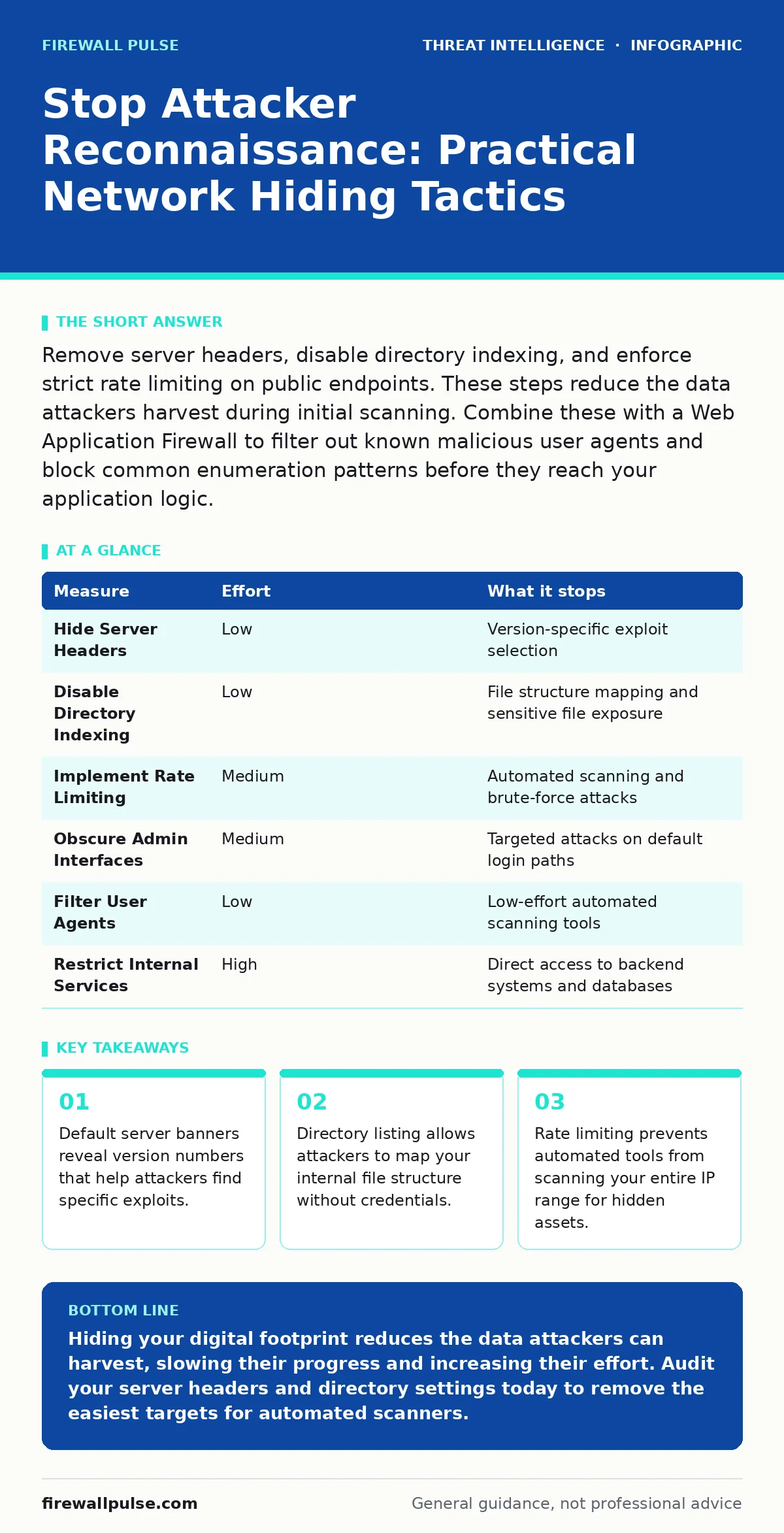
Remove server headers, disable directory indexing, and enforce strict rate limiting on public endpoints. These steps reduce the data attackers harvest during initial scanning. Combine these with a Web Application Firewall to filter out known malicious user agents and block common enumeration patterns before they reach your application logic.
Hide Server Identity Headers
Web servers often broadcast their identity in HTTP response headers. This includes the server name, version number, and sometimes the operating system details. Attackers use this information to select known vulnerabilities that match your specific software version. You must configure your web server to strip or genericise these headers.
This is a quick win that requires minimal effort but removes a significant amount of useful data for an attacker. When an automated scanner hits your site, it receives a generic response instead of a detailed inventory. This forces the attacker to spend more time and resources probing for weaknesses manually.
Many organisations leave these headers enabled by default. The convenience of debugging is outweighed by the security risk. You can configure most standard web servers to return a blank or custom server name. This does not prevent all attacks, but it removes the easy path for automated exploitation tools.
Disable Directory Indexing
If your web server is configured to list directory contents, an attacker can browse your folders without needing a specific file name. This is often enabled by default on many server installations for convenience during development. It exposes backup files, configuration templates, and temporary data that should never be public.
You must disable directory listing on all public-facing directories. This forces the server to return a "403 Forbidden" or "404 Not Found" error when a user requests a directory path without a specific file. This prevents attackers from mapping your application structure and finding sensitive files like .env or config.php.
Imagine an attacker scanning your domain. Without directory listing, they see a wall of errors. With it, they see a map of your internal structure. This single change stops a large class of information disclosure attacks. It also reduces the noise in your logs, making it easier to spot genuine malicious activity.
Implement Strict Rate Limiting
Automated reconnaissance tools scan thousands of ports and paths in seconds. They rely on speed to gather data before you can react. If you allow unlimited requests from a single IP address, these tools can map your entire attack surface in minutes. You must implement rate limiting at the network or application layer.
Rate limiting restricts the number of requests a single IP address can make within a specific time window. When an IP exceeds this limit, the server blocks further requests for a set period. This slows down automated scanners to a crawl, making reconnaissance impractical and expensive for the attacker.
This measure adds a layer of friction. It does not stop a determined human attacker, but it defeats the majority of automated tools used in the initial phases of an attack. You should tune these limits carefully to avoid blocking legitimate users. Start with conservative limits and adjust based on your traffic patterns.
Obscure Administrative Interfaces
Default paths for administrative interfaces are well known. Attackers target these paths specifically because they are easy to find. If your login page is at /admin or /wp-login.php, automated tools will hit it immediately. You should move these interfaces to non-standard paths or behind additional authentication layers.
This is not security through obscurity alone. It is about reducing the attack surface. By hiding the entry point, you reduce the volume of automated attacks against your login forms. This also helps in identifying genuine attempts, as legitimate users will know the correct path.
You should also disable directory traversal on these interfaces. This prevents attackers from navigating up the directory tree to access other parts of your system. Combine path obscuration with strong authentication and multi-factor authentication for maximum protection.
Filter Malicious User Agents
Many reconnaissance tools use identifiable user agent strings. These strings identify the software making the request. While attackers can spoof these strings, many automated tools use default settings that are easily recognisable. You can configure your firewall or web application firewall to block requests from known malicious user agents.
This filter catches a significant portion of low-effort scanning activity. It reduces the load on your servers and cleans up your logs. However, sophisticated attackers will customise their user agents to look like legitimate browsers. This measure is a first line of defence, not a complete solution.
You should maintain a list of known malicious user agents and update it regularly. This list includes common scanners and bots. Blocking these agents at the edge prevents them from reaching your application logic. This reduces the risk of resource exhaustion and improves overall performance.
See also: Implement Mean Time to Detect: A Step-by-Step Rollout Plan · Unified Kill Chain: The 10 Questions You Need Answered
Restrict External Access to Internal Services
Many organisations expose internal services to the public internet unnecessarily. These services include database ports, management interfaces, and development tools. Each exposed service is a potential entry point for an attacker. You must restrict access to these services to only trusted IP ranges or VPN connections.
This reduces your external attack surface significantly. Attackers cannot scan for vulnerabilities on services they cannot reach. You should audit your firewall rules regularly to ensure that only necessary ports are open to the internet. Close any ports that are not required for business operations.
Imagine your database port is open to the internet. An attacker can scan for default credentials or known vulnerabilities. If you restrict access to internal networks only, this vector is eliminated. This measure requires careful planning to ensure legitimate access is not disrupted, but the security benefit is substantial.
| Measure | Effort | What it stops |
|---|---|---|
| Hide Server Headers | Low | Version-specific exploit selection |
| Disable Directory Indexing | Low | File structure mapping and sensitive file exposure |
| Implement Rate Limiting | Medium | Automated scanning and brute-force attacks |
| Obscure Admin Interfaces | Medium | Targeted attacks on default login paths |
| Filter User Agents | Low | Low-effort automated scanning tools |
| Restrict Internal Services | High | Direct access to backend systems and databases |
Monitor for Reconnaissance Patterns
Prevention is not enough. You must detect when reconnaissance is occurring. Set up alerts for unusual traffic patterns, such as high volumes of 404 errors or rapid sequential requests. These patterns indicate that an attacker is mapping your attack surface.
Integrate your web server logs with a security information and event management system. This allows you to correlate events across different sources and identify potential threats early. You should also monitor for changes in your external attack surface, such as new open ports or exposed services.
Detection allows you to respond proactively. You can block attacking IPs, update firewall rules, and investigate potential compromises. This turns passive defence into active security. You gain visibility into the tactics attackers use against your organisation.
Key takeaways
- Default server banners reveal version numbers that help attackers find specific exploits.
- Directory listing allows attackers to map your internal file structure without credentials.
- Rate limiting prevents automated tools from scanning your entire IP range for hidden assets.
Hiding your digital footprint reduces the data attackers can harvest, slowing their progress and increasing their effort. Audit your server headers and directory settings today to remove the easiest targets for automated scanners.
Frequently asked questions
Does hiding server headers stop all attacks?
No, it only removes easy information for automated tools. Determined attackers will still probe for vulnerabilities, but they will have to work harder to identify your specific software versions.
How do I find hidden directories on my own server?
Use automated scanning tools designed for security testing. These tools simulate attacker behaviour and can identify directories that are accessible but not linked from your main site.
Is rate limiting enough to stop DDoS attacks?
No, rate limiting helps with small-scale automated scanning. Distributed Denial of Service attacks require specialised mitigation services that can handle much higher volumes of traffic and filter malicious patterns at the network edge.
Should I change my default admin URL?
Yes, moving administrative interfaces to non-standard paths reduces the volume of automated attacks. Combine this with strong authentication and multi-factor authentication for better security.
How this guide was produced: written by the Firewall Pulse editorial team with AI assistance, checked against the public references listed below, and reviewed when the facts change. See our editorial policy or report an error.