Implement Mean Time to Detect: A Step-by-Step Rollout Plan
Detecting threats faster requires mapping data sources to specific attacker actions, not just counting alerts from generic security tools.
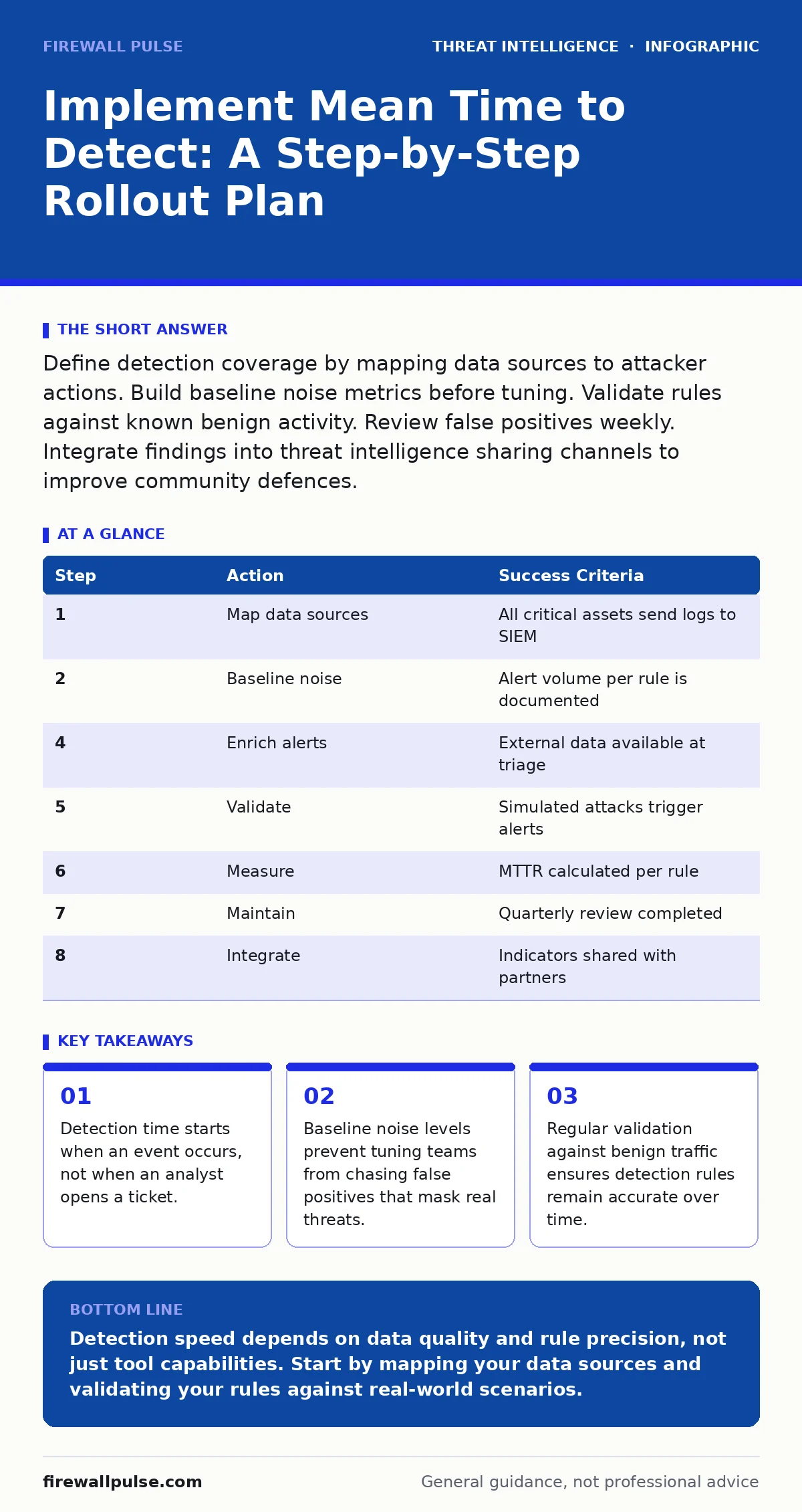
Define detection coverage by mapping data sources to attacker actions. Build baseline noise metrics before tuning. Validate rules against known benign activity. Review false positives weekly. Integrate findings into threat intelligence sharing channels to improve community defences.
Define the detection surface area
You cannot measure what you do not observe. Before calculating any metrics, you must identify which systems generate logs and where those logs travel. Many organisations assume their security information and event management system sees everything. This assumption fails when cloud services, container orchestrators or legacy applications send data to separate silos.
Map every data source to a specific attacker action. If you monitor web server access logs, you can detect reconnaissance. If you ignore directory service logs, you miss lateral movement. This mapping creates the boundary for your mean time to detect calculation. Without this boundary, your metric measures nothing but noise.
Establish baseline noise levels
Security tools generate thousands of alerts daily. Most are false positives caused by normal business activity. If you start tuning rules immediately, you will optimise for silence rather than detection. You need a baseline of how many alerts each rule generates under normal conditions.
Run your detection rules for a defined period without acting on them. Record the volume of alerts per hour. Identify which rules trigger most frequently. This data reveals which rules are too broad. A rule that alerts on every failed login is useless if employees forget passwords regularly. You must distinguish between expected friction and actual compromise signals.
Tune rules for precision
Precision matters more than volume. A detection rule that catches every attack but also catches every software update is not a detection rule. It is a distraction. You must refine rules to trigger only on anomalous patterns.
Start by excluding known benign sources. If a backup server scans every port on the network, exclude its IP address from port scan detections. Next, add context. A single failed login is noise. Ten failed logins from a new country for a service account is suspicious. Use correlation windows to group events. This reduces alert fatigue and forces analysts to focus on high-fidelity signals.
Implement automated enrichment
Raw logs lack context. An IP address or file hash means little without background data. You must enrich alerts with external data before they reach an analyst. This step reduces the time an analyst spends on initial triage.
Integrate your detection platform with threat intelligence platforms. These systems provide reputation scores for indicators of compromise. When an alert fires, the system should automatically check if the associated IP or domain appears in known malicious lists. If it does, the alert escalates. If it does not, the alert remains at standard priority. This automation ensures that high-risk events receive immediate attention.
Validate with controlled testing
You cannot trust a detection rule until you have proven it works. Passive monitoring is insufficient. You must actively test your detection capabilities against simulated attacker behaviour.
Imagine a scenario where a user downloads a malicious script. Does your endpoint detection rule trigger? Does the network monitor see the command and control beacon? Run these simulations in a isolated environment. Record the time between the simulated action and the alert generation. This is your ground truth. If the alert does not fire, or fires hours later, your mean time to detect is broken. Fix the rule before moving to production.
See also: Unified Kill Chain: The 10 Questions You Need Answered · Fast Flux DNS: How Attackers Hide Malware and How to Stop It
Measure and report consistently
Mean time to detect is the average time between a security event occurring and an analyst becoming aware of it. You must calculate this consistently. Define the start time as the timestamp of the first relevant log entry. Define the end time as the moment the analyst creates a ticket or acknowledges the alert.
Track this metric for each detection rule, not just for the entire organisation. Some rules will have excellent detection times. Others will lag. Identify the outliers. Rules with long detection times usually suffer from poor data quality or complex correlation logic. Simplify these rules or improve the underlying data pipeline.
Maintain detection hygiene
Detection rules degrade over time. Software updates change log formats. New applications introduce new traffic patterns. If you do not maintain your rules, they will stop working or generate excessive noise.
Review your detection coverage quarterly. Check if new assets have been added to the network. Ensure they are sending logs to your collection pipeline. Update your threat intelligence platforms with new indicators. Align your detection logic with current attacker persistence techniques. If attackers change how they maintain access, your rules must change to catch that behaviour.
Integrate with broader intelligence
Detection does not happen in isolation. Your findings should inform broader defensive strategies. Share anonymised indicators of compromise with trusted partners. Participate in threat intelligence sharing initiatives. This reciprocal exchange helps you detect threats that others have already seen.
Use your detection data to refine your SOC playbooks. If a specific attack pattern triggers a high volume of alerts, update the playbook to handle it more efficiently. This reduces response time and frees analysts to investigate complex incidents. Consider how your detections map to the Unified Kill Chain. Identifying gaps in early-stage detection helps you prioritise improvements in logging and monitoring.
| Step | Action | Success Criteria |
|---|---|---|
| 1 | Map data sources | All critical assets send logs to SIEM |
| 2 | Baseline noise | Alert volume per rule is documented |
| 4 | Enrich alerts | External data available at triage |
| 5 | Validate | Simulated attacks trigger alerts |
| 6 | Measure | MTTR calculated per rule |
| 7 | Maintain | Quarterly review completed |
| 8 | Integrate | Indicators shared with partners |
- Verify log ingestion for all critical assets
- Document baseline alert volumes
- Exclude known benign sources from rules
- Test rules against simulated attacks
- Calculate mean time to detect per rule
- Review rules quarterly for relevance
- Share indicators with trusted partners
Key takeaways
- Detection time starts when an event occurs, not when an analyst opens a ticket.
- Baseline noise levels prevent tuning teams from chasing false positives that mask real threats.
- Regular validation against benign traffic ensures detection rules remain accurate over time.
Detection speed depends on data quality and rule precision, not just tool capabilities. Start by mapping your data sources and validating your rules against real-world scenarios.
Frequently asked questions
How do I calculate mean time to detect accurately?
Define the start time as the first log entry of the event and the end time as analyst acknowledgement. Average these intervals over a set period for each rule.
What is the difference between detection and response time?
Detection time ends when an analyst sees the alert. Response time includes the duration of investigation and remediation actions.
Can automated tools replace manual tuning?
No. Automated tools can suggest adjustments, but humans must verify that true positives are not excluded. Context matters.
How often should I review detection rules?
Review rules quarterly or after major infrastructure changes. Ensure they align with current threat intelligence and business applications.
How this guide was produced: written by the Firewall Pulse editorial team with AI assistance, checked against the public references listed below, and reviewed when the facts change. See our editorial policy or report an error.