Clone Phishing: How to Spot Cloned Emails and Stop Fraud
Clone phishing bypasses standard spam filters because the message structure and sender address appear identical to legitimate correspondence.
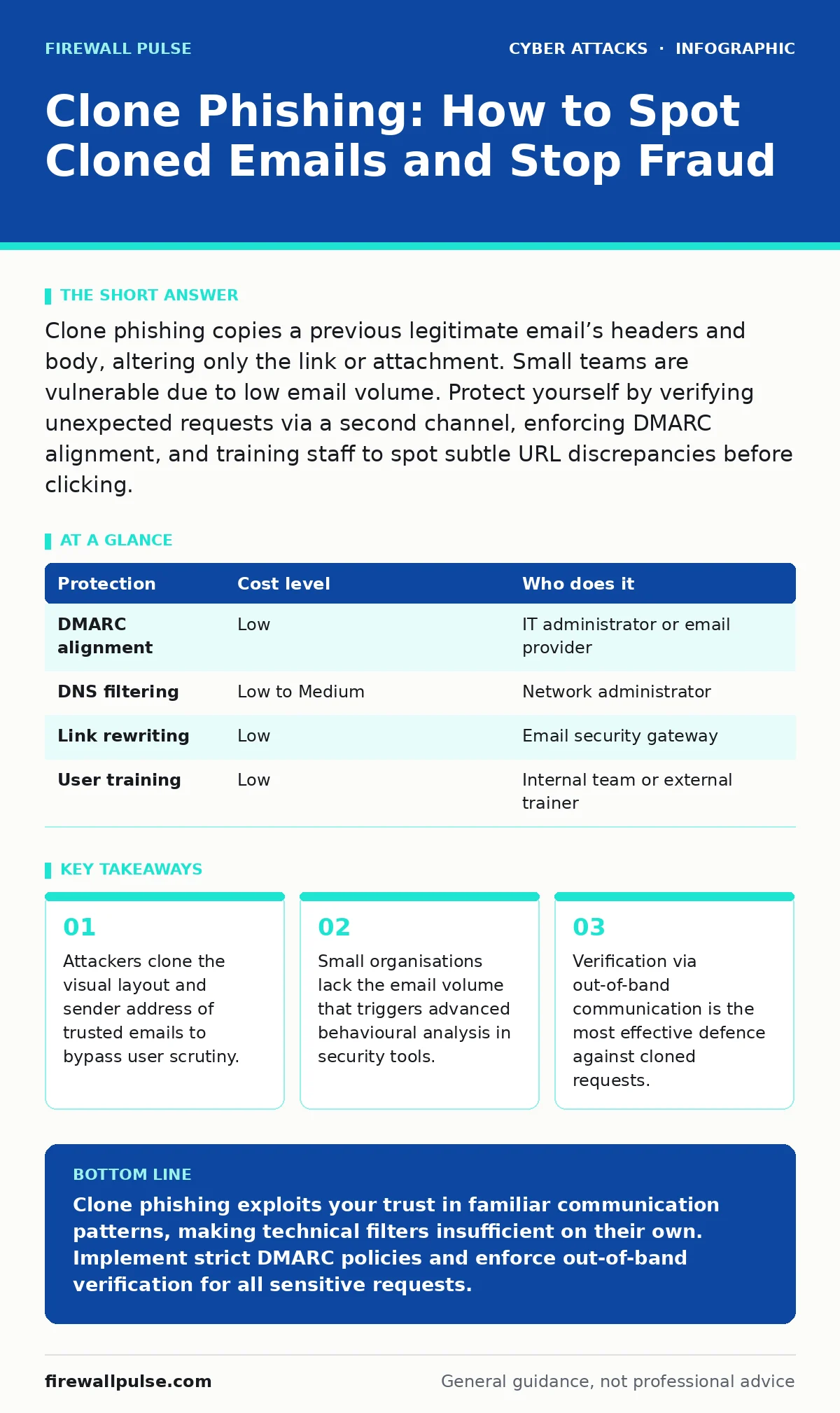
Clone phishing copies a previous legitimate email’s headers and body, altering only the link or attachment. Small teams are vulnerable due to low email volume. Protect yourself by verifying unexpected requests via a second channel, enforcing DMARC alignment, and training staff to spot subtle URL discrepancies before clicking.
The Mechanics of Message Cloning
Clone phishing is a technique where an attacker copies the subject line, body text, and sender address of a legitimate email you have previously received. The attacker then modifies the call to action, usually by swapping a benign link for a malicious one or replacing a standard document with a malware-laden attachment. Because the message looks exactly like something you expect, your brain skips the usual safety checks.
This method differs from standard spear phishing, which requires extensive research to craft a unique narrative. Clone phishing relies on the inertia of routine. You have already engaged with this sender. You know the context. The attacker exploits that familiarity.
The technical execution is straightforward. The attacker needs only one piece of access: the ability to read your inbox or the inbox of a colleague. This often happens through a compromised account or a weak security posture elsewhere in the network. Once they have the raw data of a legitimate email, they can replicate it with high fidelity.
Why Small Teams Are Primary Targets
Small organisations present a unique set of vulnerabilities that make clone phishing particularly effective. Large enterprises generate massive volumes of email, which allows security tools to build complex behavioural baselines. A sudden change in an executive’s writing style or an unusual attachment might trigger an alert. In a small team, email patterns are sparse and predictable. There is little data for algorithms to analyse.
Furthermore, small teams often operate with flat hierarchies and informal communication channels. Requests for urgent actions, such as password resets or invoice payments, are rarely challenged. The social pressure to help a colleague or client is high, and the friction of verification is low. This culture of trust is the attacker’s greatest asset.
Another hidden risk is the lack of dedicated security staff. Many small businesses rely on generalist IT support or outsourced providers who may not monitor email traffic in real time. By the time an incident is reported, the damage is often done. The delay between the click and the discovery is the window in which the attacker operates.
The Hidden Cost of Trusted Relationships
The most dangerous aspect of clone phishing is that it weaponises your existing relationships. You are not being tricked by a stranger; you are being tricked by a mirror image of someone you trust. This psychological manipulation is harder to detect than obvious red flags like poor grammar or mismatched domains.
Consider the scenario where a vendor sends a routine update. You click the link without thinking. The attacker has cloned that email. When you receive the clone, the domain looks correct, the logo is present, and the tone is professional. The only anomaly is a slight variation in the URL, perhaps a single character difference in the subdomain. Most users do not inspect URLs closely.
This technique also circumvents traditional spam filters. Since the content is largely identical to a known good message, the filter assigns it a low spam score. The message lands in the primary inbox, not the junk folder. This gives the phishing attempt a stamp of legitimacy that is difficult to question.
Low-Cost Technical Defences
You do not need expensive security suites to mitigate this risk. Several low-cost technical controls can significantly reduce the success rate of clone phishing. The first line of defence is proper email authentication. Implementing DMARC, SPF, and DKIM ensures that only authorised servers can send email on your behalf.
DMARC (Domain-based Message Authentication, Reporting, and Conformance) is particularly useful. It tells receiving servers what to do with emails that fail authentication checks. By setting a strict policy, you can prevent attackers from spoofing your domain entirely. This stops them from cloning emails that appear to come from your own organisation.
DNS filtering is another effective tool. It blocks access to known malicious domains at the network level. Even if a user clicks a cloned link, the connection fails before any data is exfiltrated. This adds a layer of protection that does not rely on user vigilance.
| Protection | Cost level | Who does it |
|---|---|---|
| DMARC alignment | Low | IT administrator or email provider |
| DNS filtering | Low to Medium | Network administrator |
| Link rewriting | Low | Email security gateway |
| User training | Low | Internal team or external trainer |
Verification as a Habit
Technology alone cannot stop clone phishing. The attacker can bypass filters by using legitimate cloud services to host their malicious content. The final barrier is the human element. You must cultivate a habit of verification for any request that involves money, data, or credentials.
Out-of-band verification is the standard practice. This means confirming the request through a different communication channel than the one used in the email. If an email asks you to change a bank account, call the sender on a known phone number. Do not use the number in the email. If an email asks for a password reset, check with the user directly via a chat application or in person.
This step adds friction, which is exactly the point. Phishing relies on urgency and ease. By introducing a small delay and a requirement for secondary confirmation, you break the attacker’s momentum. It is a simple process that saves significant time and resources in the long run.
See also: Deepfake Scams: 6 Myths That Leave Your Organisation Exposed · IoT Malware Risks: Practical Protection for Small Business Networks
Questions for Your IT Provider
If you outsource your IT support, you need to ensure they are actively managing these risks. Many providers focus on hardware and connectivity, neglecting the subtle threats posed by email-based attacks. Ask specific questions to gauge their preparedness.
First, ask about their email security strategy. Do they use a dedicated email security gateway, or do they rely solely on the built-in filters of your email provider? Built-in filters are often insufficient for sophisticated clone phishing attempts.
Second, inquire about their incident response plan. What happens if a user clicks a malicious link? Is there a process for immediate isolation of the affected device and password resets? A provider who cannot answer this quickly is not ready for a breach.
Finally, ask about their monitoring capabilities. Do they review email logs for anomalies, or only respond to tickets? Proactive monitoring can detect patterns of compromise before they lead to significant loss.
- Do you monitor DMARC reports for spoofing attempts?
- How do you handle suspicious emails that bypass initial filters?
- What is the process for verifying identity changes requested via email?
- Do you provide regular training on social engineering tactics?
Building a Resilient Culture
Protecting against clone phishing requires a shift in mindset. It is not just about blocking bad emails; it is about encouraging healthy scepticism. You should view every unexpected request as potentially malicious until proven otherwise.
This approach aligns with other security practices. For instance, just as you guard against payroll diversion fraud by verifying bank details, you must guard against clone phishing by verifying the source of the request. Similarly, understanding the risks of deepfake scams helps you appreciate the sophistication of modern social engineering.
By combining technical controls like DMARC and DNS filtering with a culture of verification, you create a defence that is difficult to bypass. The attacker may clone the email, but they cannot clone your verification process. This simple distinction is the key to staying safe.
Key takeaways
- Attackers clone the visual layout and sender address of trusted emails to bypass user scrutiny.
- Small organisations lack the email volume that triggers advanced behavioural analysis in security tools.
- Verification via out-of-band communication is the most effective defence against cloned requests.
Clone phishing exploits your trust in familiar communication patterns, making technical filters insufficient on their own. Implement strict DMARC policies and enforce out-of-band verification for all sensitive requests.
Frequently asked questions
Can email filters stop clone phishing?
Standard filters often miss clone phishing because the content matches legitimate messages. Advanced behavioural analysis helps, but it is not foolproof.
How do I verify a request without calling?
Use a secondary channel like a secure chat application or an internal messaging system. Avoid using contact details provided in the suspicious email.
Is DMARC enough to prevent spoofing?
DMARC prevents attackers from sending emails that appear to come from your domain. It does not stop them from cloning emails from third-party domains.
What should I do if I click a cloned link?
Disconnect the device from the network immediately and change your passwords. Report the incident to your IT provider for further investigation.
How this guide was produced: written by the Firewall Pulse editorial team with AI assistance, checked against the public references listed below, and reviewed when the facts change. See our editorial policy or report an error.