Stop Brute Force Attacks: Practical Prevention That Actually Works
Blocking IP addresses is a false economy; attackers rotate addresses faster than you can ban them, making identity-centric controls the only durable defence.
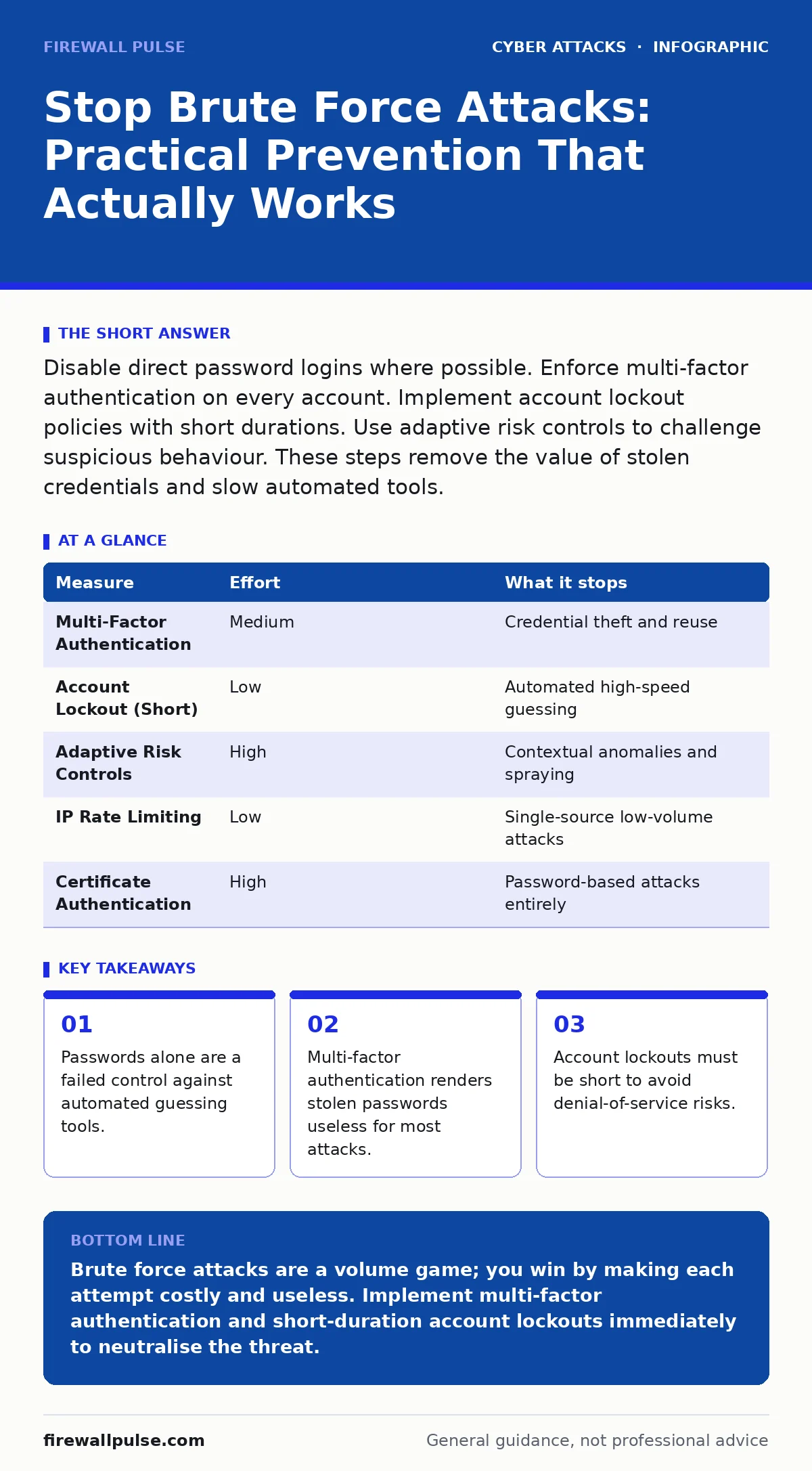
Disable direct password logins where possible. Enforce multi-factor authentication on every account. Implement account lockout policies with short durations. Use adaptive risk controls to challenge suspicious behaviour. These steps remove the value of stolen credentials and slow automated tools.
The Mechanics of Automated Guessing
Brute force attacks rely on volume, not sophistication. An attacker sends thousands of login attempts per minute, testing common password combinations or leaked credential lists. The goal is not to crack encryption but to find a working pair before you notice.
You cannot stop every attempt. The internet is full of automated scanners probing every exposed port. Your defence must focus on removing the reward for these attempts. If a guess fails, the attacker learns nothing. If a guess succeeds but cannot be used, the attack fails.
This differs from targeted attacks like clone phishing or deepfake scams, which rely on human error. Brute force is mechanical. It does not care who you are. It only cares that the door is unlocked.
The False Promise of IP Blocking
Many teams believe that blocking an IP address after five failed attempts solves the problem. This is a dangerous misconception. Modern botnets consist of millions of devices. An attacker will rotate to a new IP address for every few attempts.
Imagine you block an IP after five failures. The attacker uses 10,000 different IPs. You block 2,000 IPs. The attack continues. Meanwhile, you have filled your firewall rules with noise. This slows down your legitimate traffic processing and creates management overhead.
Account Lockout: The Double-Edged Sword
Account lockout is a standard control, but it has a hidden cost. If you lock an account after three failed attempts, an attacker can intentionally trigger these locks. This denies service to the legitimate user.
You must balance security with availability. A lockout duration of five to ten minutes is usually sufficient. This stops automated tools, which cannot wait, but allows a legitimate user to try again shortly after.
Do not use permanent lockouts. These require manual intervention from support teams. This creates a helpdesk burden and delays access for users who simply mistyped their password. The lockout must be automatic and temporary.
Multi-Factor Authentication as the Primary Control
Multi-factor authentication (MFA) is the most effective single control. It adds a second requirement for access, such as a code from a mobile app or a hardware token. Even if the attacker guesses the password, they cannot complete the login.
Password spraying is a variant of brute force where attackers use one common password against many usernames. MFA stops this too. The attacker cannot guess the second factor.
This approach complements other identity protections. For example, session cookie theft allows attackers to bypass login screens entirely. MFA protects the login, but you must also secure the session. Understanding these different vectors ensures you do not leave gaps.
Adaptive Risk and Context Awareness
Static rules fail because they do not understand context. Adaptive risk controls evaluate the login attempt based on multiple signals. Where is the user logging in from? Is it a new device? Is the time unusual?
If a login comes from a country the user has never visited, the system can demand additional verification. This is not a lockout. It is a challenge. The legitimate user can prove their identity. The automated tool cannot.
This method reduces friction for normal users. They rarely see the extra step. Attackers, however, face constant hurdles. Each challenge slows them down. Time is your ally in this scenario.
Removing the Attack Surface
The best defence is to have no target. If you can disable direct password logins, do so. Use certificate-based authentication or single sign-on where possible. These methods are harder to automate against.
For services that must use passwords, ensure they are not exposed to the public internet. Use a zero-trust network access model. This requires verification for every request, regardless of origin.
This principle applies to all entry points. Consider how DNS filtering can block connections to malicious domains. Similarly, restricting access to management interfaces prevents attackers from reaching the login screen in the first place.
Measures That Do Not Work
Some common advice is outdated or ineffective. Captchas are a barrier, but they do not stop determined attackers. There are services that solve captchas automatically using human labour or advanced AI.
Complexity requirements for passwords are also a poor defence. Users will choose predictable patterns if forced to change passwords frequently. This leads to password fatigue and reuse.
Focus on detection and response. Monitor for spikes in failed login attempts. Set up alerts for impossible travel, where a user logs in from two distant locations in a short time. These signals indicate an active attack.
Summary of Controls
| Measure | Effort | What it stops |
|---|---|---|
| Multi-Factor Authentication | Medium | Credential theft and reuse |
| Account Lockout (Short) | Low | Automated high-speed guessing |
| Adaptive Risk Controls | High | Contextual anomalies and spraying |
| IP Rate Limiting | Low | Single-source low-volume attacks |
| Certificate Authentication | High | Password-based attacks entirely |
Action Plan for Today
You do not need a major project to improve your stance. Start with these three steps. They provide immediate risk reduction with minimal disruption.
- Enable multi-factor authentication on all administrative accounts.
- Set account lockout thresholds to five attempts with a ten-minute duration.
- Audit exposed services and disable direct password logins where possible.
These steps address the most common vectors. They also lay the groundwork for more advanced controls. Security is a process, not a product. Consistent application of these measures builds resilience.
Key takeaways
- Passwords alone are a failed control against automated guessing tools.
- Multi-factor authentication renders stolen passwords useless for most attacks.
- Account lockouts must be short to avoid denial-of-service risks.
Brute force attacks are a volume game; you win by making each attempt costly and useless. Implement multi-factor authentication and short-duration account lockouts immediately to neutralise the threat.
Frequently asked questions
Does multi-factor authentication stop all brute force attacks?
It stops the majority of credential-based attacks. It does not protect against session hijacking or vulnerabilities in the application itself.
How do I distinguish between a brute force attack and a user forgetting their password?
Look for volume and distribution. A single user failing twice is normal. Hundreds of attempts from different sources in minutes indicate an attack.
Is it safe to disable password logins entirely?
It is safer, but it requires a robust alternative. Certificate-based authentication or single sign-on are viable replacements for many systems.
What is the difference between brute force and credential stuffing?
Brute force guesses passwords. Credential stuffing uses previously leaked username-password pairs from other breaches to gain access.
How this guide was produced: written by the Firewall Pulse editorial team with AI assistance, checked against the public references listed below, and reviewed when the facts change. See our editorial policy or report an error.