Configuration Hardening: Real Security Gains and Hidden Costs
Tightening system settings reduces the attack surface but often breaks functionality, forcing teams to choose between security and operational stability.

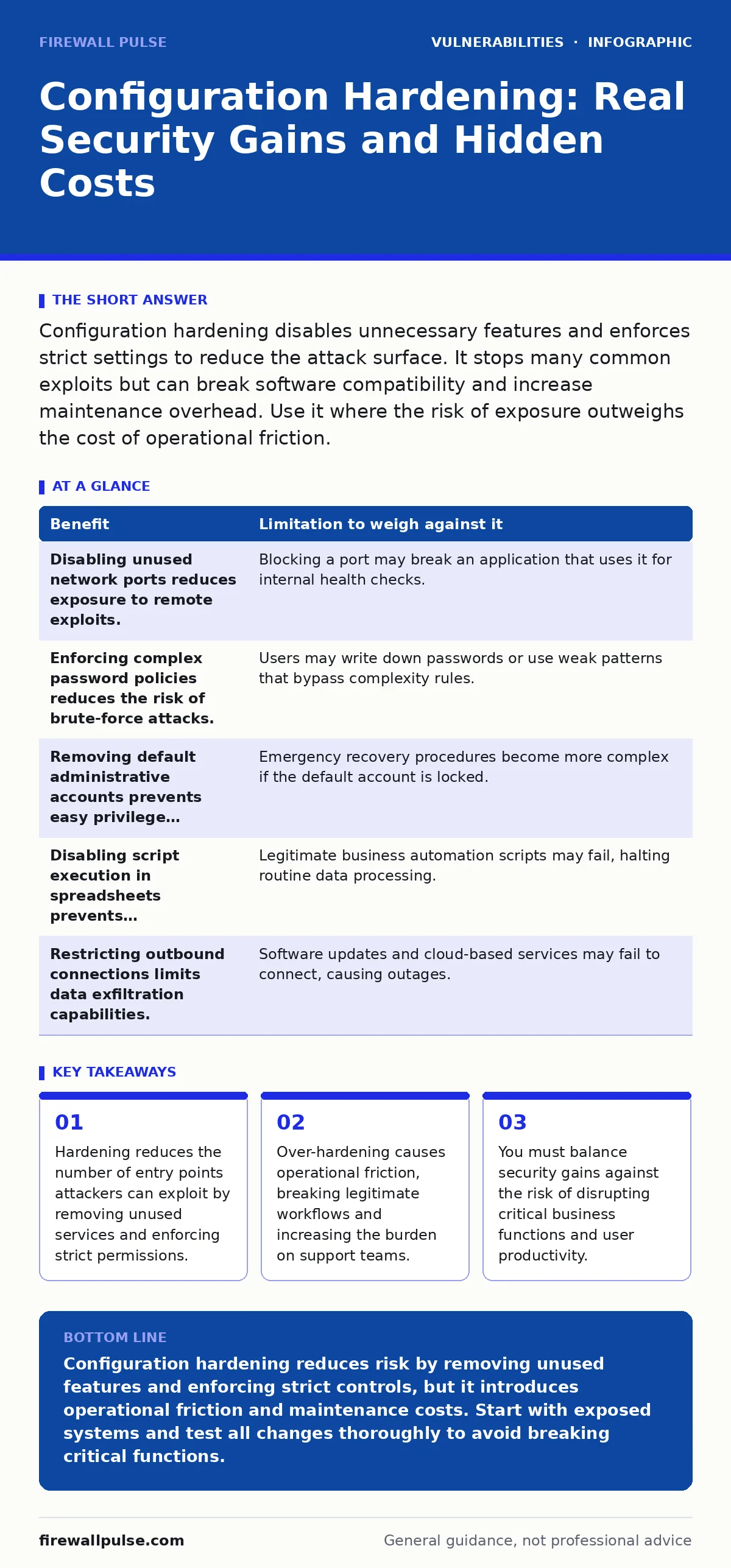
Configuration hardening disables unnecessary features and enforces strict settings to reduce the attack surface. It stops many common exploits but can break software compatibility and increase maintenance overhead. Use it where the risk of exposure outweighs the cost of operational friction.
The Mechanics of Reducing Surface Area
Configuration hardening involves modifying the default settings of an operating system, application, or device to remove unnecessary features and enforce stricter security controls. Default configurations are designed for ease of installation and broad compatibility, not for security. They often leave ports open, services running, and permissions set too broadly.
You change these defaults to match the specific needs of your environment. If a server does not need to serve web traffic, you disable the web server. If a user does not need administrative rights, you remove them. This process shrinks the attack surface, which is the sum of all points where an unauthenticated user can try to enter or extract data from an environment.
This approach relies on the principle that a feature you do not use cannot be exploited. By turning off unused services, you eliminate the code paths that attackers might probe for weaknesses. It is a proactive measure that sits alongside other defensive layers. It complements strategies like least privilege access by ensuring that even if credentials are stolen, the attacker has limited capabilities.
The Operational Tax of Strict Controls
Hardening is not free. The primary cost is operational friction. When you restrict what a system can do, you increase the likelihood that legitimate users or processes will be blocked. This leads to helpdesk tickets, delayed deployments, and frustrated staff.
Consider a scenario where you disable a specific file-sharing protocol to prevent data exfiltration. A development team relies on that protocol to transfer large build artifacts. Now they must find an alternative, which may be slower or less integrated. You have traded security for convenience, but the cost is measured in lost productivity.
This friction accumulates. Every hardened setting requires documentation, testing, and eventual maintenance. When you update software, you must verify that the new version still respects your hardened configuration. If it does not, you must re-apply the settings manually or via script. This ongoing effort is a hidden cost that many teams underestimate.
Weighing Security Against Stability
You must evaluate each hardening measure individually. Some changes offer high security value with low operational impact. Others provide marginal security gains but cause significant disruption. The table below illustrates this trade-off.
| Benefit | Limitation to weigh against it |
|---|---|
| Disabling unused network ports reduces exposure to remote exploits. | Blocking a port may break an application that uses it for internal health checks. |
| Enforcing complex password policies reduces the risk of brute-force attacks. | Users may write down passwords or use weak patterns that bypass complexity rules. |
| Removing default administrative accounts prevents easy privilege escalation. | Emergency recovery procedures become more complex if the default account is locked. |
| Disabling script execution in spreadsheets prevents macro-based malware. | Legitimate business automation scripts may fail, halting routine data processing. |
| Restricting outbound connections limits data exfiltration capabilities. | Software updates and cloud-based services may fail to connect, causing outages. |
You should not apply these measures blindly. Ask what happens if the setting is wrong. If the consequence is a minor inconvenience, harden it. If the consequence is a total service outage, proceed with caution.
When Hardening Delivers Value
Hardening is worth the effort when the asset is exposed to untrusted networks or handles sensitive data. Internet-facing servers are prime candidates. They face constant scanning and automated attacks. Reducing their surface area is one of the most effective defences against opportunistic threats.
It is also valuable for systems that process personal or financial information. The regulatory and reputational cost of a breach here is high. Hardening helps demonstrate due care. It shows that you have taken reasonable steps to protect data, which can mitigate liability in the event of an incident.
Imagine a database server that only needs to accept connections from a specific application server. Hardening the firewall to allow only that specific IP and port is low-risk and high-reward. It is a clear win. You are blocking all other traffic, including potential attacks that target zero-day vulnerabilities in the database engine.
When Hardening Causes More Harm
Hardening is not always the right answer. In highly dynamic environments, such as development labs or research clusters, strict controls can stifle innovation. Developers need flexibility to test new ideas. Imposing rigid security settings slows them down and encourages them to bypass controls.
It is also less useful for isolated, air-gapped systems. If a device has no network connection and no removable media ports, the attack surface is already minimal. Spending time hardening its configuration offers little additional protection. You are better off focusing on physical security and access controls.
Suppose you are running a legacy application that requires a specific, outdated configuration to function. Forcing modern security settings onto it may cause it to crash. In this case, the cost of hardening is the loss of business functionality. You might choose to isolate the system instead. This aligns with risk-based vulnerability management, where you accept some risk to maintain operations.
The Maintenance Burden
Hardening is not a one-time task. Systems change. Software updates. Business requirements evolve. Your hardened configurations must evolve with them. If you neglect this maintenance, your settings become outdated and may break silently.
You need a process to track and verify configurations. Manual checks are error-prone. Automated tools can help, but they require initial setup and ongoing tuning. This is where change management for security patches becomes relevant. Every patch may reset or override your hardened settings. You must have a plan to re-apply them.
Without this discipline, your hardening efforts decay. Settings drift back to defaults. New vulnerabilities emerge in features you thought were disabled. The security posture degrades over time, creating a false sense of safety.
Beyond Configuration: The Bigger Picture
Configuration hardening is a layer of defence, not a silver bullet. It does not protect against all threats. An attacker with valid credentials can still cause damage. An insider threat can bypass configuration restrictions if they have the necessary permissions.
You must combine hardening with other measures. Monitor for unusual activity. Keep software updated. Train users to recognise phishing attempts. Hardening reduces the number of ways an attacker can get in, but it does not stop those who already have a foothold.
Consider the risk of dependency confusion attacks, where attackers upload malicious packages to internal repositories. Hardening the build server does not stop this. You need specific controls for package management. Similarly, exposed admin panels require more than just hardening the web server; they need authentication and access controls.
Balancing Act
The goal is not maximum security. It is appropriate security. You must find the point where the marginal benefit of an additional hardening measure equals its marginal cost. This balance shifts as your environment changes. Re-evaluate regularly.
Do not harden for the sake of hardening. Each change should have a clear purpose. Document why you made each decision. This helps future teams understand the rationale and maintain the balance. Security is a continuous process, not a destination.
Key takeaways
- Hardening reduces the number of entry points attackers can exploit by removing unused services and enforcing strict permissions.
- Over-hardening causes operational friction, breaking legitimate workflows and increasing the burden on support teams.
- You must balance security gains against the risk of disrupting critical business functions and user productivity.
Configuration hardening reduces risk by removing unused features and enforcing strict controls, but it introduces operational friction and maintenance costs. Start with exposed systems and test all changes thoroughly to avoid breaking critical functions.
Frequently asked questions
How do I know if a system is over-hardened?
Look for a high volume of support tickets related to access issues or failed processes. If users are frequently bypassing controls, the settings are too strict.
Does hardening protect against all types of attacks?
No. It reduces the attack surface but does not stop attacks that exploit valid credentials, insider threats, or social engineering. It is one layer of defence.
Can automated tools handle configuration hardening?
Yes, tools can enforce settings at scale. However, they require careful configuration and ongoing maintenance to ensure they do not break critical functions.
How often should I review hardened configurations?
Review them after every major software update or change in business requirements. Regular audits help catch drift and ensure settings remain effective.
How this guide was produced: written by the Firewall Pulse editorial team with AI assistance, checked against the public references listed below, and reviewed when the facts change. See our editorial policy or report an error.