How to Stop Source Code Leaks Before They Happen
Most source code leaks occur not from external hacks, but from internal misconfigurations and unsecured developer environments that expose repositories to the public internet.
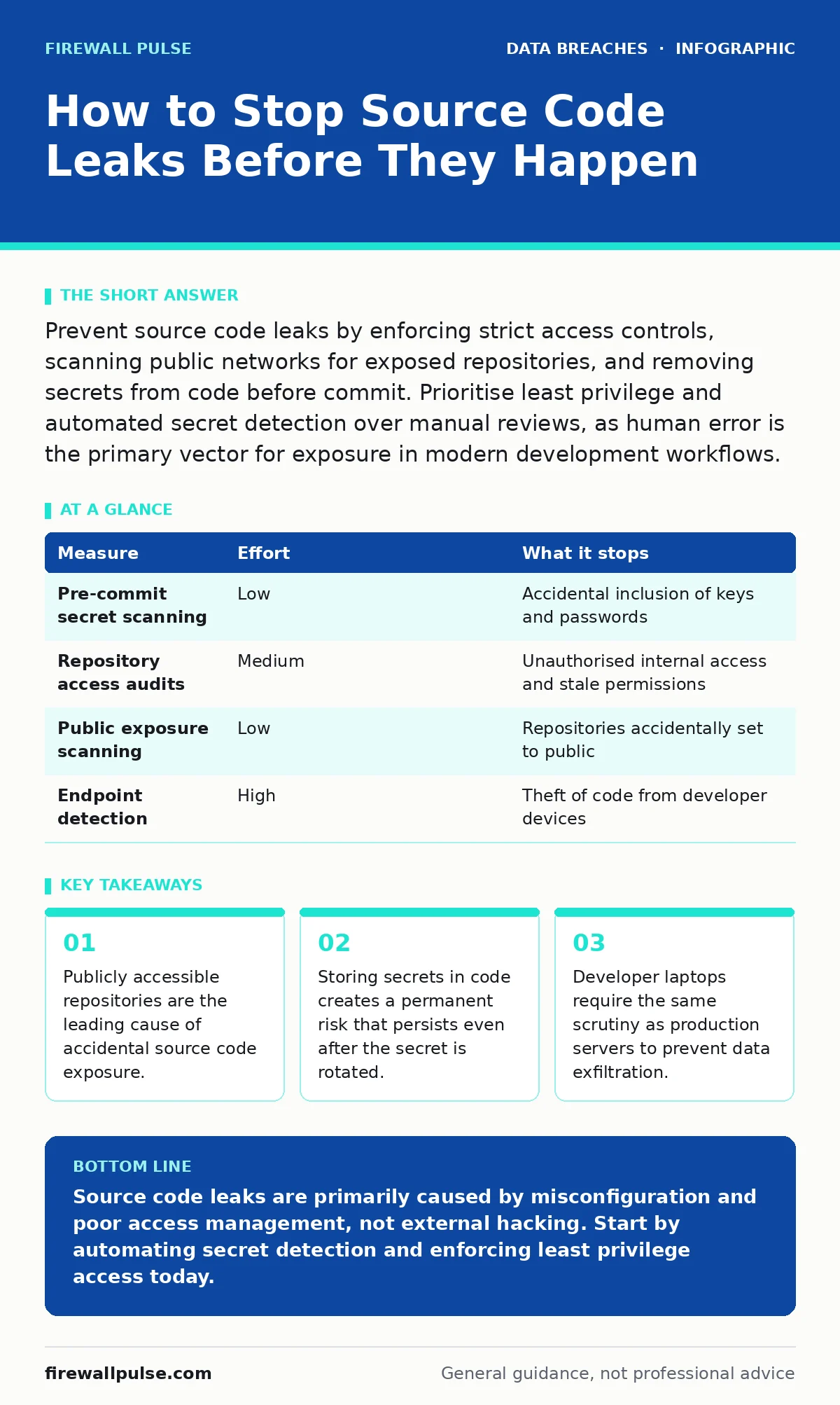
Prevent source code leaks by enforcing strict access controls, scanning public networks for exposed repositories, and removing secrets from code before commit. Prioritise least privilege and automated secret detection over manual reviews, as human error is the primary vector for exposure in modern development workflows.
The Illusion of Perimeter Security
You might assume that a firewall protects your source code. It does not. Source code rarely sits behind a traditional network perimeter in the way a database does. It lives in developer laptops, cloud-based repositories, and build pipelines. When you focus only on network boundaries, you ignore the primary vectors for leakage.
Imagine a developer working from a coffee shop. Their laptop connects to a public Wi-Fi network. If their local repository is misconfigured or if they accidentally push to a public repository, the code leaves your control. This is not a network breach in the traditional sense. It is an access control failure. You must treat the code itself as the asset, not the server it resides on.
Automate Secret Detection Early
Storing passwords, API keys, or certificates in source code is a common mistake. Developers often do this for convenience during testing. When that code is committed, the secret becomes part of the project history. Even if you delete the file later, the secret remains in the version control history. Anyone with access to the repository can retrieve it.
You need automated tools that scan code before it is committed. These tools, known as pre-commit hooks, check for patterns that resemble secrets. If a match is found, the commit is rejected. This stops the secret from ever entering the repository. It is a quick win that removes a significant amount of risk with minimal effort.
| Measure | Effort | What it stops |
|---|---|---|
| Pre-commit secret scanning | Low | Accidental inclusion of keys and passwords |
| Repository access audits | Medium | Unauthorised internal access and stale permissions |
| Public exposure scanning | Low | Repositories accidentally set to public |
| Endpoint detection | High | Theft of code from developer devices |
Enforce Least Privilege Access
Role-based access control is not just for employee onboarding. It is the primary defence against internal leaks. Every developer, contractor, and automated service needs only the minimum access required to do their job. If a contractor finished their work three months ago, their access should be revoked immediately.
Many organisations leave access open indefinitely. This creates a large attack surface. If one account is compromised, the attacker gains access to all repositories that account could see. You must audit access regularly. Remove access for anyone who no longer needs it. This reduces the blast radius of any single compromised credential.
Scan for Publicly Exposed Repositories
Cloud providers offer free tiers for repository hosting. It is easy to create a new repository and accidentally set it to public. Once public, search engines index the code. Within hours, automated bots scrape the repository for secrets and vulnerabilities. This is known as shadow IT. You may not even know the repository exists.
You need automated scanning tools that search the public internet for your organisation’s code. These tools look for repositories hosted on major platforms that contain your unique identifiers. If they find a match, they alert you immediately. This allows you to take down the repository before attackers exploit it. It is a passive defence that catches mistakes you did not know you made.
Secure the Build Pipeline
The build pipeline is the bridge between code and deployment. It often has elevated permissions to access secrets and deploy to production. If an attacker compromises the pipeline, they can steal code, inject malicious binaries, or exfiltrate data. This is a high-value target for attackers.
You must treat the build environment as untrusted. Do not store secrets in the pipeline configuration. Use a dedicated secrets manager. Ensure that only authorised maintainers can modify the pipeline definition. Regularly review the logs of the pipeline for unusual activity. A change in the pipeline logic can be a sign of compromise.
See also: Least Privilege Access Checklist for Secure Systems · Stop Unauthorized Access: Practical Controls That Actually Work
Protect Developer Devices
Developer laptops contain the full source code repository. If a laptop is lost or stolen, the code is compromised. Many organisations neglect to encrypt these devices or to install endpoint detection and response software. This is a critical gap.
You must enforce full disk encryption on all devices that access source code. This ensures that if a device is lost, the data remains unreadable without the password. Additionally, install endpoint detection software that monitors for unusual data transfers. If a large amount of code is copied to a USB drive or uploaded to a personal cloud account, the system should alert you.
What Does Not Work
Manual code reviews are insufficient for preventing leaks. Reviewers focus on logic and security vulnerabilities in the code, not on the presence of secrets or misconfigurations. They cannot check every single commit. Automated tools are faster and more consistent.
Training alone does not prevent leaks. Developers are busy and make mistakes. You cannot train away human error. You must build systems that prevent errors from becoming incidents. This means automation, strict access controls, and continuous monitoring.
Closing Checklist for Immediate Action
- Enable pre-commit secret scanning on all repositories.
- Audit repository access and remove permissions for inactive users.
- Run a public exposure scan to find any accidentally public repositories.
Key takeaways
- Publicly accessible repositories are the leading cause of accidental source code exposure.
- Storing secrets in code creates a permanent risk that persists even after the secret is rotated.
- Developer laptops require the same scrutiny as production servers to prevent data exfiltration.
Source code leaks are primarily caused by misconfiguration and poor access management, not external hacking. Start by automating secret detection and enforcing least privilege access today.
Frequently asked questions
Does using a private repository prevent leaks?
Private repositories prevent accidental public exposure, but they do not stop internal leaks or theft from developer devices. You still need strict access controls and endpoint security.
How often should I audit repository access?
Audit access whenever an employee leaves or changes roles. Additionally, perform a full quarterly audit to identify stale permissions and unused accounts.
Can I recover leaked source code?
Once code is public, it cannot be un-seen. You must rotate any secrets found in the code and patch any vulnerabilities. Consider the code compromised and plan for refactoring if necessary.
Is open source code at risk?
Open source code is intentionally public, so it is not a leak. However, you must still protect secrets and ensure that dependencies do not introduce vulnerabilities. Refer to third-party risk assessments for managing open source dependencies.
How this guide was produced: written by the Firewall Pulse editorial team with AI assistance, checked against the public references listed below, and reviewed when the facts change. See our editorial policy or report an error.