Least Privilege Access Checklist for Secure Systems
Removing unnecessary permissions breaks the chain of lateral movement, forcing attackers to compromise every single account individually rather than escalating from one foothold.

Implement least privilege by auditing existing permissions, removing default administrative rights, and enforcing role-based access control. This checklist ensures you verify who can access what, when, and why, reducing the blast radius of any potential breach.
Defining the Baseline for Access
You cannot restrict access if you do not know what access currently exists. The first step in any least privilege strategy is establishing a clear baseline of who holds what rights. This is not a one-time task but a continuous verification process. Without this foundation, you are guessing rather than managing risk.
- Inventory all active user accounts: You must know every human identity that can log in to your systems.
- Catalogue all service and application accounts: Automated processes often retain permissions long after their original purpose has ended.
- Document current default permissions: Understanding the starting point reveals how much excess access has accumulated.
- Identify shared or generic accounts: These hide individual actions and make accountability impossible.
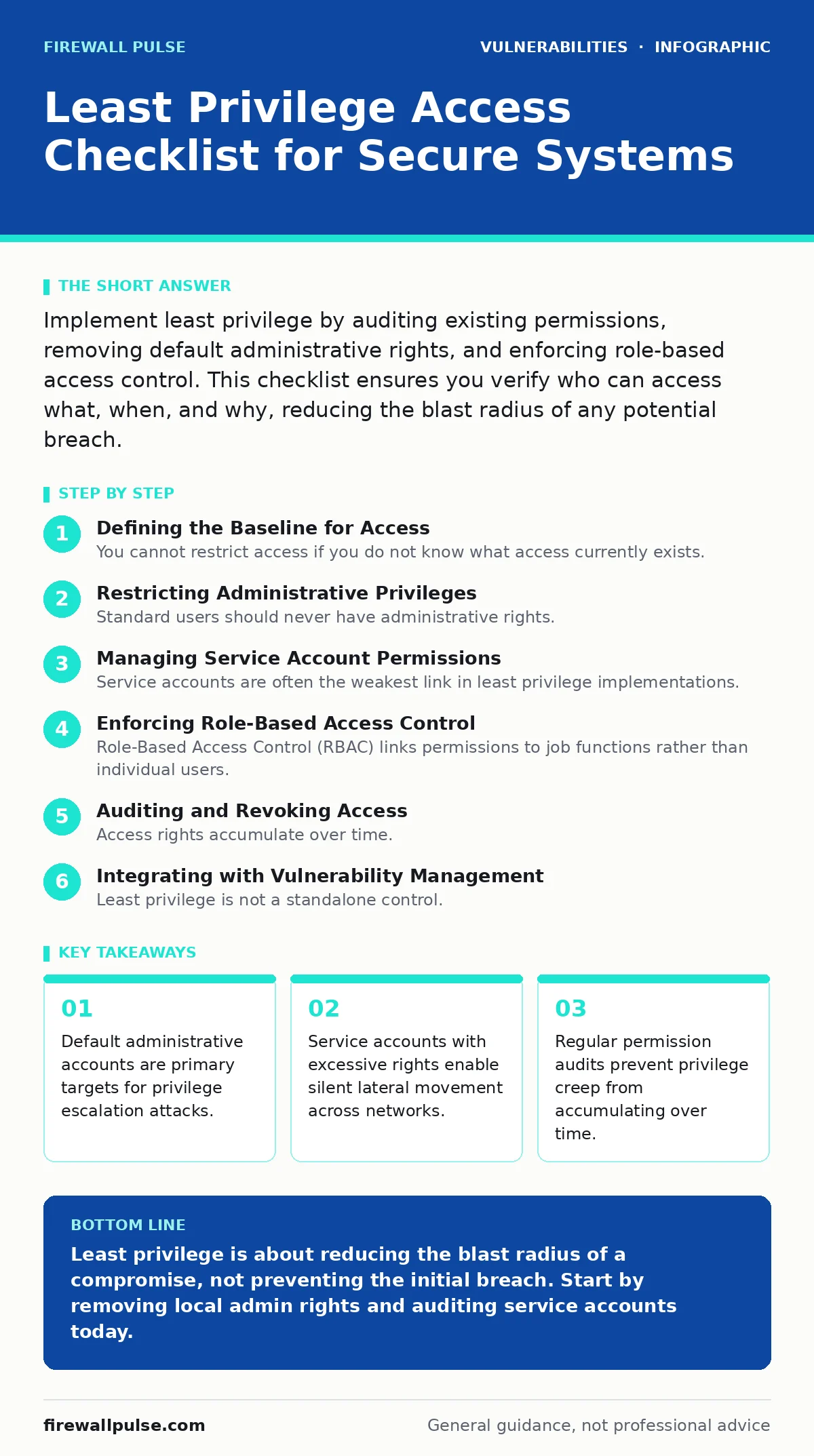
Restricting Administrative Privileges
Standard users should never have administrative rights. When you grant local admin access, you give the user the ability to install software, modify system settings, and disable security controls. This is the most common path for malware to take hold. Imagine a user downloads a benign tool that contains a hidden backdoor. With admin rights, that backdoor installs silently and persists. Without them, the installation fails, and the threat is contained.
- Remove local admin rights from standard workstations: Users do not need to modify the operating system to perform their daily tasks.
- Disable default built-in administrator accounts: Attackers often target well-known accounts like "Administrator" or "root" first.
- Implement Just-In-Time access for admins: Grant elevated rights only when needed, for a specific task, and revoke them immediately after.
- Separate privileged functions into distinct roles: A user who manages databases should not also manage network firewalls.
Managing Service Account Permissions
Service accounts are often the weakest link in least privilege implementations. They run applications and background tasks, so they need specific permissions to function. However, they are frequently granted domain-wide or full control permissions to avoid troubleshooting errors. This creates a permanent, high-value target for attackers. If a service account is compromised, the attacker inherits all its permissions.
- Assign unique identities to each service: Do not use a single shared account for multiple applications.
- Limit service account scope to necessary resources: A web server does not need access to the HR database.
- Disable interactive logon for service accounts: These accounts should never be used by humans for direct login.
- Rotate service account credentials regularly: This limits the window of opportunity if a credential is stolen.
Enforcing Role-Based Access Control
Role-Based Access Control (RBAC) links permissions to job functions rather than individual users. This ensures that users get only the access they need to do their jobs. It also simplifies management, as you change permissions for a role, not for each person. RBAC reduces the risk of human error in permission assignment. It also makes it easier to audit who has access to sensitive data.
- Define roles based on job responsibilities: Map out the specific tasks each job function requires.
- Create permission sets for each role: Group the necessary access rights into reusable packages.
- Assign users to roles, not direct permissions: This ensures consistency and reduces ad-hoc access grants.
- Review role definitions periodically: Job functions change, and so should the associated permissions.
Auditing and Revoking Access
Access rights accumulate over time. Employees change roles, projects end, and contractors leave. If you do not actively remove these permissions, you create a growing attack surface. This is known as privilege creep. Regular audits are the only way to catch this drift. You must have a process for reviewing and revoking access that is systematic and frequent.
- Schedule quarterly access reviews: Force managers to confirm or deny the need for each subordinate's access.
- Automate offboarding processes: Immediately disable accounts and revoke access when employment ends.
- Monitor for unusual permission changes: Sudden grants of admin rights are often a sign of insider threat or compromise.
- Log all access requests and approvals: Maintain an audit trail for accountability and forensic analysis.
See also: Implement Role-Based Access Control: A Step-by-Step Plan · Exposed Admin Panels: How Attackers Gain Access Step by Step
Integrating with Vulnerability Management
Least privilege is not a standalone control. It works best when combined with other security measures. For example, configuration hardening reduces the number of exposed services, while risk-based vulnerability management prioritises patches for systems with high-value access. If you have a zero-day vulnerabilities exploit, least privilege limits what the attacker can do after exploitation. It does not prevent the exploit, but it contains the damage.
- Align access reviews with patch cycles: When you patch a system, review who has access to it.
- Use EPSS score data to prioritise access reviews: Focus on systems with higher predicted exploitability.
- Monitor for dependency confusion attacks in build pipelines: Ensure only authorised repositories can provide code packages.
- Track n-day vulnerabilities in privileged systems: These are systems where attackers already have some foothold.
Handling Edge Cases and Exceptions
Not all access needs fit neatly into roles. Emergency access, break-glass accounts, and third-party vendors require special handling. These are high-risk scenarios that need strict controls. Without them, least privilege policies can be bypassed during crises or by external partners. You must document and monitor these exceptions closely.
- Implement break-glass procedures for emergencies: Provide a way to access critical systems during outages, with strict logging.
- Manage third-party access with time-limited credentials: Vendors should only have access for the duration of their work.
- Use privileged access management solutions: These tools provide detailed auditing and session recording for high-risk access.
- Regularly test emergency access procedures: Ensure they work when needed and that logs are being captured.
Key takeaways
- Default administrative accounts are primary targets for privilege escalation attacks.
- Service accounts with excessive rights enable silent lateral movement across networks.
- Regular permission audits prevent privilege creep from accumulating over time.
Least privilege is about reducing the blast radius of a compromise, not preventing the initial breach. Start by removing local admin rights and auditing service accounts today.
Frequently asked questions
How often should we review least privilege settings?
Review access rights quarterly or whenever a user changes roles. Critical systems may require monthly reviews.
Does least privilege affect user productivity?
It may cause initial friction, but Just-In-Time access solutions can mitigate this by granting temporary rights when needed.
What is the biggest risk of not implementing least privilege?
Lateral movement. Attackers can move freely across your network, escalating privileges to reach critical assets.
How do we handle legacy systems that require old protocols?
Isolate these systems in a separate network segment and restrict access to only those who absolutely need it.
How this guide was produced: written by the Firewall Pulse editorial team with AI assistance, checked against the public references listed below, and reviewed when the facts change. See our editorial policy or report an error.