Exposed Admin Panels: How Attackers Gain Access Step by Step
Most administrative interfaces remain accessible to the public internet because default configurations prioritise convenience over isolation, leaving the back door open.
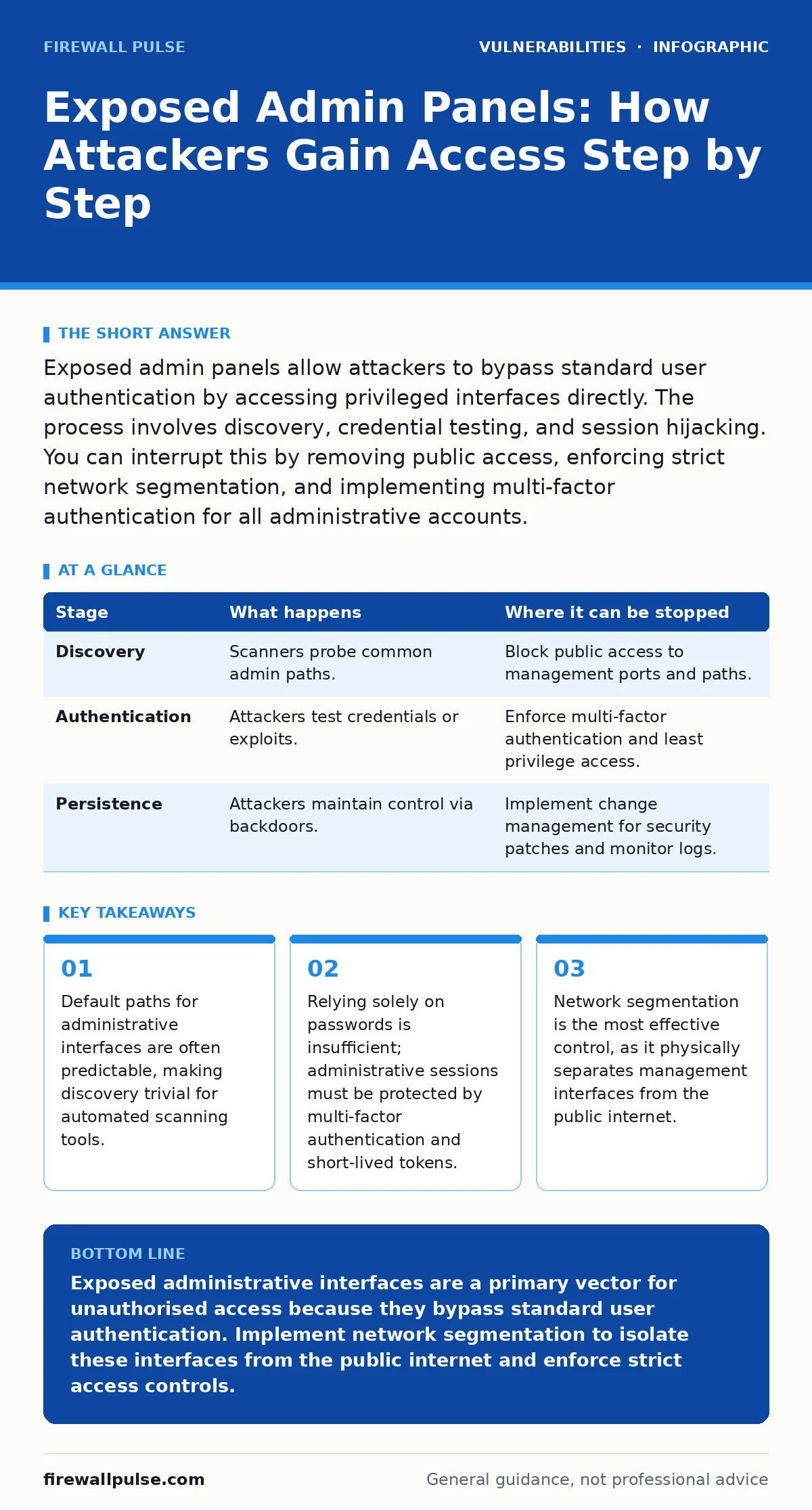
Exposed admin panels allow attackers to bypass standard user authentication by accessing privileged interfaces directly. The process involves discovery, credential testing, and session hijacking. You can interrupt this by removing public access, enforcing strict network segmentation, and implementing multi-factor authentication for all administrative accounts.
The Illusion of Security Through Obscurity
Many organisations believe that hiding administrative interfaces behind complex URLs or non-standard ports provides security. This approach, known as security through obscurity, fails because attackers do not need to guess; they simply scan. Automated tools routinely probe the entire IP address space for common administrative paths. When a server responds to these probes, the interface is considered exposed.
The core flaw is not necessarily a bug in the software, but a misconfiguration in the network architecture. By placing the administrative interface on the same public-facing network as the application, you invite scrutiny. The interface remains accessible to anyone with an internet connection, regardless of whether they have a valid user account on the main application.
Stage 1: Reconnaissance and Discovery
The attack begins with discovery. Attackers use automated scanners to identify web servers and then probe for known administrative paths. These paths are often standardised across vendors, such as /admin, /wp-admin, or /manager. The scanner sends a simple HTTP request to these locations. If the server returns a 200 OK status code or a login form, the scanner records the location as a potential target.
This stage relies on the predictability of software design. Developers often use consistent naming conventions for management interfaces. An attacker does not need to understand your specific application; they only need to know that your software likely uses one of a few hundred common paths. The exposure is confirmed when the server reveals any information about the underlying technology, such as version numbers in headers.
| Stage | What happens | Where it can be stopped |
|---|---|---|
| Discovery | Scanners probe common admin paths. | Block public access to management ports and paths. |
| Authentication | Attackers test credentials or exploits. | Enforce multi-factor authentication and least privilege access. |
| Persistence | Attackers maintain control via backdoors. | Implement change management for security patches and monitor logs. |
Stage 2: Initial Access and Credential Testing
Once the interface is located, the attacker attempts to gain entry. This often involves brute-force attacks, where automated tools try thousands of common password combinations. If the administrative interface does not enforce account lockout policies or rate limiting, the attacker can continue indefinitely. They may also exploit known vulnerabilities in the authentication mechanism itself.
A non-obvious risk here is the reuse of credentials. Administrators often use the same password for the backend as they do for other services. If an attacker obtains credentials from a different breach, they will try them on exposed admin panels. This is why credential hygiene is critical. The interface must treat every login attempt as a potential compromise, verifying identity beyond just a password.
Stage 3: Privilege Escalation and Session Hijacking
If the attacker gains initial access, they may not have full control immediately. They might start with a low-privilege account and attempt to escalate their rights. This can happen through misconfigured permissions or by exploiting flaws in the role-based access control system. The goal is to reach an administrative level that allows configuration changes, user management, or code execution.
Another vector is session hijacking. If the administrative session uses predictable session IDs or fails to encrypt cookies properly, an attacker can intercept the session token. Once they possess the token, they can impersonate the administrator without needing the password. This bypasses multi-factor authentication if the MFA check only occurs at login, not during session use.
Stage 4: Persistence and Data Exfiltration
With administrative control, the attacker establishes persistence. They may create new administrative accounts, modify firewall rules, or install backdoor scripts. This ensures they can return even if the original vulnerability is patched. The administrative interface becomes a command centre for further operations within the network.
The final stage often involves data exfiltration or lateral movement. The attacker uses the administrative privileges to access databases, export user information, or move to other internal systems. Because the traffic originates from a trusted administrative session, it may bypass standard security monitoring. The damage is done not because the software was broken, but because the interface was accessible in the first place.
See also: Least Privilege Access Checklist for Secure Systems · Stop Unauthorized Access: Practical Controls That Actually Work
Interrupting the Attack Chain
You can interrupt this process at multiple points. The most effective control is network segmentation. Administrative interfaces should never be directly accessible from the public internet. They should be placed behind a virtual private network or a jump server that requires additional authentication. This removes the interface from the attack surface entirely.
Another critical measure is implementing least privilege access. Administrative accounts should have the minimum permissions necessary to perform their tasks. This limits the damage if credentials are compromised. Additionally, regular audits of access logs can detect unusual activity, such as logins from unexpected locations or times. These audits are part of a broader strategy of risk-based vulnerability management, where you prioritise fixes based on the actual exposure and potential impact.
The Hidden Cost of Convenience
The primary driver of exposed admin panels is convenience. Developers and administrators often prefer direct access for troubleshooting and updates. However, this convenience comes at a high cost. Every exposed interface is a potential entry point for attackers. The effort required to secure these interfaces is minimal compared to the cost of a breach.
Configuration hardening is the process of securing systems by disabling unnecessary features and enforcing strict access controls. This includes removing default accounts, changing default ports, and disabling unused services. It is a fundamental practice that should be applied to all systems, especially those with administrative capabilities. By treating the administrative interface as a critical asset, you reduce the likelihood of exposure.
Long-Term Mitigation Strategies
Securing administrative interfaces is not a one-time task. It requires ongoing monitoring and maintenance. You should regularly review access logs for anomalies. Implementing change management for security patches ensures that vulnerabilities in the administrative software are addressed promptly. This includes updating the web server, the application framework, and any third-party components.
Furthermore, consider the use of ephemeral access. Instead of permanent administrative accounts, use time-limited credentials that expire after use. This reduces the window of opportunity for attackers. Combine this with multi-factor authentication to add an additional layer of security. These measures, while adding friction, significantly reduce the risk of unauthorised access.
The goal is to make the administrative interface invisible to the public internet. By combining network segmentation, strict access controls, and continuous monitoring, you can protect your systems from the most common and damaging attacks. Remember that security is a process, not a product. Continuous improvement is necessary to stay ahead of evolving threats.
Key takeaways
- Default paths for administrative interfaces are often predictable, making discovery trivial for automated scanning tools.
- Relying solely on passwords is insufficient; administrative sessions must be protected by multi-factor authentication and short-lived tokens.
- Network segmentation is the most effective control, as it physically separates management interfaces from the public internet.
Exposed administrative interfaces are a primary vector for unauthorised access because they bypass standard user authentication. Implement network segmentation to isolate these interfaces from the public internet and enforce strict access controls.
Frequently asked questions
How do I know if my admin panel is exposed?
Use external scanning tools to probe your public IP addresses for common administrative paths. If a login form or error message is returned, the interface is exposed.
Is hiding the admin path enough for security?
No. Security through obscurity is not a reliable defence. Attackers use automated tools that scan for all common paths. You must implement network controls and strong authentication.
What is the difference between an exposed admin panel and a vulnerable one?
An exposed panel is accessible from the internet, regardless of whether it has bugs. A vulnerable panel has a specific flaw that can be exploited. Exposure increases the likelihood of exploitation.
How often should I review administrative access?
Review access logs and permissions regularly, ideally monthly. Ensure that only authorised personnel have access and that credentials are rotated periodically.
How this guide was produced: written by the Firewall Pulse editorial team with AI assistance, checked against the public references listed below, and reviewed when the facts change. See our editorial policy or report an error.