File Hashes in Malware Detection: Why They Fail and What to Do
Relying solely on file hashes leaves your network blind to modified malware, polymorphic code and entirely new threats that bypass static signature matching.
File hashes identify known files by their unique digital fingerprint. They fail against modified malware, new variants and polymorphic code. Combine hashing with behavioural analysis, memory scanning and endpoint detection to catch threats that change their appearance or execute without writing to disk.
Misreading: A unique hash guarantees a file is safe
Correct reading: A match against a known-good database tells you only that this specific file has been seen before. It does not prove the file is benign. Attackers often infect legitimate system files or use trusted binaries to launch attacks. If you trust a file because its hash matches a white-list, you ignore the possibility that the binary itself has been compromised or that the white-list contains outdated or incorrect entries. This is often called a "living off the land" technique. You must verify the integrity of the execution environment, not just the file signature.
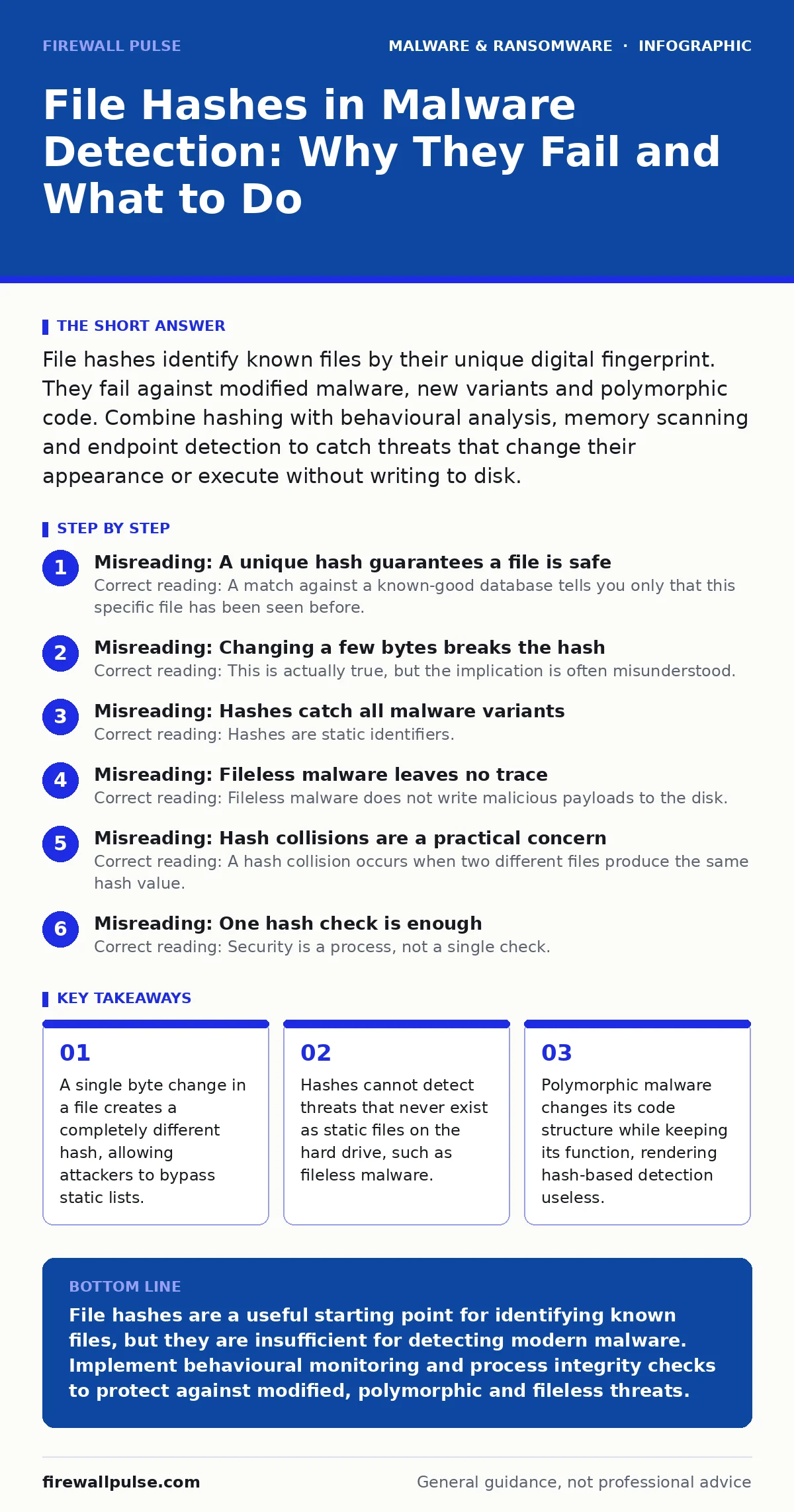
Misreading: Changing a few bytes breaks the hash
Correct reading: This is actually true, but the implication is often misunderstood. Yes, adding a single space to a text file changes its SHA-256 hash entirely. This means hash-based detection has zero tolerance for modification. Attackers exploit this by appending junk data, changing timestamps or altering resource sections. These trivial changes create a new hash that does not appear in your block list. The file remains functionally identical to the malware. You are not protecting against the malware; you are protecting against that exact byte sequence. This is why simple hashing fails against even the most basic obfuscation.
Misreading: Hashes catch all malware variants
Correct reading: Hashes are static identifiers. They cannot detect polymorphic malware. Polymorphic engines rewrite their own code every time they replicate or execute. Each new instance has a different hash, yet the malicious payload remains the same. If you rely on hashes, you must update your database with every single variant. This is impossible at scale. You need behavioural analysis to detect the intent of the code, regardless of its structure. Look for suspicious process injection, unusual registry modifications or abnormal network connections. These behaviours persist even when the code changes.
Misreading: Fileless malware leaves no trace
Correct reading: Fileless malware does not write malicious payloads to the disk. It executes directly in memory using scripts or interpreted languages. Since there is no file to hash, static hash checking is completely blind to these threats. The attack may start with a legitimate tool, such as PowerShell or Python. The script itself might have a known-good hash. However, the commands it executes in memory are malicious. You must monitor process execution and script logging. Detecting the anomaly in behaviour is more effective than looking for a bad file. This approach also helps identify compromised USB malware that runs in RAM.
Misreading: Hash collisions are a practical concern
Correct reading: A hash collision occurs when two different files produce the same hash value. While theoretically possible with weaker algorithms like MD5, it is computationally infeasible to create a meaningful collision for SHA-256. Attackers do not waste resources trying to break the hash algorithm. They simply modify the file slightly to change the hash. Your concern should not be that a safe file looks like malware. Your concern should be that malware looks like a new, unknown file. Focus on the volume of unknown hashes rather than the cryptographic strength of the algorithm.
See also: Disaster Recovery Plans: Definition, Purpose, and Execution Steps · IoT Malware Risks: Practical Protection for Small Business Networks
Misreading: One hash check is enough
Correct reading: Security is a process, not a single check. A file may be clean when it arrives but become malicious later through drive-by downloads or supply chain attacks. You must re-scan files at regular intervals. Additionally, consider the context of the file. A known-good hash in an unexpected location is suspicious. For example, a system library running from a user’s desktop folder is abnormal. Combine hash checking with file system monitoring and application control policies. This layered approach reduces the risk of missing threats that evade static detection. It also supports better disaster recovery plans by ensuring only known-good files are restored.
Key takeaways
- A single byte change in a file creates a completely different hash, allowing attackers to bypass static lists.
- Hashes cannot detect threats that never exist as static files on the hard drive, such as fileless malware.
- Polymorphic malware changes its code structure while keeping its function, rendering hash-based detection useless.
- Hash collisions are theoretically possible but practically irrelevant; the real risk is hash rotation and obfuscation.
File hashes are a useful starting point for identifying known files, but they are insufficient for detecting modern malware. Implement behavioural monitoring and process integrity checks to protect against modified, polymorphic and fileless threats.
Frequently asked questions
Should I use MD5 or SHA-256 for malware detection?
Use SHA-256. MD5 is cryptographically broken and prone to collisions. SHA-256 provides a much higher level of assurance that two different files will not produce the same hash.
Can hashes detect ransomware?
Only if the ransomware binary is already known and in your database. New or modified ransomware variants will have different hashes. You need behavioural detection to identify the encryption activity.
How do I handle false positives with hash blocking?
Maintain a white-list of known-good hashes for critical system files. However, regularly review and update this list. A white-list that is not maintained becomes a security risk.
Is file hashing enough for IoT malware detection?
No. IoT devices often have limited resources and run custom firmware. Hashes can help verify firmware integrity, but you also need network monitoring and behavioural analysis to detect compromised devices.
How this guide was produced: written by the Firewall Pulse editorial team with AI assistance, checked against the public references listed below, and reviewed when the facts change. See our editorial policy or report an error.