Web Shells: Detect, Analyse and Remove Hidden Backdoors
Web shells often hide inside legitimate application files, bypassing signature checks and remaining active long after initial intrusion alerts are resolved.
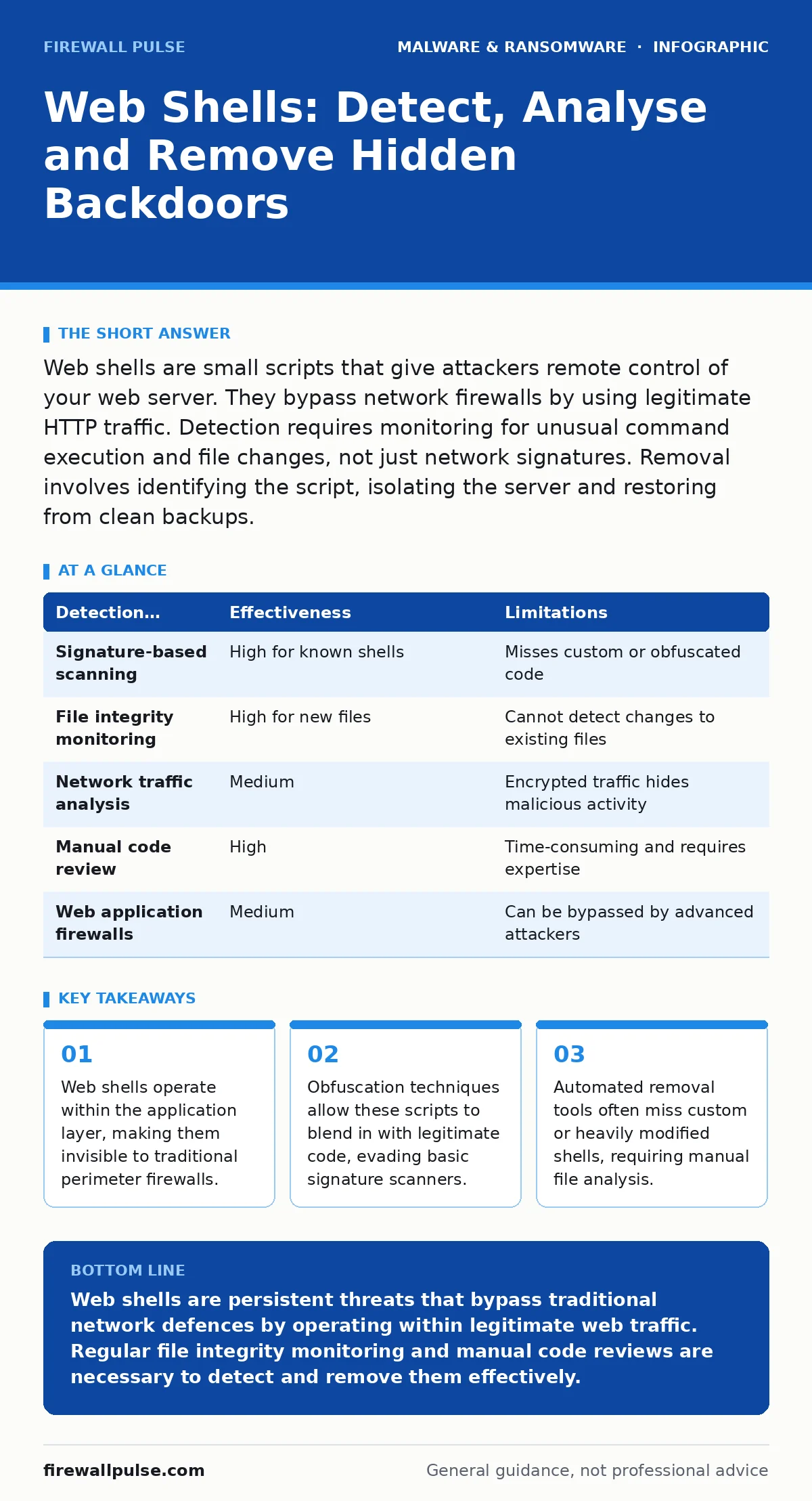
Web shells are small scripts that give attackers remote control of your web server. They bypass network firewalls by using legitimate HTTP traffic. Detection requires monitoring for unusual command execution and file changes, not just network signatures. Removal involves identifying the script, isolating the server and restoring from clean backups.
What is a web shell and how does it differ from other malware?
A web shell is a script file uploaded to a web server that allows an attacker to execute commands on the host system. Unlike ransomware or trojans that install on end-user devices, a web shell lives on the server itself. It turns the web application into a remote control panel for the attacker. This means the attacker does not need to bypass your network firewall. They simply send HTTP requests to the compromised script, which looks like normal web traffic.
How do attackers initially gain access to upload a web shell?
Attackers typically exploit vulnerabilities in web applications, such as unpatched software or poor input validation. They may also use stolen credentials to access administrative panels where file uploads are permitted. Weak permissions on server directories allow attackers to write files even if they cannot execute them directly. Sometimes, attackers leverage supply chain compromises, where a legitimate plugin or library contains hidden malicious code. Understanding these entry points helps you harden your application layer before deployment.
Why are web shells so difficult to detect with standard security tools?
Standard antivirus solutions rely on known signatures, which web shells easily evade through obfuscation. Attackers encode the script content or split it across multiple files to avoid detection. Because the traffic uses standard HTTP or HTTPS protocols, network intrusion detection systems often see only normal web activity. The command execution happens on the server side, leaving no obvious network anomalies. This makes file integrity monitoring and behavioural analysis more effective than signature-based scanning. For deeper context on detection methods, consider reviewing our guide on file hashes in malware detection.
What are the common signs that a web shell is present on your server?
Look for unexpected script files in web-accessible directories, especially those with recent modification dates. Monitor for unusual outbound connections from the web server process, which may indicate data exfiltration or command-and-control communication. High CPU or memory usage during off-peak hours can signal automated tasks running from a shell. Review web server logs for requests containing encoded characters or unusual parameters. These indicators are often subtle and require correlation with baseline server behaviour.
How can you manually identify a web shell in application code?
Start by comparing current files against a known-good baseline or backup. Look for files with mixed content, such as PHP scripts containing encoded strings or unusual character sequences. Check for files with double extensions, like .php.jpg, which some developers use to hide executable code. Inspect recent file changes in directories that should not contain user-uploaded content. Pay attention to files that have not been modified in years but suddenly appear in recent activity logs. This manual review is time-consuming but often the only way to find custom shells.
See also: How Breach Notification Letters Work: The Hidden Mechanics · Leaked Source Code: How to Contain and Neutralise the Threat
What is the difference between a simple web shell and a sophisticated one?
Simple shells provide basic command execution, allowing the attacker to run system commands through the web interface. Sophisticated shells include features like file management, database access and credential harvesting. They may also use encryption to hide their traffic and commands from network monitoring tools. Some advanced shells dynamically load modules, making them harder to analyse statically. These complex shells often mimic legitimate application behaviour to avoid triggering alerts. Recognising these capabilities helps you understand the severity of the compromise.
How should you respond when you suspect a web shell infection?
Isolate the affected server from the network immediately to prevent further lateral movement. Do not delete the shell yet, as you need it for forensic analysis. Capture memory dumps and disk images for later investigation. Identify the entry point by reviewing logs and comparing file timestamps. Once you understand the scope, remove the shell and patch the vulnerability that allowed the upload. Restore the server from a clean backup if the integrity of the system is in doubt. This process mirrors the steps outlined in our disaster recovery plans guide.
What steps ensure the web shell does not return after removal?
Patch all web application vulnerabilities and update third-party plugins to their latest versions. Implement strict input validation and output encoding to prevent code injection. Use web application firewalls to filter malicious requests before they reach the server. Enforce least privilege principles so that web processes cannot execute arbitrary system commands. Regularly audit file permissions and remove unnecessary upload capabilities. Continuous monitoring is required because attackers may have planted multiple shells or backdoors. For related threats, see our coverage of USB malware and IoT malware.
Can automated tools reliably remove all web shells from a server?
Automated tools can detect known web shell signatures but often miss custom or obfuscated scripts. They may also fail to identify the root cause of the compromise, leaving the vulnerability open. Manual review is necessary to verify the integrity of application code and configuration files. Automated solutions are useful for initial screening but should not be the sole defence. Human expertise is required to distinguish between legitimate dynamic content and malicious code. This limitation is similar to challenges faced with mobile malware detection.
| Detection Method | Effectiveness | Limitations |
|---|---|---|
| Signature-based scanning | High for known shells | Misses custom or obfuscated code |
| File integrity monitoring | High for new files | Cannot detect changes to existing files |
| Network traffic analysis | Medium | Encrypted traffic hides malicious activity |
| Manual code review | High | Time-consuming and requires expertise |
| Web application firewalls | Medium | Can be bypassed by advanced attackers |
How do web shells relate to broader ransomware attacks?
Attackers often use web shells as a foothold to move laterally within a network. They may use the shell to deploy ransomware or exfiltrate sensitive data before encryption. This makes web shells a critical component in advanced persistent threats. Removing a web shell is not just about cleaning a single file; it is about preventing further compromise. Understanding this connection helps you prioritise response efforts. For more on protecting data, read our guide on ransomware backups and recovery time objective.
What is the impact of SEO poisoning on web shell detection?
SEO poisoning involves attackers injecting malicious content into legitimate pages to rank high in search results. This content can include web shells or links to malicious sites. Users who click these links may inadvertently visit compromised pages, leading to further infections. This technique makes detection harder because the malicious content is hidden within legitimate web pages. Monitoring for unusual content changes and ranking fluctuations can help identify this threat. Our guide on SEO poisoning provides more detail on this technique.
Key takeaways
- Web shells operate within the application layer, making them invisible to traditional perimeter firewalls.
- Obfuscation techniques allow these scripts to blend in with legitimate code, evading basic signature scanners.
- Automated removal tools often miss custom or heavily modified shells, requiring manual file analysis.
Web shells are persistent threats that bypass traditional network defences by operating within legitimate web traffic. Regular file integrity monitoring and manual code reviews are necessary to detect and remove them effectively.
Frequently asked questions
Can a web shell be hidden in an image file?
Yes, attackers can embed script code within image files or use file extensions to disguise executable scripts. This technique bypasses basic file type filters and requires deep content inspection to detect.
How do I know if my web application firewall blocked a web shell?
Check your WAF logs for blocked requests containing encoded characters or unusual parameters. Look for alerts related to command injection or file upload attempts. Regular review of these logs helps identify blocked attacks.
Is it safe to restore a server from a backup if a web shell was present?
Only if the backup is from before the initial compromise. Verify the backup integrity by comparing file hashes against a known-good baseline. Restoring from a compromised backup will reintroduce the web shell and other potential threats.
Can web shells be used to mine cryptocurrency?
Yes, attackers often use web shells to deploy cryptocurrency mining scripts on compromised servers. This consumes server resources and increases electricity costs. Monitor for high CPU usage and unusual outbound connections to mining pools.
How this guide was produced: written by the Firewall Pulse editorial team with AI assistance, checked against the public references listed below, and reviewed when the facts change. See our editorial policy or report an error.