Stop Mobile Malware: Practical Prevention That Actually Works
Relying on app stores alone fails because malware hides in legitimate apps that steal credentials before they reach security filters.
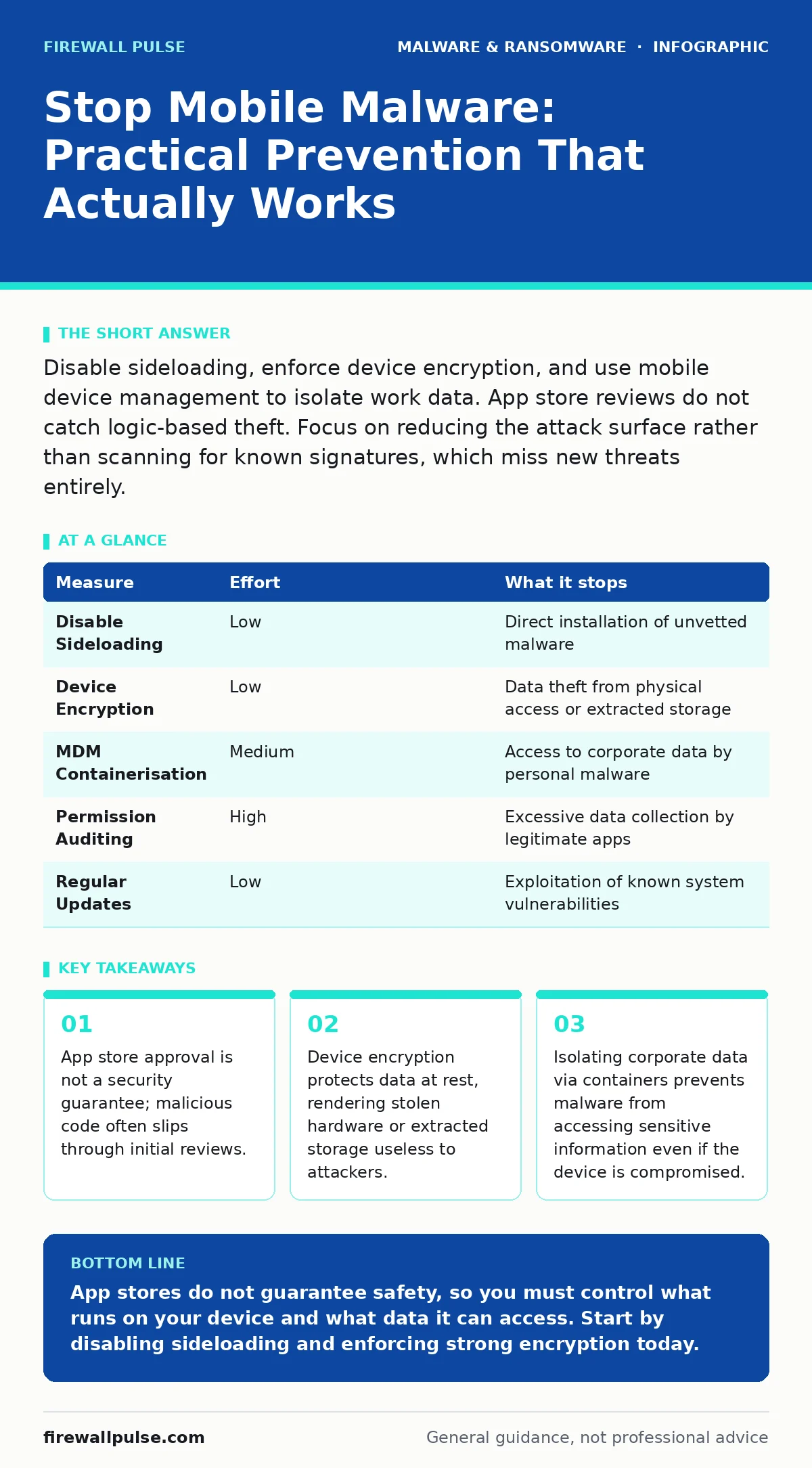
Disable sideloading, enforce device encryption, and use mobile device management to isolate work data. App store reviews do not catch logic-based theft. Focus on reducing the attack surface rather than scanning for known signatures, which miss new threats entirely.
The Illusion of App Store Safety
You assume that downloading an application from a major public store makes it safe. This assumption is your first vulnerability. Major stores perform automated scans and manual reviews, but these processes are not perfect. Malware authors know this. They create applications that appear functional and harmless during the review process but activate malicious behaviour only after installation or after a specific trigger event.
This technique is known as time-bombing or conditional execution. The app might request excessive permissions, which users often grant without reading the fine print. Once installed, the malware can harvest contacts, read messages, or record audio. The store’s reputation provides a false sense of security. You must treat every application with the same suspicion, regardless of its source.
Disable Sideloading Immediately
Sideloading is the process of installing applications from sources outside the official app store. This is the most common entry point for mobile malware. When you sideload, you bypass the store’s basic security checks. You are trusting the developer directly. Most users do not verify the digital signature of the APK or IPA file they are installing.
Imagine you need a specific tool that is no longer available on the store. You find a file on a forum. Installing it requires you to enable a setting that allows unknown sources. This setting opens the door for any application, including keyloggers and banking trojans.
Disable the option to install unknown sources. On Android, this is often found in security settings. On iOS, this requires enterprise certificates or jailbreaking, which are rare for standard users. If your organisation uses Mobile Device Management, enforce a policy that blocks sideloading entirely. This single step removes the largest vector for malware installation.
| Measure | Effort | What it stops |
|---|---|---|
| Disable Sideloading | Low | Direct installation of unvetted malware |
| Device Encryption | Low | Data theft from physical access or extracted storage |
| MDM Containerisation | Medium | Access to corporate data by personal malware |
| Permission Auditing | High | Excessive data collection by legitimate apps |
| Regular Updates | Low | Exploitation of known system vulnerabilities |
Encrypt Your Device Storage
Encryption protects your data when the device is lost, stolen, or when an attacker gains physical access. Without encryption, anyone with access to the storage medium can read your files, photos, and cached credentials. Modern mobile operating systems encrypt storage by default, but this feature can sometimes be disabled or weakened by weak passcodes.
A strong passcode is the key to this encryption. If you use a four-digit PIN, the encryption is still there, but it is easier to brute-force. A complex alphanumeric password increases the time required to guess the key. This makes physical theft much less attractive to an attacker.
Check your device settings to ensure full disk encryption is active. This is different from file-based encryption, which only protects specific files. Full disk encryption ensures that no data is readable without the correct authentication. This is a critical layer of defence that works even if the operating system itself is compromised.
Isolate Corporate Data
If you use your personal device for work, you face a unique risk. Personal apps, such as games or social media, may contain malware. This malware can potentially access work emails, documents, or authentication tokens. This is where Mobile Device Management and containerisation come into play.
Containerisation creates a separate, secure space on your device for work data. This space is encrypted separately and can be wiped remotely without affecting your personal photos or contacts. Even if malware infects your personal space, it cannot cross into the work container. This separation limits the blast radius of an infection.
Your organisation should provide an MDM solution that enforces this separation. If you are using a personal device, ensure that the work profile is managed by the company. Do not install personal apps inside the work container. Keep the two environments strictly separate. This reduces the risk of data leakage and simplifies incident response.
Audit Application Permissions
Applications often request more permissions than they need. A flashlight app does not need access to your contacts or location. Granting these permissions gives the app, and any malware it might contain, access to sensitive data. This is a form of privilege escalation.
Review the permissions for each installed app. If an app requests access to sensitive data that is unrelated to its function, uninstall it. This is a manual process, but it is highly effective. It reduces the amount of data available to an attacker if the app is compromised.
Imagine a weather app that asks for access to your microphone. This request is suspicious. Legitimate apps rarely need such broad access. By denying unnecessary permissions, you limit the damage that malware can do. This is a form of least privilege. You only give the app what it strictly needs to function.
See also: Disaster Recovery Plans: Definition, Purpose, and Execution Steps · IoT Malware Risks: Practical Protection for Small Business Networks
Keep the Operating System Updated
Operating system updates often include security patches. These patches fix vulnerabilities that malware authors exploit. When you delay an update, you leave these doors open. Attackers actively scan for devices running outdated software.
Update your device as soon as a new version is available. Do not wait. Some updates are minor and only fix bugs, but they often contain critical security fixes. These fixes are not always highlighted in the release notes. You must assume that every update improves security.
If your device is old and no longer receives updates, it is a liability. Consider replacing it. Running an unsupported operating system is like leaving your house door unlocked. Attackers can exploit known vulnerabilities with ease. This is a simple but often overlooked step in mobile security.
What Does Not Work
Many popular advice points are ineffective against modern mobile threats. For example, disabling JavaScript in your mobile browser breaks most modern web applications and is not a practical defence. Malware does not rely solely on browser exploits. It often uses social engineering to trick you into installing malicious apps.
Another ineffective measure is relying on the device’s built-in firewall. Mobile devices do not have traditional inbound firewall rules like desktop computers. Most traffic is initiated by the device, not incoming. A firewall cannot stop an app from sending your data to a malicious server. You must focus on controlling the apps themselves, not the network traffic.
Also, do not assume that removing the battery or powering off the device stops all threats. Some malware can persist in firmware or bootloaders. These are deeper layers of the system that are harder to clean. Prevention is always better than remediation.
Three Things to Do Today
Start with these immediate actions to reduce your risk. They require little time but provide significant protection.
- Disable the option to install applications from unknown sources. This stops the most common infection vector.
- Check your device encryption settings. Ensure that full disk encryption is enabled and protected by a strong, complex password.
- Review the permissions of your most sensitive apps. Revoke access to contacts, location, and microphone for any app that does not strictly need it.
These steps address the biggest weaknesses in mobile security. They do not require new software or complex configurations. They rely on the features already built into your device. By tightening these controls, you make it much harder for malware to establish a foothold.
Key takeaways
- App store approval is not a security guarantee; malicious code often slips through initial reviews.
- Device encryption protects data at rest, rendering stolen hardware or extracted storage useless to attackers.
- Isolating corporate data via containers prevents malware from accessing sensitive information even if the device is compromised.
App stores do not guarantee safety, so you must control what runs on your device and what data it can access. Start by disabling sideloading and enforcing strong encryption today.
Frequently asked questions
Can mobile malware spread to my computer?
Yes, if you transfer infected files via USB or if the malware sends data to a server that also hosts web malware. Keep your devices updated and scan transferred files.
Is iOS safer than Android against malware?
iOS has a stricter app review process, but it is not immune. Malware can still exist in enterprise-signed apps or through zero-day exploits. Both platforms require careful permission management.
How do I know if my phone has malware?
Look for signs like unexpected battery drain, increased data usage, or apps appearing that you did not install. If you suspect an infection, back up your data and factory reset the device.
Do I need a mobile antivirus app?
For most users, no. The built-in security features of modern operating systems are sufficient. Antivirus apps can be resource-heavy and may not detect sophisticated, new threats. Focus on behaviour and permissions instead.
How this guide was produced: written by the Firewall Pulse editorial team with AI assistance, checked against the public references listed below, and reviewed when the facts change. See our editorial policy or report an error.