How Stalkerware Works: The Technical Lifecycle and Detection Gaps
Stalkerware bypasses traditional security by masquerading as legitimate utilities, granting deep system access that standard anti-virus signatures frequently miss.
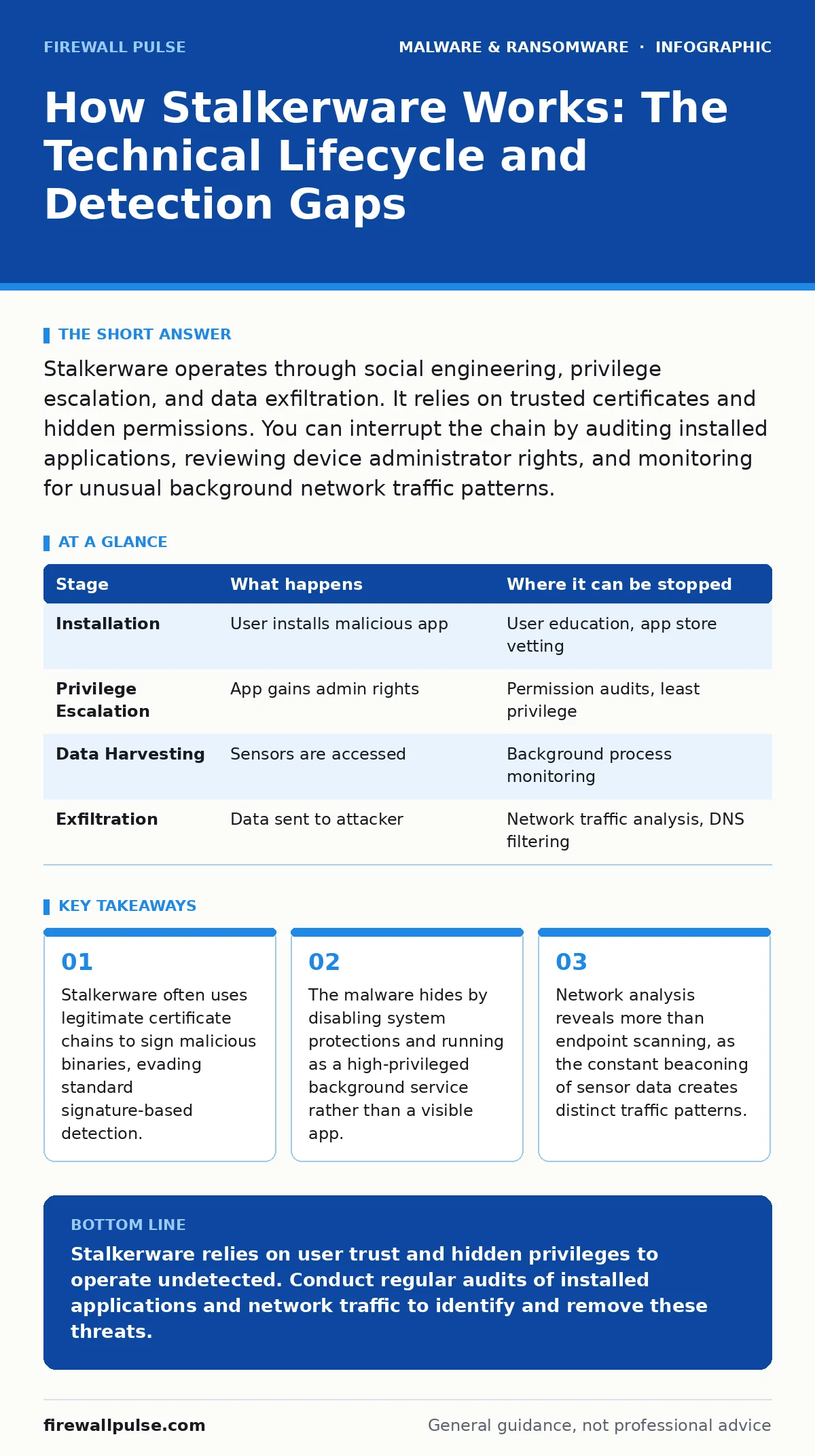
Stalkerware operates through social engineering, privilege escalation, and data exfiltration. It relies on trusted certificates and hidden permissions. You can interrupt the chain by auditing installed applications, reviewing device administrator rights, and monitoring for unusual background network traffic patterns.
The Deception Vector
Stalkerware rarely arrives through complex exploits. It depends on the target granting permission. The attacker must trick the user into installing the software willingly. This is not a remote code execution flaw. It is a failure of user verification. The payload often masquerades as a utility, such as a battery saver, a system cleaner, or a parental control tool.
Imagine you receive a link to a "device optimiser" from a trusted contact. The site looks professional. It asks for permissions that seem reasonable for the stated function. You grant access. The moment the installation completes, the tool begins to rewrite its own metadata. It changes its name, hides its icon, and disables the ability to be uninstalled via standard menus.
This initial phase relies on the fact that modern operating systems trust the user more than they trust the software. Once the binary is on the disk, the operating system treats it as a legitimate part of the environment. Standard security tools often ignore it because it does not exhibit known malicious behaviour immediately. It waits.
Privilege Escalation and Persistence
After installation, the software must ensure it survives a reboot. It must also gain access to data that normal applications cannot see. This requires elevated privileges. On Android devices, this often involves requesting accessibility services. On iOS, it may involve configuration profiles that override security settings.
The malware registers itself as a critical system component. It may disable the built-in firewall or suppress notifications. It creates a persistent service that runs in the background, consuming minimal resources to avoid detection by the user. If the user tries to close the app, the service restarts automatically.
This stage is where the usual advice fails. Telling a user to "check their apps" is insufficient. The stalkerware will not appear in the standard app drawer. It may appear in the list of system services, disguised with a generic name like "Update Service" or "Network Helper". Identifying it requires a deep audit of all installed packages, including those with no visible interface.
Sensor Data Harvesting
With persistence secured, the software begins its primary function: data collection. It accesses the microphone, camera, GPS, and keyboard inputs. It records calls, messages, and location history. This data is not stored locally in plain text. It is encrypted and queued for transmission.
The malware operates on a schedule. It may collect data continuously or only when specific triggers occur, such as the device entering a certain geographic zone. This reduces battery drain and network usage, making it harder to detect. The data is buffered in hidden storage areas, often within the app's own private directory, which is inaccessible to other applications.
This collection phase is silent. There are no pop-ups. There are no obvious slowdowns. The device functions normally. The user feels nothing. The only evidence is the gradual depletion of battery life and increased mobile data usage, which are easily attributed to other causes.
Exfiltration and Command Control
The collected data must leave the device. The malware establishes a connection to a command and control server. This communication is often encrypted using standard protocols like HTTPS, making it indistinguishable from normal web traffic. The server sends instructions, such as "take a photo now" or "upload the last hour of audio".
The data is uploaded in small chunks to avoid triggering network anomaly detection. It may be split across multiple connections or delayed over time. The server then aggregates the data, decrypts it, and makes it available to the attacker. This allows the attacker to monitor the target in near real-time.
This stage introduces a significant risk. If the connection is intercepted, the data could be compromised. However, the attacker usually uses strong encryption. The risk is not data loss, but data leakage. The attacker now has a continuous stream of intimate details about the target's life.
Detection Challenges
Detecting stalkerware is difficult because it behaves like legitimate software. It uses valid digital signatures. It runs with authorised permissions. It does not exhibit the chaotic behaviour of ransomware or the destructive patterns of typical malware. Standard anti-virus solutions often miss it because they look for known bad patterns, not known good patterns that have been abused.
The challenge is one of context. A battery monitoring app that accesses the microphone is suspicious. A parental control app that hides its own icon is suspicious. But these are not definitive proofs of malware. They are indicators that require further investigation.
This is where the concept of file hashes in malware detection becomes relevant. By comparing the hash of installed applications against a database of known stalkerware signatures, security tools can identify threats that signature-based engines miss. However, this requires an up-to-date database and the ability to scan all installed packages, not just those in the app drawer.
See also: IoT Malware Risks: Practical Protection for Small Business Networks · USB Malware Prevention: Block Autoplay and Enforce Device Control
Interruption and Mitigation
You can interrupt the stalkerware lifecycle at several points. The most effective method is to prevent installation. This requires education on the risks of sideloading applications and granting excessive permissions. Users should be trained to question requests for accessibility services or device administrator rights.
If installation has occurred, the next step is to audit the device. This involves checking for unknown system services, reviewing installed configuration profiles, and examining battery usage for hidden apps. Tools that specialise in finding hidden applications can help, but they are not foolproof.
Network monitoring is also effective. Unusual outbound traffic, especially to unknown domains or on non-standard ports, can indicate exfiltration. If you suspect stalkerware, the safest option is to wipe the device and restore from a clean backup. This ensures that all traces of the malware are removed.
| Stage | What happens | Where it can be stopped |
|---|---|---|
| Installation | User installs malicious app | User education, app store vetting |
| Privilege Escalation | App gains admin rights | Permission audits, least privilege |
| Data Harvesting | Sensors are accessed | Background process monitoring |
| Exfiltration | Data sent to attacker | Network traffic analysis, DNS filtering |
The Human Element
Technology alone cannot solve the stalkerware problem. The attacker relies on the human element. They exploit trust, fear, and ignorance. They know that users are unlikely to inspect every permission request. They know that users are unlikely to audit their device settings regularly.
This is similar to the social engineering tactics used in SEO poisoning, where malicious sites are designed to look trustworthy. The goal is to lower the user's guard. The attacker creates a sense of normalcy around the threat.
To counter this, organisations must foster a culture of security awareness. Users should be encouraged to report unusual device behaviour. They should know that granting excessive permissions is a risk. They should understand that no app needs access to everything.
Long-Term Implications
The presence of stalkerware has long-term implications for device security. It compromises the integrity of the operating system. It creates a backdoor that can be used for further attacks. It undermines trust in the device itself.
This is not just a privacy issue. It is a security issue. The same permissions that allow an attacker to spy on a user can be used to steal corporate data, capture credentials, or launch further attacks. The threat extends beyond the individual to the organisation.
Organisations must consider the recovery time objective when dealing with stalkerware incidents. The process of identifying, containing, and eradicating the malware can be time-consuming. It requires forensic analysis, device wiping, and user re-education. Planning for this scenario is part of a comprehensive security strategy.
Key takeaways
- Stalkerware often uses legitimate certificate chains to sign malicious binaries, evading standard signature-based detection.
- The malware hides by disabling system protections and running as a high-privileged background service rather than a visible app.
- Network analysis reveals more than endpoint scanning, as the constant beaconing of sensor data creates distinct traffic patterns.
Stalkerware relies on user trust and hidden privileges to operate undetected. Conduct regular audits of installed applications and network traffic to identify and remove these threats.
Frequently asked questions
Can stalkerware be removed without wiping the device?
In some cases, yes. If you can identify the app and revoke its permissions, you may be able to uninstall it. However, many stalkerware variants resist removal, making a full wipe the safest option.
Does stalkerware work on both Android and iOS?
Yes, but the methods differ. Android is more vulnerable due to its open nature, allowing sideloading and accessibility abuse. iOS is more secure, but jailbroken devices or configuration profiles can be exploited.
How can I tell if my device has stalkerware?
Look for signs like rapid battery drain, increased data usage, and unusual device behaviour. Check for hidden apps, unknown system services, and unfamiliar configuration profiles.
Is stalkerware the same as spyware?
Stalkerware is a type of spyware designed for intimate partner violence. It is specifically tailored to monitor individuals who know the attacker, often relying on physical access to the device for installation.
How this guide was produced: written by the Firewall Pulse editorial team with AI assistance, checked against the public references listed below, and reviewed when the facts change. See our editorial policy or report an error.