Prevent Living-of-the-Land Attacks: Stop Native Tool Abuse
Blocking standard utilities like PowerShell and WMI reduces your attack surface more effectively than adding new security layers to your network.

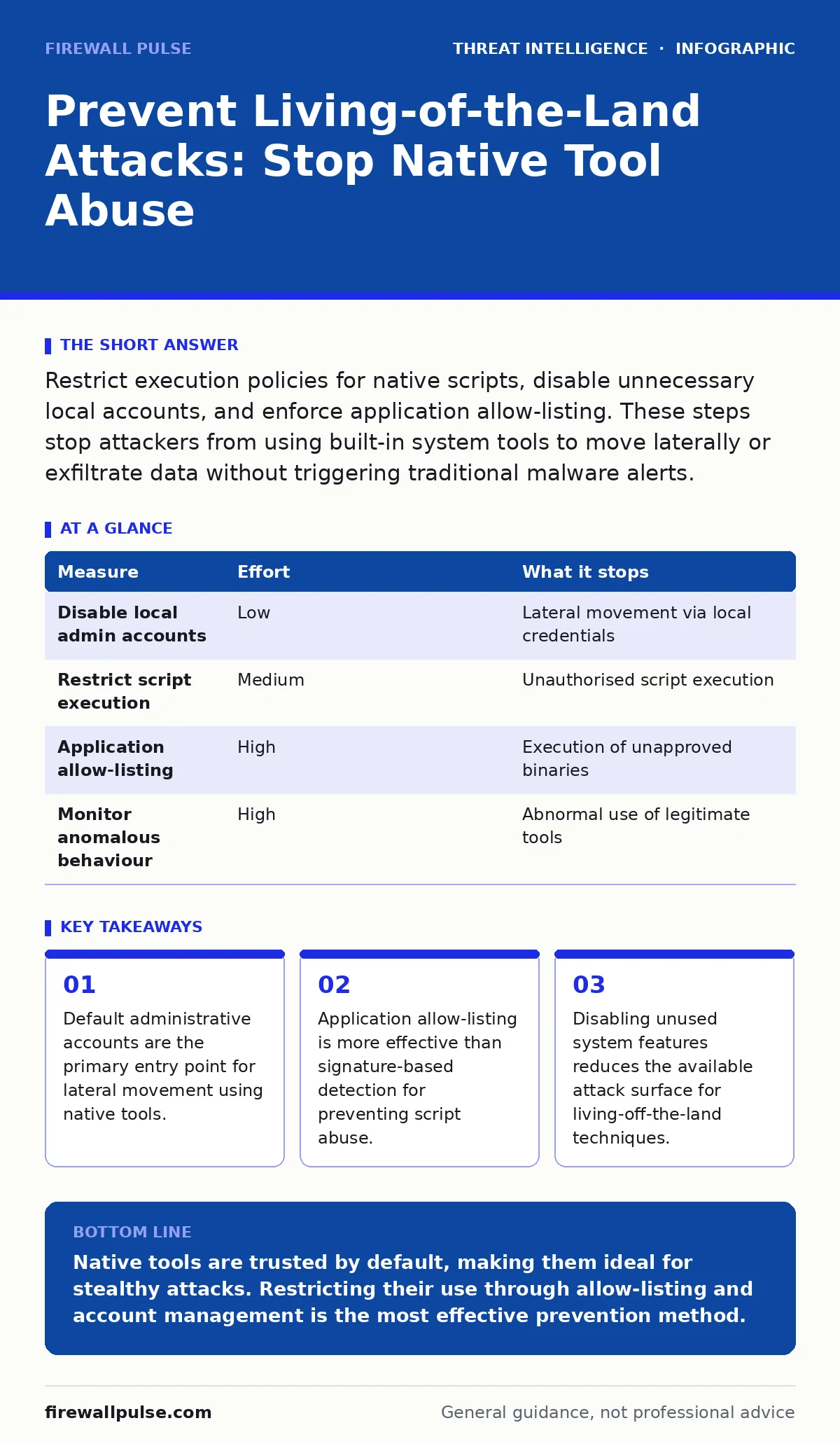
Restrict execution policies for native scripts, disable unnecessary local accounts, and enforce application allow-listing. These steps stop attackers from using built-in system tools to move laterally or exfiltrate data without triggering traditional malware alerts.
The Hidden Cost of Trusted Tools
Attackers rarely bring their own software to an engagement. Instead, they use the tools already installed on your systems. This approach is known as living-off-the-land. It relies on legitimate utilities such as PowerShell, Windows Management Instrumentation (WMI), and PsExec. These tools are trusted by security software because they are part of the operating system.
When an attacker uses these utilities, they blend in with normal administrative activity. Traditional antivirus solutions often ignore them because the binaries are signed by the operating vendor. This creates a blind spot in your defensive posture. You are not fighting unknown malware; you are fighting the abuse of known, necessary functions.
The challenge is that you cannot uninstall these tools. They are required for system management and automation. Therefore, prevention focuses on restricting how, when, and by whom these tools can be used. You must shift from detecting bad files to detecting bad behaviour.
Disable Unnecessary Local Accounts
The most effective way to stop lateral movement is to remove the accounts that enable it. Attackers often target local administrator accounts to gain control of other machines on the network. These accounts exist on every device, creating thousands of potential entry points.
Imagine an attacker gains access to a single workstation. If that machine has a local administrator account with a known password, the attacker can use that credential to access other systems. They do not need to steal domain credentials. They simply reuse the local privilege.
You should disable local administrator accounts on all endpoints. If an account is required for specific software installation, create a dedicated service account with limited rights. Audit these accounts regularly to ensure they are not being used for interactive logins. This single measure removes the easiest path for an attacker to move across your environment.
Restrict Script Execution Policies
PowerShell is a powerful management tool, but it is also a favoured weapon for attackers. It can download files, execute code, and interact with the registry without creating new processes. By default, many systems allow scripts to run without restriction. This default setting is a significant risk.
You must enforce a strict execution policy. This policy determines which scripts are allowed to run. A policy that only allows signed scripts prevents attackers from running arbitrary code. You can configure this via Group Policy to ensure consistency across your fleet.
This measure stops the initial execution of malicious scripts. It does not stop an attacker from using interactive commands. Therefore, you must combine this with logging. Enable script block logging to record every command executed in PowerShell. This provides visibility into what is happening, even if the script itself is not blocked.
Implement Application Allow-Listing
Signature-based detection fails against living-of-the-land attacks because the tools are legitimate. Application allow-listing solves this by defining exactly which applications are permitted to run. Any application not on the list is blocked, regardless of its digital signature.
This approach is more restrictive than blacklisting, which only blocks known bad files. It requires more initial effort to configure, but it provides stronger protection. You must identify all legitimate business applications and add them to the allow-list. This includes system utilities, office software, and custom business applications.
Allow-listing stops an attacker from downloading and running a new tool. It also prevents the abuse of native tools if you configure it to restrict command-line parameters. For example, you can allow PowerShell to run but block it from executing remote scripts. This granular control significantly reduces the attack surface.
Monitor for Anomalous Behaviour
You cannot block all legitimate use of native tools. Administrators need to use PowerShell and WMI to manage systems. Therefore, you must detect when these tools are used in unusual ways. This requires monitoring for anomalous behaviour rather than specific signatures.
Look for commands that are rarely used in your environment. For example, if a user account that never uses PowerShell suddenly executes a complex script, this is suspicious. Similarly, if a process spawns a child process that is not typically associated with it, this warrants investigation.
Integrate these monitoring rules into your security information and event management system. Create alerts for high-risk commands and unusual process trees. This helps you identify attacks that bypass other controls. You must tune these alerts to reduce noise, focusing on the most critical indicators of compromise.
See also: Unified Kill Chain: The 10 Questions You Need Answered · Tenant isolation: why shared infrastructure needs strict boundaries
What Does Not Work
Many organisations rely on endpoint detection and response platforms to stop living-of-the-land attacks. While these tools are useful, they are not sufficient on their own. They often generate false positives when administrators perform legitimate tasks. This leads to alert fatigue and missed detections.
Another common mistake is assuming that network segmentation stops lateral movement. Attackers can use native tools to traverse network boundaries if they have the necessary credentials. Segmentation limits the blast radius but does not prevent the initial compromise or the abuse of local tools.
You must combine technical controls with strict access management. Without least privilege, even the best monitoring tools will fail. Attackers will simply use the tools available to them within their privilege level.
| Measure | Effort | What it stops |
|---|---|---|
| Disable local admin accounts | Low | Lateral movement via local credentials |
| Restrict script execution | Medium | Unauthorised script execution |
| Application allow-listing | High | Execution of unapproved binaries |
| Monitor anomalous behaviour | High | Abnormal use of legitimate tools |
Closing Checklist
You can reduce your risk immediately by taking three specific actions. These steps address the most common weaknesses in living-of-the-land defences.
- Disable local administrator accounts on all endpoints.
- Enforce a strict PowerShell execution policy via Group Policy.
- Enable script block logging for PowerShell and WMI.
These actions provide a solid foundation for preventing native tool abuse. They require minimal configuration but deliver significant risk reduction. You should build upon this foundation by implementing allow-listing and advanced monitoring.
Key takeaways
- Default administrative accounts are the primary entry point for lateral movement using native tools.
- Application allow-listing is more effective than signature-based detection for preventing script abuse.
- Disabling unused system features reduces the available attack surface for living-off-the-land techniques.
Native tools are trusted by default, making them ideal for stealthy attacks. Restricting their use through allow-listing and account management is the most effective prevention method.
Frequently asked questions
Can I completely block PowerShell to stop living-of-the-land attacks?
No, blocking PowerShell entirely will break many administrative tasks and scripts. Instead, restrict its execution to signed scripts and monitor its usage for anomalies.
How do I detect if an attacker is using WMI for lateral movement?
Monitor for WMI events that create remote processes or query sensitive system information. Look for activity from accounts that do not typically perform administrative tasks.
Is application allow-listing difficult to maintain?
Initial setup requires identifying all legitimate applications, which can be time-consuming. However, modern tools can automate much of this process, and maintenance becomes routine.
Do cloud environments face living-of-the-land risks?
Yes, cloud services have their own native tools and APIs. Attackers can abuse these interfaces to move laterally or exfiltrate data. You must apply similar restrictions and monitoring in the cloud.
How this guide was produced: written by the Firewall Pulse editorial team with AI assistance, checked against the public references listed below, and reviewed when the facts change. See our editorial policy or report an error.