Post-Exploitation Response: Containing Living-of-the-Land Attacks
Standard endpoint protection often fails to flag living-off-the-land attacks because the tools used are legitimate system binaries, requiring behaviour-based detection instead.

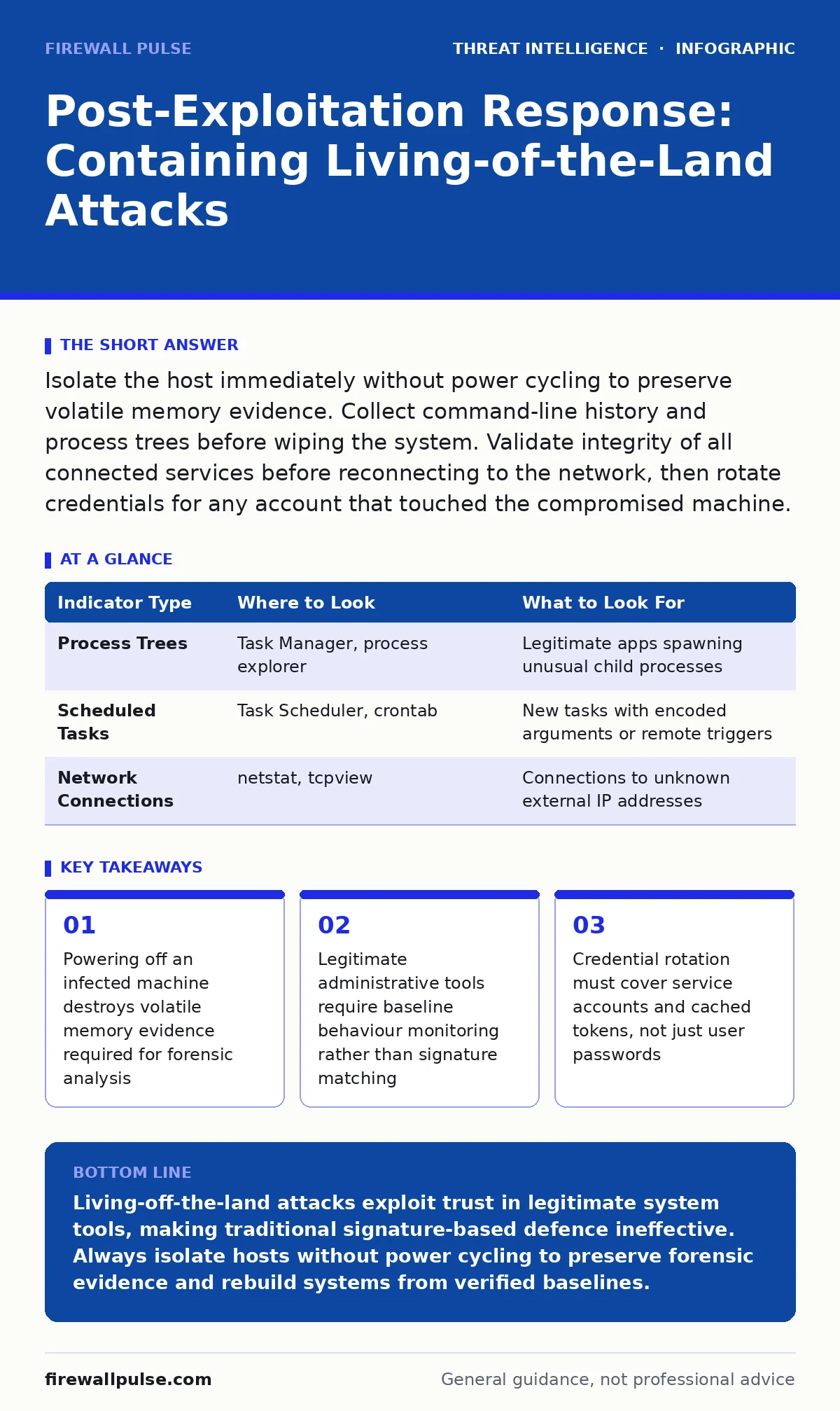
Isolate the host immediately without power cycling to preserve volatile memory evidence. Collect command-line history and process trees before wiping the system. Validate integrity of all connected services before reconnecting to the network, then rotate credentials for any account that touched the compromised machine.
Immediate Isolation and Evidence Preservation
Imagine an attacker has used PowerShell, a standard Microsoft scripting tool, to exfiltrate data. They did not install malware. They used tools already present on the operating system. This is a living-off-the-land attack. Your first priority is containment, but you must act carefully. Powering off the machine is the most damaging action you can take. It wipes the random access memory, which holds the attacker’s command history, open network connections and decrypted keys.
Isolate the host by disabling its network interface. On Windows, you can disable the network adapter via the command line. On Linux, use ip link set down. This stops lateral movement while keeping the system state intact. If you must use remote management tools, connect only via a secure, out-of-band channel that does not traverse the compromised network segment.
- Disable network interfaces on the affected host
- Capture a memory dump using forensic tools before any further interaction
- Record the exact time of isolation for correlation with logs
- Note the specific binaries executed by reviewing process trees
Determining the Scope of Compromise
Once isolated, you need to understand what the attacker did. Living-off-the-land binaries (LOLBins) are legitimate programs abused for malicious purposes. Examples include certutil, bitsadmin or ping. They do not trigger traditional antivirus signatures because they are signed by the operating system vendor. You must look for anomalies in how they are used.
Check the command-line history. On Windows, review the PowerShell execution policy and module logging. On Linux, examine bash history and audit logs. Look for commands that encode data, download files from unexpected sources or execute scripts from temporary directories. The attacker often obfuscates these commands to look like normal background tasks.
You must also check for persistence mechanisms. Attackers use scheduled tasks, registry run keys or cron jobs to ensure they can return. These mechanisms are native to the operating system, making them hard to spot. Compare the current configuration against a known good baseline. If you do not have a baseline, you must treat every non-standard entry as suspicious.
| Indicator Type | Where to Look | What to Look For |
|---|---|---|
| Process Trees | Task Manager, process explorer | Legitimate apps spawning unusual child processes |
| Scheduled Tasks | Task Scheduler, crontab | New tasks with encoded arguments or remote triggers |
| Network Connections | netstat, tcpview | Connections to unknown external IP addresses |
Containing Lateral Movement
The attacker likely tried to move from the initial host to other systems. They used the compromised credentials to access adjacent machines. You must assume that any system the compromised host communicated with is also at risk. This is not paranoia; it is standard operational procedure.
Identify all lateral movement paths. Review authentication logs for successful logins from the compromised host. Look for Pass-the-Hash attacks, where the attacker reuses a captured password hash to authenticate to other machines without knowing the actual password. These attacks leave no trace in the clear-text password logs, only in the authentication success records.
Isolate these adjacent systems as well. Disable their network interfaces if they show signs of compromise. If you cannot isolate them immediately, reset the credentials of any account that logged in from the compromised host. This includes service accounts, which are often high-value targets for attackers.
- Identify all hosts that authenticated with the compromised machine
- Check for unusual login times or locations for these accounts
- Reset credentials for any account that shows anomalous activity
- Monitor these accounts for further suspicious behaviour
Recovery and System Integrity
After containment, you must recover the systems. Do not simply wipe and reinstall. You need to verify that the system is clean. Living-off-the-land attacks leave few traces, but they often modify system files or configurations.
Use file integrity monitoring to check critical system files. Compare current hashes against known good values. If you did not have file integrity monitoring in place before the incident, you must rebuild the system from scratch. You cannot trust a system that has been compromised if you have no baseline to compare it against.
Restore data from backups only after verifying the backups are clean. Attackers may have encrypted or deleted backups as part of their operation. Check the backup timestamps and sizes for anomalies. If the backups are compromised, you will re-introduce the threat during recovery.
Re-enable network access only after you have confirmed the system is clean. Monitor the system closely for the first few hours. Look for any attempts to reconnect to known malicious infrastructure or any unusual outbound traffic.
Notification and Reporting
You must tell the right people. This is not just an IT problem; it is a business risk. Notify your incident response team, legal counsel and executive leadership. They need to know the scope and potential impact.
Document everything. Record every action you took, every finding you made and every decision you reached. This documentation is vital for post-incident analysis and potential legal proceedings. It also helps you improve your response for next time.
Share threat intelligence with relevant partners. If the attacker used a specific LOLBin or technique, report it. This helps the broader community detect and defend against similar attacks. You can share this information through threat intelligence sharing platforms, provided you sanitise any sensitive data first.
See also: How Breach Notification Letters Work: The Hidden Mechanics · Leaked Source Code: How to Contain and Neutralise the Threat
Preventing Recurrence
You must stop this from happening again. The key is to reduce the attack surface. Limit the use of powerful command-line tools. Use application whitelisting to allow only approved applications to run. This prevents attackers from using arbitrary LOLBins.
Implement least privilege. Users and services should only have the permissions they need. If a service account only needs to read files, do not give it administrative rights. This limits the damage an attacker can do if they compromise that account.
Monitor for anomalous behaviour. Use network detection and response tools to spot unusual patterns. Look for large data transfers, connections to unknown domains or unusual command-line arguments. These indicators are more effective than signature-based detection for living-off-the-land attacks.
Regularly review your SOC playbooks to ensure they cover LOLBin scenarios. Update your threat intelligence platforms with the latest indicators of compromise. This helps you detect new variations of these attacks faster.
| Prevention Measure | Benefit | Trade-off |
|---|---|---|
| Application Whitelisting | Blocks unauthorised executables | May break legitimate software updates |
| Least Privilege | Limits lateral movement | Increases administrative overhead |
| Behaviour Monitoring | Detects unusual activity | Generates more false positives |
Key takeaways
- Powering off an infected machine destroys volatile memory evidence required for forensic analysis
- Legitimate administrative tools require baseline behaviour monitoring rather than signature matching
- Credential rotation must cover service accounts and cached tokens, not just user passwords
- Recovery requires verifying system integrity against known good hashes before reconnection
Living-off-the-land attacks exploit trust in legitimate system tools, making traditional signature-based defence ineffective. Always isolate hosts without power cycling to preserve forensic evidence and rebuild systems from verified baselines.
Frequently asked questions
How do I detect living-off-the-land attacks without expensive tools?
Focus on behavioural anomalies rather than signatures. Monitor for legitimate binaries executing unusual commands, such as PowerShell downloading files or ping executing scripts.
Is it safe to restore from backups after a LOLBin attack?
Only if you verify the backups are clean. Attackers may corrupt or encrypt backups, so check timestamps and file integrity before restoration.
Do I need to replace the entire server after a compromise?
Yes, if you cannot verify system integrity against a known good baseline. Rebuilding ensures no hidden persistence mechanisms remain.
How do I distinguish between normal admin activity and an attack?
Look for context. Normal admin activity follows a pattern and is often scheduled. Attacks often involve obfuscated commands, unusual parent processes or off-hours execution.
How this guide was produced: written by the Firewall Pulse editorial team with AI assistance, checked against the public references listed below, and reviewed when the facts change. See our editorial policy or report an error.