Use-After-Free Vulnerabilities: Risks and Protection for Small Businesses
Use-after-free flaws let attackers execute code by manipulating memory after the system has released it, often bypassing standard network defences.
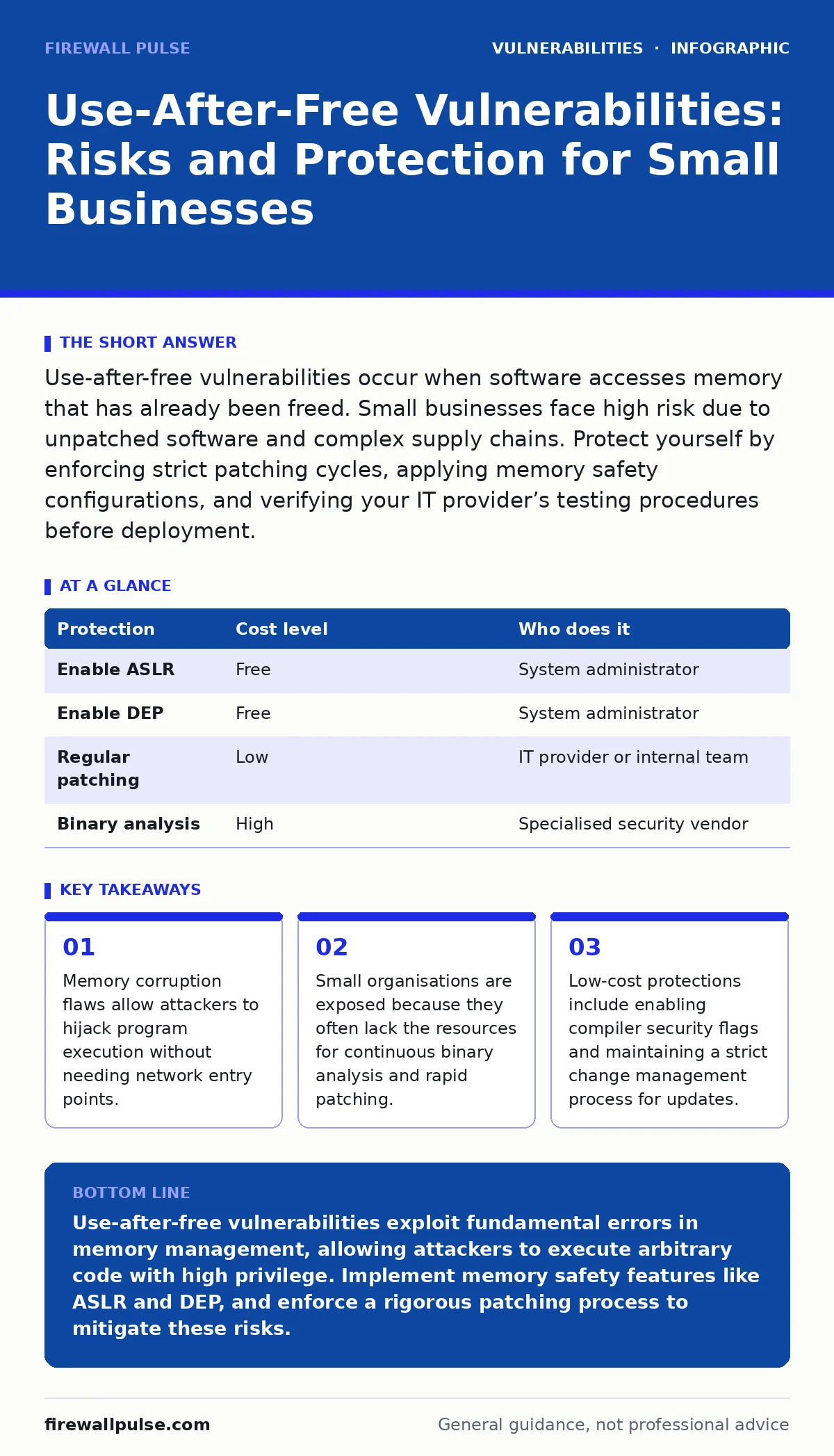
Use-after-free vulnerabilities occur when software accesses memory that has already been freed. Small businesses face high risk due to unpatched software and complex supply chains. Protect yourself by enforcing strict patching cycles, applying memory safety configurations, and verifying your IT provider’s testing procedures before deployment.
The Mechanics of Memory Corruption
Imagine a ten-person marketing agency that relies on a single shared server for its creative assets. The server runs a popular image editing application to process client files. An attacker sends a specially crafted image file to the server. The application processes the file, frees the memory block used to store the image data, and then inadvertently tries to read or write to that same memory address before the operating system can reuse it. This is a use-after-free vulnerability.
The attacker has injected malicious code into that memory space while it was free. When the application accesses the freed memory, it executes the attacker’s code instead of its intended function. This grants the attacker control over the application process. If the application runs with elevated privileges, the attacker gains those privileges too. This mechanism does not require the attacker to guess passwords or exploit network misconfigurations. It exploits a fundamental error in how the software manages its own resources.
Why Small Organisations Remain Exposed
Large technology companies employ teams dedicated to fuzzing, a testing method that inputs random data to find crashes. Small businesses rarely have this luxury. They rely on the security of the software vendors they purchase from. When a vendor releases a patch for a use-after-free flaw, there is a window of time between the patch release and its installation on your systems. This window is your exposure period.
Small teams often delay updates to avoid disrupting workflows. They fear that a patch might break a critical business application. This hesitation creates a persistent risk. Furthermore, small organisations often use software from multiple vendors. Each vendor has different patching schedules and different levels of security maturity. You are only as secure as your most vulnerable component. The complexity of these dependencies makes it difficult to track which components contain known memory safety flaws.
Another hidden risk is the use of open-source libraries. Many commercial applications bundle open-source code. If that code contains a use-after-free vulnerability, the commercial application inherits the flaw. You cannot patch the underlying library directly. You must wait for the vendor to release an updated version of the application. This dependency chain slows down your ability to mitigate risks.
Low-Cost Protections for Limited Budgets
You do not need expensive security appliances to mitigate memory corruption risks. You can apply several low-cost measures that raise the bar for attackers. The first step is enabling Address Space Layout Randomisation. This security feature randomises the memory addresses where program components are loaded. It makes it difficult for an attacker to predict where their malicious code will reside in memory. Most modern operating systems enable this by default, but you must verify that it is active for all critical applications.
Data Execution Prevention is another standard defence. This mechanism marks certain areas of memory as non-executable. Even if an attacker manages to inject code into a memory buffer, the processor refuses to run it. This stops many use-after-free exploits that rely on executing shellcode. Ensure your operating system and application servers have this feature enabled. It is a passive defence that requires no ongoing management.
| Protection | Cost level | Who does it |
|---|---|---|
| Enable ASLR | Free | System administrator |
| Enable DEP | Free | System administrator |
| Regular patching | Low | IT provider or internal team |
| Binary analysis | High | Specialised security vendor |
These measures do not eliminate the vulnerability. They increase the effort required to exploit it. An attacker may need to chain multiple flaws to bypass these defences. This gives you more time to detect and respond to the attack.
The Role of Configuration Hardening
Software vendors often release applications with default settings that prioritise compatibility over security. These defaults may disable memory safety features to support older hardware or legacy applications. You must actively configure your systems to enforce stricter security policies. This process is known as configuration hardening.
For example, some applications allow just-in-time compilation, which generates code at runtime. This can disable Data Execution Prevention for that specific application. You should disable such features unless they are strictly necessary for your business operations. Review the documentation for your critical applications to identify settings that affect memory safety.
You should also limit the privileges of the services running your applications. If an application is compromised, the attacker inherits the privileges of the service account. Running services with the minimum required privileges limits the damage an attacker can do. This aligns with the principle of least privilege access. Even if an attacker exploits a use-after-free flaw, they cannot easily escalate to administrative control.
What to Ask Your IT Provider
If you outsource your IT management, you must verify that your provider understands memory safety risks. Do not assume that standard maintenance includes protection against these flaws. Ask specific questions about their patching and testing procedures.
- How do you test patches in a staging environment before applying them to production systems?
- Do you monitor for zero-day vulnerabilities in the software we use, and how do you respond to them?
- Can you provide a list of all third-party libraries used in our critical applications?
- How do you handle n-day vulnerabilities, where patches are available but not yet widely deployed?
These questions reveal the depth of their security practice. A provider who cannot answer these questions may be relying on automated tools that do not understand the context of your environment. You need a partner who can assess the risk of a patch failing versus the risk of leaving a vulnerability unpatched.
Integrating Risk-Based Vulnerability Management
Not all vulnerabilities pose the same risk. A use-after-free flaw in an internal tool that has no network access is less dangerous than the same flaw in a web-facing application. You should adopt a risk-based vulnerability management approach. This means prioritising patches based on the exposure and criticality of the asset.
Identify which systems face the internet. These systems are the primary targets for attackers scanning for known flaws. Prioritise patching these systems immediately. For internal systems, assess the value of the data they hold. A system containing sensitive customer data requires faster patching than a system used for casual staff communication.
This approach helps you allocate your limited resources effectively. It prevents patch fatigue, where your team becomes overwhelmed by the volume of updates. By focusing on the highest risk assets, you reduce the likelihood of a successful exploit while maintaining operational stability.
The Long-Term Shift to Memory Safety
The industry is slowly shifting towards memory-safe languages. Languages like Rust and Go are designed to prevent use-after-free errors at compile time. They manage memory automatically, removing the need for manual allocation and deallocation. While adopting these languages requires significant development effort, they offer a fundamental reduction in vulnerability surface area.
For small businesses, this means evaluating new software purchases with this trend in mind. Vendors who are migrating to memory-safe languages are likely to have fewer critical flaws in the future. When selecting new tools, ask the vendor about their software development lifecycle and their use of memory-safe technologies. This is a long-term strategy that reduces your exposure to these classes of vulnerabilities.
You should also keep an eye on change management for security patches. As vendors release updates for memory safety, your internal processes must be agile enough to deploy them quickly. Rigid approval processes can delay critical fixes, leaving your systems exposed during the most dangerous window.
Key takeaways
- Memory corruption flaws allow attackers to hijack program execution without needing network entry points.
- Small organisations are exposed because they often lack the resources for continuous binary analysis and rapid patching.
- Low-cost protections include enabling compiler security flags and maintaining a strict change management process for updates.
Use-after-free vulnerabilities exploit fundamental errors in memory management, allowing attackers to execute arbitrary code with high privilege. Implement memory safety features like ASLR and DEP, and enforce a rigorous patching process to mitigate these risks.
Frequently asked questions
Can antivirus software stop use-after-free attacks?
Traditional antivirus software relies on known signatures and may not detect zero-day exploits. It is ineffective against real-time memory corruption attacks that do not involve known malicious files.
How do I know if my software has use-after-free vulnerabilities?
You cannot easily detect these flaws without specialised analysis. Rely on vendor security advisories and threat intelligence feeds to identify known vulnerabilities in your software stack.
Is patching enough to protect against these flaws?
Patching is necessary but not sufficient. You must also enable operating system defences like ASLR and DEP, and apply least privilege access to limit the impact of any successful exploit.
What is the difference between a zero-day and an n-day vulnerability?
A zero-day vulnerability is unknown to the vendor and has no patch. An n-day vulnerability is known and a patch exists, but many systems remain unpatched, leaving them vulnerable.
How this guide was produced: written by the Firewall Pulse editorial team with AI assistance, checked against the public references listed below, and reviewed when the facts change. See our editorial policy or report an error.