Patching Without Panic: Secure Change Management for Small Teams
Unstructured patching breaks business logic more often than it prevents exploitation, turning routine maintenance into a primary source of downtime.
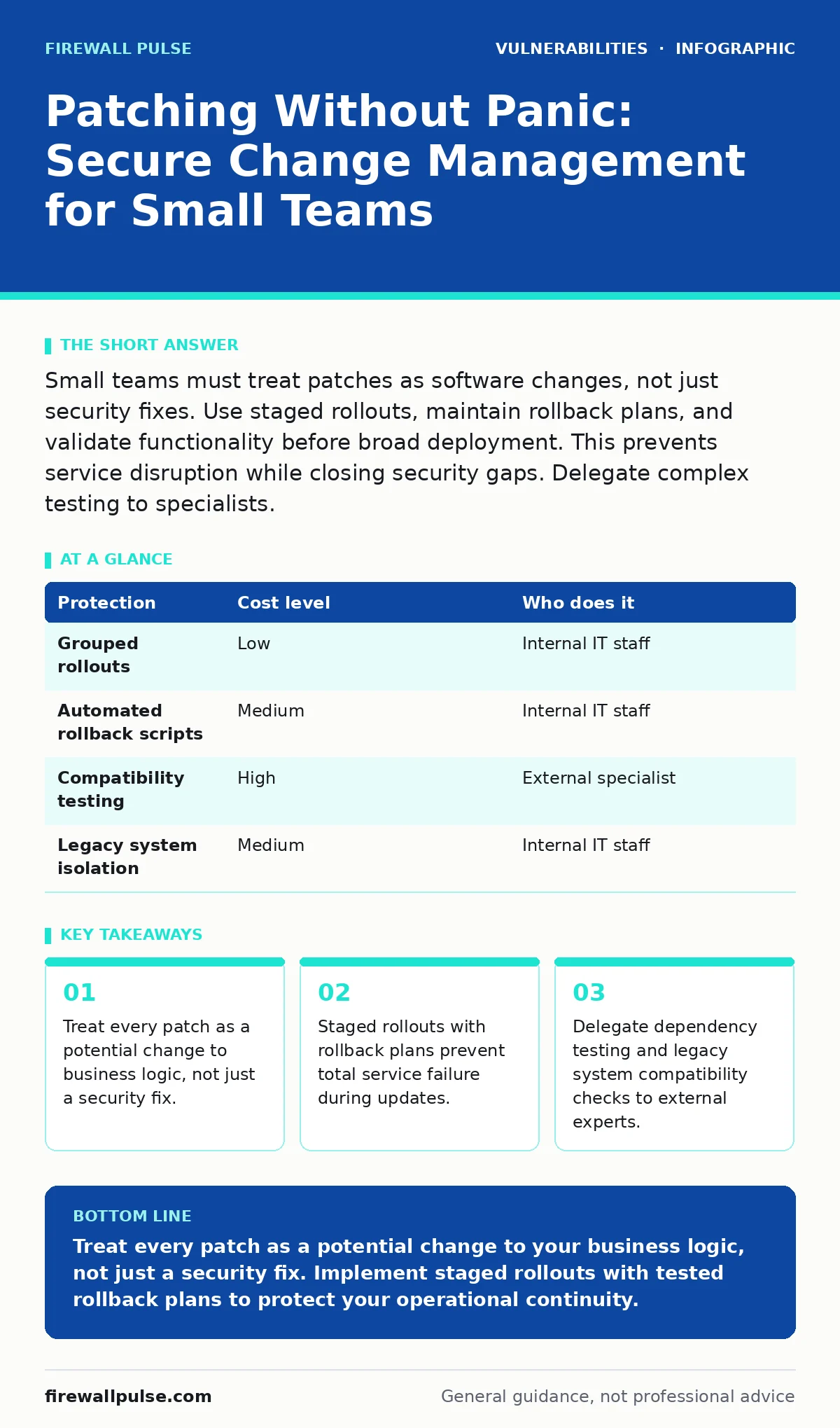
Small teams must treat patches as software changes, not just security fixes. Use staged rollouts, maintain rollback plans, and validate functionality before broad deployment. This prevents service disruption while closing security gaps. Delegate complex testing to specialists.
The Hidden Cost of Speed
Speed in patching often masks a lack of process. When you rush to apply security updates, you bypass the verification steps that ensure your core applications continue to function. This creates a fragile environment where the next update might break something else.
Small organisations often lack the luxury of dedicated development teams to test every change. This means the person applying the patch is also the person who must fix the resulting breakage. This dual role creates a bottleneck and increases the risk of human error.
You must shift your mindset from "patching" to "change management". A patch is code that modifies your environment. If you do not manage that change, you are gambling with your operational continuity. The goal is not just to close a vulnerability, but to do so without disrupting the work your business relies on.
Why Scale Changes the Rules
Large enterprises have multiple layers of defence. They have staging environments that mirror production, allowing them to test patches in isolation. Small teams usually do not have this luxury. Your production environment is often your only environment.
This lack of separation means that a bad patch affects your live operations immediately. There is no buffer zone. You cannot afford the same margin for error as a corporation with hundreds of servers.
This constraint forces you to be more deliberate. You cannot patch everything at once. You must prioritise based on impact and risk. This approach aligns with risk-based vulnerability management, where you address the most dangerous flaws first rather than chasing every minor issue. It requires understanding which systems are critical and which can wait.
Affordable Control Mechanisms
You do not need expensive enterprise tools to manage this process. You need discipline and simple, repeatable workflows. The most effective control is a documented procedure that every team member follows.
Start by categorising your assets. Identify which devices hold sensitive data and which are public-facing. A desktop used for internal email poses a different risk than a server hosting your customer portal. This prioritisation allows you to focus your limited resources where they matter most.
Use grouping to manage rollouts. Apply patches to a small group of non-critical devices first. Monitor these devices for twenty-four hours. If no issues arise, proceed to the next group. This staged approach limits the blast radius of a bad update.
| Protection | Cost level | Who does it |
|---|---|---|
| Grouped rollouts | Low | Internal IT staff |
| Automated rollback scripts | Medium | Internal IT staff |
| Compatibility testing | High | External specialist |
| Legacy system isolation | Medium | Internal IT staff |
The Necessity of Rollback Plans
A patch plan without a rollback plan is incomplete. You must know how to revert a change before you apply it. This sounds obvious, but many small teams skip this step in the rush to secure their systems.
Create a snapshot of your system state before applying major updates. For virtual machines, this is straightforward. For physical hardware, you might need to rely on system restore points or configuration backups. Test your recovery procedure regularly. A backup that has never been restored is not a backup; it is a hope.
If a patch causes instability, your priority shifts from security to stability. You must revert to the known good state immediately. Then, you analyse why the patch failed. This might involve checking for dependency confusion attacks or conflicts with other software. Do not assume the vendor fixed the issue; assume the interaction with your specific environment is the problem.
What to Delegate
You cannot do everything yourself. Small teams often stretch their expertise too thin. Trying to handle complex compatibility testing internally can lead to overlooked issues.
Delegate the testing of critical dependencies to a specialist. If your business relies on a specific legacy application, hire a consultant to verify that the latest OS updates do not break it. This is an investment in stability.
Consider outsourcing the monitoring of n-day vulnerabilities. These are flaws for which a patch exists but has not yet been applied. A managed service provider can track these threats and alert you to urgent patches, allowing you to focus on your daily operations. This reduces the cognitive load on your internal team.
Questions for Your IT Provider
If you outsource your patching or seek advice, you need to ask the right questions. Vague assurances are not enough. You need to understand their process and their limits.
- How do you test patches before applying them to our live environment?
- What is your procedure for rolling back a failed update?
- How do you handle systems that cannot be patched immediately due to legacy constraints?
- Do you provide a report on which patches were applied and why?
- How do you coordinate with us during maintenance windows to minimise disruption?
These questions reveal whether the provider treats patching as a mechanical task or a managed process. Look for answers that mention testing, rollback, and communication.
Managing Legacy Constraints
Some systems cannot be patched. They may run on obsolete operating systems or support software that is no longer maintained. This is a common reality for small businesses with long-standing infrastructure.
Isolate these systems from the rest of your network. Use network segmentation to prevent them from communicating with modern devices. This limits the attack surface.
Apply configuration hardening to these legacy systems. Disable unnecessary services, restrict access, and monitor for unusual activity. While you cannot patch the code, you can restrict how it interacts with the world. This is a form of compensating control that reduces risk until you can replace the system.
The Human Element
Tools can automate the deployment of patches, but they cannot judge the context. You must decide when to pause an automated schedule. A major business event, such as a year-end close or a product launch, is not the time for risky updates.
Train your staff to recognise the signs of a failed patch. Slow performance, application crashes, or missing features are red flags. Encourage them to report these issues immediately. Early detection allows for faster rollback.
Remember that least privilege access applies to your patching process too. Only authorised personnel should have the rights to install system updates. This prevents accidental changes and ensures accountability.
Balancing Security and Stability
The goal is not to patch everything, all the time. The goal is to maintain a secure and stable environment. This balance requires continuous assessment.
Review your patching policy regularly. Update it as your technology changes. A system that was critical last year may be obsolete this year. Your risk profile shifts with your business.
By treating patches as changes, you gain control over your environment. You move from reactive firefighting to proactive management. This approach protects your business from both security breaches and operational downtime.
Key takeaways
- Treat every patch as a potential change to business logic, not just a security fix.
- Staged rollouts with rollback plans prevent total service failure during updates.
- Delegate dependency testing and legacy system compatibility checks to external experts.
Treat every patch as a potential change to your business logic, not just a security fix. Implement staged rollouts with tested rollback plans to protect your operational continuity.
Frequently asked questions
How often should small businesses apply security patches?
Apply critical security patches within days of release, but only after testing in a controlled group. Routine updates can follow a monthly cycle.
What if a patch breaks a critical application?
Revert to the previous system state immediately using your rollback plan. Then, isolate the issue and consult the vendor or a specialist before retrying.
Can automated tools replace manual change management?
Automation can deploy patches, but it cannot assess business impact. You still need human oversight to prioritise updates and manage exceptions.
How do I handle systems that cannot be patched?
Isolate them from the network, restrict access, and apply strict configuration hardening to minimise their exposure to threats.
How this guide was produced: written by the Firewall Pulse editorial team with AI assistance, checked against the public references listed below, and reviewed when the facts change. See our editorial policy or report an error.