Cloud Audit Logs: Decoding the Record of Every Action
Cloud audit logs reveal the silent configuration drift that standard monitoring misses, exposing the gap between intended security and actual system state.

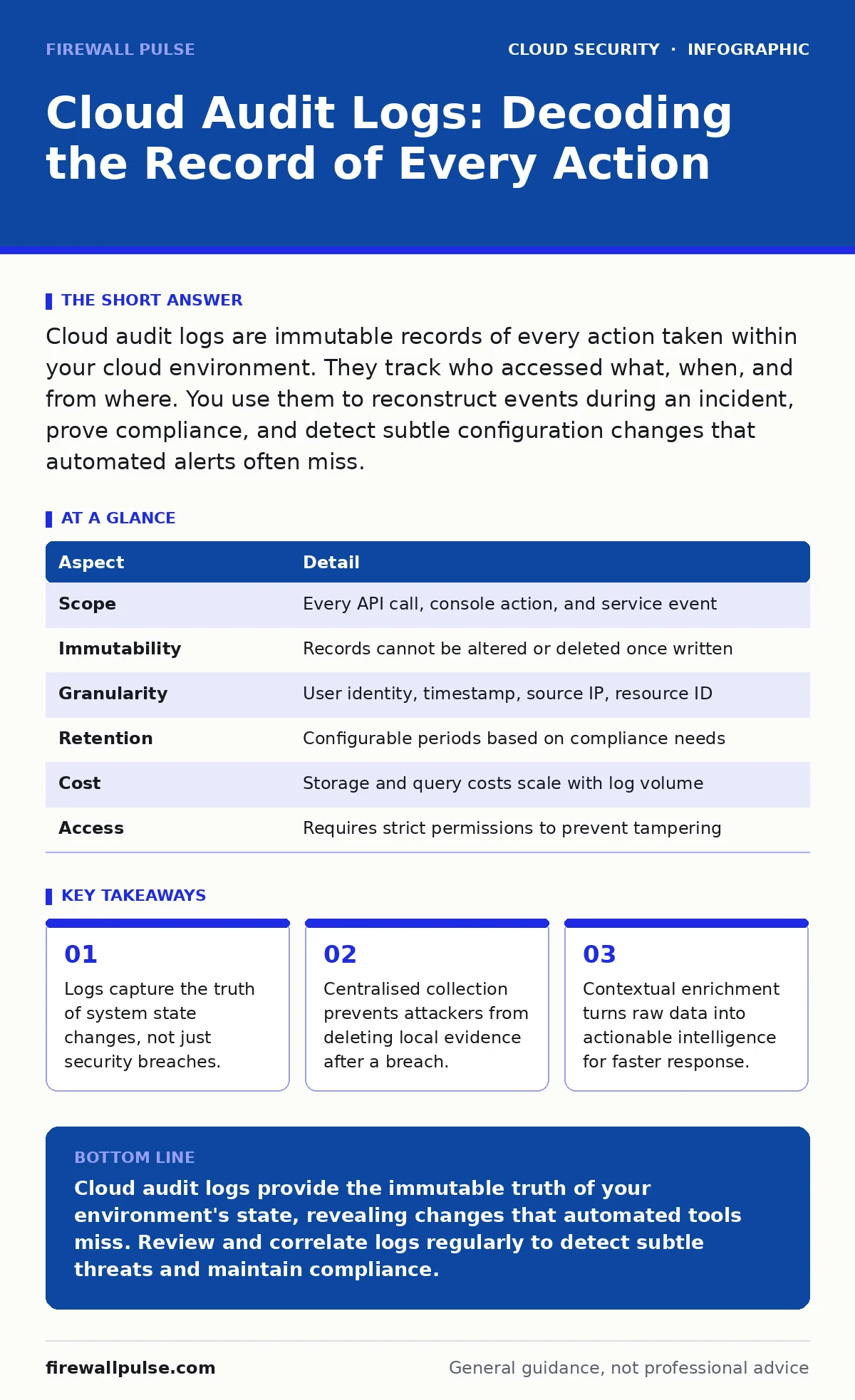
Cloud audit logs are immutable records of every action taken within your cloud environment. They track who accessed what, when, and from where. You use them to reconstruct events during an incident, prove compliance, and detect subtle configuration changes that automated alerts often miss.
Understanding Cloud Audit Logs
Cloud audit logs are the definitive record of every interaction within your cloud infrastructure. They document who performed an action, what resource was affected, when it happened, and whether it succeeded. This is distinct from application logs, which track software behaviour, or network logs, which monitor traffic flow. Audit logs focus on administrative and user actions that change the state of your environment.
Think of these logs as a black box recorder for your digital estate. Just as flight data recorders capture every input and system response regardless of outcome, cloud audit logs capture every API call and console action. They do not judge the action; they simply record it. This neutrality makes them invaluable for forensic analysis and compliance verification. You cannot trust memory or screenshots when investigating a security incident. You need the immutable truth provided by these logs.
| Aspect | Detail |
|---|---|
| Scope | Every API call, console action, and service event |
| Immutability | Records cannot be altered or deleted once written |
| Granularity | User identity, timestamp, source IP, resource ID |
| Retention | Configurable periods based on compliance needs |
| Cost | Storage and query costs scale with log volume |
| Access | Requires strict permissions to prevent tampering |
How Cloud Audit Logs Work
The mechanism behind cloud audit logs relies on the principle of immutability. When an action occurs, the cloud provider generates a log entry. This entry is immediately written to a secure, read-only storage location. The provider signs the log entry, ensuring that any tampering is detectable. You do not store these logs on the same systems they monitor. That would allow an attacker with root access to erase their tracks.
Log ingestion involves collecting entries from multiple services and aggregating them. A single virtual machine change might generate logs in the compute service, the identity service, and the network service. You must correlate these entries to understand the full picture. Raw logs are noisy and difficult to read. Processing pipelines filter, parse, and enrich the data before it reaches your analysis tools. This enrichment adds context, such as user department or asset criticality, which helps prioritise alerts.
The challenge lies in the volume. A busy cloud environment generates millions of log entries daily. Storing every detail forever is prohibitively expensive. You must balance retention periods with cost constraints. Most organisations keep detailed logs for 90 days and archive older data for long-term compliance. Archiving reduces query speed but ensures you meet legal requirements for evidence preservation.
Who Cloud Audit Logs Affect
These logs impact every role involved in cloud operations. Developers need them to debug deployment failures and understand permission errors. System administrators use them to track configuration changes and verify patching schedules. Security analysts rely on them to detect anomalies and investigate breaches. Compliance officers use them to prove adherence to regulatory standards.
Imagine a junior administrator accidentally deletes a critical database. Without cloud audit logs, the team might blame external attackers or system faults. With logs, the team identifies the specific user, the time, and the command used. This allows for rapid restoration and process improvement. The logs shift the conversation from blame to learning. They provide the factual basis for post-incident reviews.
Log access itself must be tightly controlled. If too many people can read or modify logs, the integrity of the entire system is compromised. You should treat log access as a high-privilege function. Only authorised personnel should view sensitive log data. This aligns with the principle of least privilege, which you manage through cloud IAM policies. Restricting access prevents insider threats from hiding their activities or stealing sensitive information.
Common Mistakes in Log Management
Many organisations collect logs but fail to use them effectively. The most common error is treating logs as a compliance checkbox. Teams enable logging to satisfy auditors but never review the data. This creates a false sense of security. Logs that are not analysed are just expensive storage. You must actively monitor and query logs to derive value from them.
Another mistake is ignoring context. A single log entry often looks benign. A user accessing a file is normal. But the same user accessing 100 files in one minute is suspicious. You need correlation engines to spot these patterns. Without context, you drown in false positives and miss real threats. This is where workload identity management becomes critical. Knowing which service account performed an action helps distinguish normal automation from malicious activity.
A third error is failing to secure the log pipeline. Attackers know that logs are the first place defenders look. They target log storage and forwarding mechanisms early. If an attacker can disable logging or redirect it to a fake destination, they operate with impunity. You must monitor the health of your logging infrastructure itself. Alerts for log gaps or pipeline failures are as important as security alerts.
What People Usually Get Wrong
Teams often assume that cloud providers handle all log security. Providers ensure the logs are stored securely, but they do not manage your access controls or retention policies. You are responsible for configuring who can read the logs and how long they are kept. Misconfiguration here can lead to data leaks or compliance failures.
Another misconception is that logs are real-time. There is often a delay between an action and its appearance in your centralised log store. This latency can be seconds or minutes. During a fast-moving incident, this delay matters. You must account for this lag in your detection rules. Relying on real-time console views is insufficient for forensic accuracy.
Finally, many teams ignore the cost of log queries. Searching through terabytes of data is expensive. Poorly written queries can spike your bill. You should optimise your queries to filter data early in the pipeline. Use sampling for low-priority logs and full retention for critical events. This balances cost with visibility. Understanding the economics of logging is part of effective security operations.
See also: How Workload Identity Works: The Mechanism Behind Cloud Service Auth
Implementing Effective Log Strategies
Start by defining what actions require logging. Not every API call needs equal attention. Focus on high-risk operations like permission changes, resource creation, and data access. Configure your cloud services to emit detailed logs for these actions. Disable verbose logging for low-risk activities to reduce noise and cost.
Centralise your logs in a single platform. This allows you to correlate events across different services and accounts. A security information and event management system can ingest logs from multiple cloud providers. This unified view is essential for detecting cross-service attacks. It also simplifies compliance reporting by providing a single source of truth.
Regularly test your log collection. Simulate actions and verify that they appear in your central store. Check for gaps in data or delays in ingestion. Automate these tests to ensure continuous reliability. If your logging pipeline fails, you are blind. Monitoring the monitor is a critical part of your security posture. This practice also supports cloud compliance requirements by proving that your logging mechanisms are functional.
Connecting Logs to Broader Security
Audit logs do not exist in isolation. They feed into your broader security architecture. They provide the evidence needed for incident response and forensics. They also support cloud backup verification by confirming that backup jobs ran as expected. If a backup fails, the logs show why.
Integrate logs with your threat detection tools. Use machine learning models to identify anomalous patterns. These models learn normal behaviour and flag deviations. However, models require clean, consistent data. Poor log quality leads to poor detection.
Finally, use logs to improve your security posture. Analyse past incidents to identify gaps in your logging coverage. Did you miss a critical action? Update your logging configuration to capture it. Continuous improvement is key. The cloud environment changes constantly. Your logging strategy must evolve with it. This iterative process ensures that your visibility keeps pace with your infrastructure.
Key takeaways
- Logs capture the truth of system state changes, not just security breaches.
- Centralised collection prevents attackers from deleting local evidence after a breach.
- Contextual enrichment turns raw data into actionable intelligence for faster response.
Cloud audit logs provide the immutable truth of your environment's state, revealing changes that automated tools miss. Review and correlate logs regularly to detect subtle threats and maintain compliance.
Frequently asked questions
How long should I keep cloud audit logs?
Keep detailed logs for 90 days for operational use. Archive older logs for long-term compliance, typically one to seven years depending on your regulatory requirements.
Can attackers delete cloud audit logs?
Attackers cannot delete logs stored in a separate, immutable bucket. However, they can disable logging on compromised resources. You must monitor for logging gaps.
Are cloud audit logs real-time?
Logs are near real-time but may have a latency of seconds or minutes. Do not rely on them for instant blocking. Use them for detection and investigation.
How do I reduce the cost of cloud audit logs?
Filter low-value logs at the source. Use sampling for non-critical events. Optimise your queries to reduce data scanning. Archive old data to cheaper storage tiers.
How this guide was produced: written by the Firewall Pulse editorial team with AI assistance, checked against the public references listed below, and reviewed when the facts change. See our editorial policy or report an error.