Cloud Security Groups: 6 Misunderstandings That Leave Ports Open
Security groups act as stateful virtual firewalls, yet most teams treat them as static rule lists rather than dynamic session controllers.

Security groups are stateful, meaning return traffic is automatically allowed. Misunderstanding this leads to redundant rules, overly permissive ingress configurations, and confusion between host-based and network-level filtering. Correct usage relies on least privilege and explicit deny-by-default logic.
Misreading: Security groups are stateless like traditional firewalls
Correct reading: Security groups function as stateful packet filters. When you allow an inbound connection on a specific port, the system automatically permits the return traffic for that session, regardless of outbound rules. This differs from stateless firewalls, which inspect each packet in isolation and require explicit rules for both directions. Treating security groups as stateless leads to bloated rule sets. You might add outbound allow rules for HTTP responses, believing this is necessary. This adds complexity without improving security. The state table tracks active connections.
If a connection is established, the reverse path is opened temporarily. This reduces the attack surface by closing paths once sessions end. You only need to define the initiation of traffic. Inbound rules control who can start a connection. Outbound rules control what the instance can initiate. Most workloads only need outbound access for updates or API calls. Blocking all outbound traffic by default is a strong security posture. It prevents compromised instances from phoning home to command servers. You must explicitly allow required outbound destinations. This forces you to document dependencies. It reveals hidden connections you did not know existed.
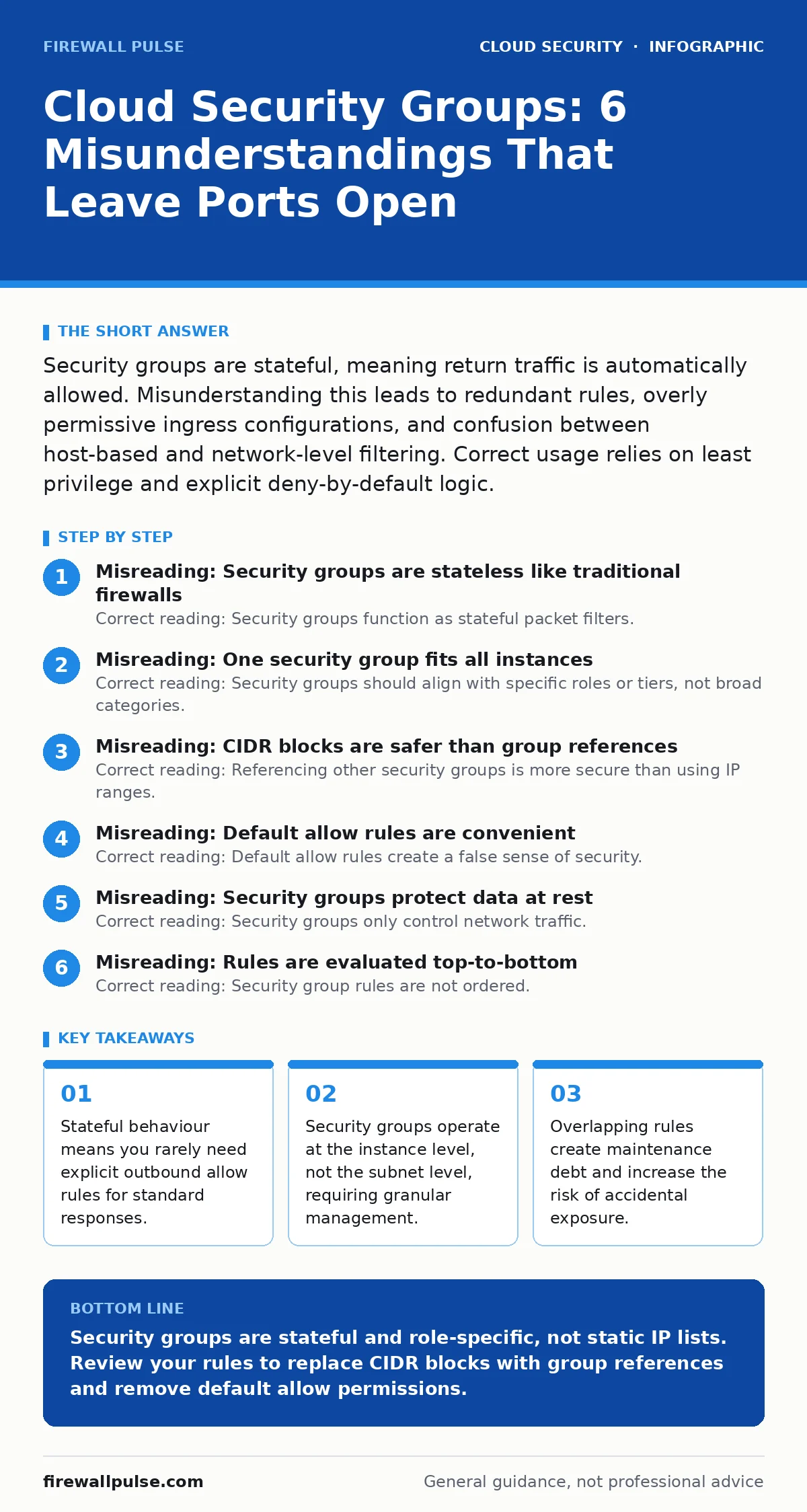
Misreading: One security group fits all instances
Correct reading: Security groups should align with specific roles or tiers, not broad categories. Grouping all web servers into one security group creates a single point of failure for configuration. If one server requires a new port, you open it for all servers. This violates the principle of least privilege. You should create separate groups for each function. A web tier group allows inbound HTTP and HTTPS. An application tier group allows inbound traffic only from the web tier group. A database tier group allows inbound traffic only from the application tier group.
This segmentation limits lateral movement. If an attacker compromises a web server, they cannot directly reach the database. They must first breach the application tier. This adds friction to attacks. It also simplifies auditing. You can review rules for a specific role without scanning hundreds of unrelated entries. Merging roles into one group obscures dependencies. It makes it difficult to trace why a port is open. Separate groups provide clear boundaries. They reflect the architecture of your application. This clarity is vital for incident response. When a breach occurs, you know exactly which rules were bypassed.
Misreading: CIDR blocks are safer than group references
Correct reading: Referencing other security groups is more secure than using IP ranges. IP ranges, or CIDR blocks, are static. If an instance moves to a new IP, the rule breaks or becomes insecure. You must update every rule that references that IP. This is error-prone and slow. Security group references are dynamic. They track the current IPs of all instances in the target group. If you launch a new instance, it automatically inherits the access. If you terminate an instance, the access is removed. This reduces administrative overhead. It also prevents stale rules.
Old IP ranges often linger in configurations. They may grant access to decommissioned servers or new threats. Using group references ensures access is tied to identity, not location. This is particularly important in auto-scaling environments. Instances change IP addresses frequently. Static IP rules cannot keep up with this churn. You will either block legitimate traffic or leave gaps. Group references solve this scalability issue. They maintain security posture without manual intervention. This approach aligns with cloud-native design patterns. It treats infrastructure as code. Rules are declarative and self-healing.
Misreading: Default allow rules are convenient
Correct reading: Default allow rules create a false sense of security. Many cloud providers create a default security group that allows all outbound traffic. Some even allow inbound traffic from all sources by default. This is dangerous. It assumes you will manually restrict access. Humans are bad at remembering to remove defaults. Attackers exploit these open doors. You should delete the default security group if possible. Or, strip all rules from it and never use it. Create new groups with explicit deny-by-default. Every allowed port must be justified. Every allowed source must be verified.
This discipline prevents accidental exposure. It forces you to think about each connection. It also makes auditing easier. You can spot anomalies more easily when the baseline is zero. Default allow rules hide risks. They make it look like everything is connected when it is not. This confusion delays incident detection. You spend time checking rules that should not exist. Removing defaults clarifies the security posture. It establishes a culture of explicit permission. This habit extends to other controls. It influences how you handle overprivileged cloud identities. Tight access patterns reduce overall risk.
Misreading: Security groups protect data at rest
Correct reading: Security groups only control network traffic. They do not encrypt data stored on disk. They do not protect against physical theft of hardware. They do not stop attackers who have already gained access. If an instance is compromised, the security group cannot stop data exfiltration. You need encryption for data at rest. This usually involves disk encryption keys managed by a key management service. You also need backups to recover from ransomware or deletion. Security groups are a perimeter control. They keep unauthorised users out. They do not secure what is inside.
Assuming they do leads to gaps in your defence. You might neglect encryption because you feel protected by the firewall. This is a dangerous assumption. Data breaches often occur through internal threats. Or through compromised credentials. In these cases, network rules are bypassed. You must layer security. Combine network controls with encryption and backups. See cloud backup strategies for data recovery. See insecure container images for application-level risks. Security groups are just one layer. They are necessary but not sufficient.
See also: How Workload Identity Works: The Mechanism Behind Cloud Service Auth
Misreading: Rules are evaluated top-to-bottom
Correct reading: Security group rules are not ordered. All allow rules are evaluated equally. There is no priority or sequence. If a packet matches any allow rule, it is permitted. This differs from traditional firewalls, where order matters. You cannot place a deny rule above an allow rule to block specific traffic. Security groups only support allow rules. Deny is implicit. If no rule matches, traffic is dropped. This simplifies configuration but reduces flexibility. You cannot create exceptions within a broad allow rule.
You must create separate, more specific allow rules. This can lead to complex configurations. Managing many small rules is harder than managing a few large ones. However, it prevents order-of-operation bugs. You do not need to worry about rule precedence. This makes automation easier. Scripts can add rules without considering position. It also makes auditing simpler. You can check if a rule exists without tracing logic. This design encourages least privilege. You must be specific about what you allow. This reduces the chance of accidental broad access.
Key takeaways
- Stateful behaviour means you rarely need explicit outbound allow rules for standard responses.
- Security groups operate at the instance level, not the subnet level, requiring granular management.
- Overlapping rules create maintenance debt and increase the risk of accidental exposure.
Security groups are stateful and role-specific, not static IP lists. Review your rules to replace CIDR blocks with group references and remove default allow permissions.
Frequently asked questions
Can I use security groups for load balancers?
Yes, load balancers can have security groups attached. These rules control traffic entering and leaving the load balancer itself, not the backend instances.
Do security groups work across regions?
No, security groups are regional. You cannot reference a security group in one region from a rule in another region. You must use IP ranges or cross-region VPC peering.
How do security groups differ from network ACLs?
Security groups are stateful and act at the instance level. Network ACLs are stateless and act at the subnet level. ACLs are a secondary line of defence.
Can I audit security group changes?
Yes, cloud providers log configuration changes. Use these logs to track who modified rules and when. Integrate them with your SIEM for real-time alerts.
How this guide was produced: written by the Firewall Pulse editorial team with AI assistance, checked against the public references listed below, and reviewed when the facts change. See our editorial policy or report an error.