File Upload Vulnerabilities: Warning Signs and Immediate Fixes
Most file upload flaws hide in metadata handling and filename sanitisation, allowing attackers to execute code without bypassing basic extension checks.
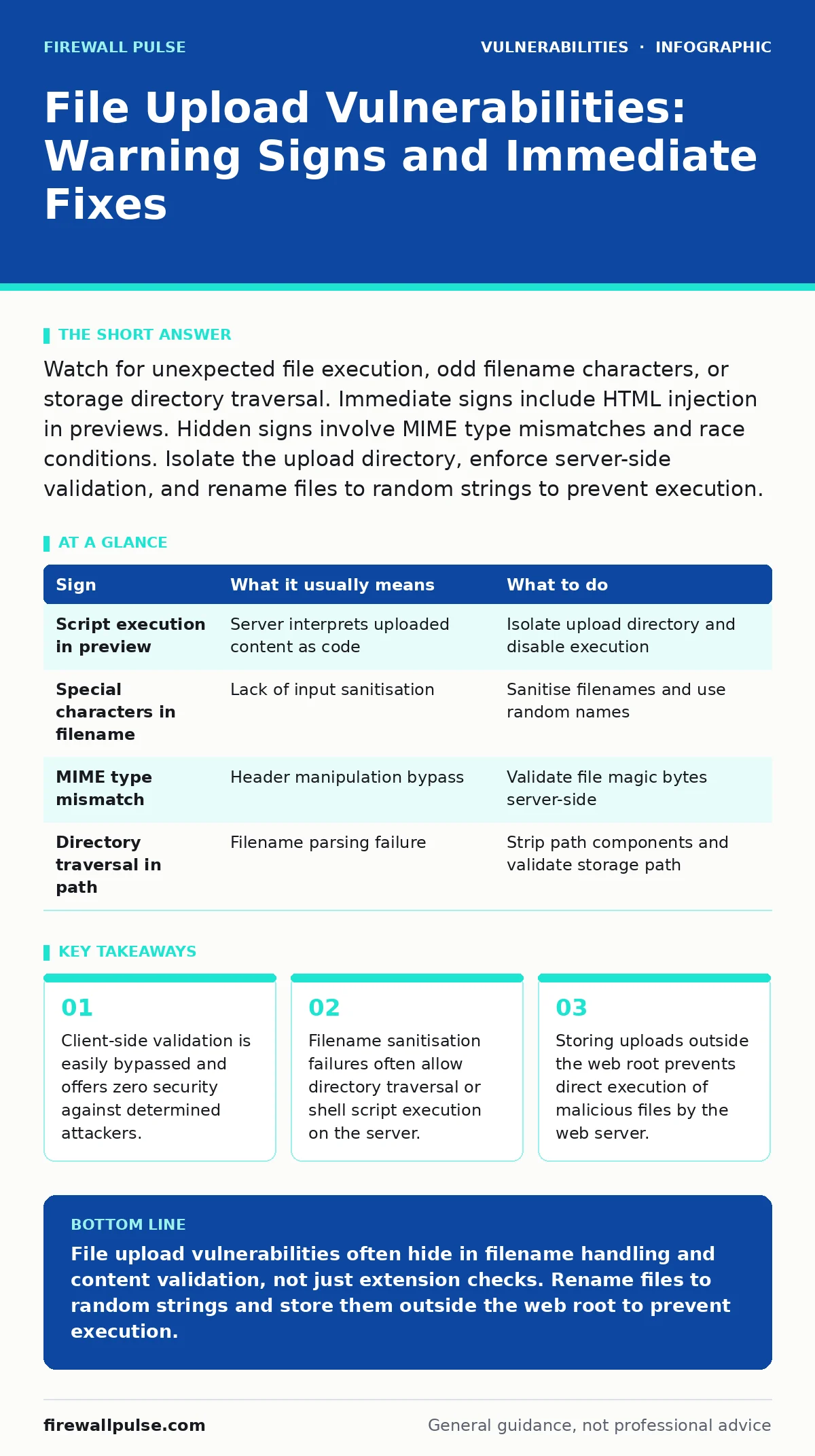
Watch for unexpected file execution, odd filename characters, or storage directory traversal. Immediate signs include HTML injection in previews. Hidden signs involve MIME type mismatches and race conditions. Isolate the upload directory, enforce server-side validation, and rename files to random strings to prevent execution.
Recognising Immediate File Upload Anomalies
You notice immediate signs when the application behaves unexpectedly after a user submits a file. The most obvious indicator is the execution of unexpected code. If an uploaded image renders JavaScript or triggers a redirect, the server is interpreting the file as executable content rather than static media. This happens when the server maps file extensions to handlers incorrectly.
Another early warning is the preservation of special characters in filenames. If you upload a file named test<script>alert(1)</script>.jpg and the server stores it with those characters intact, the application lacks proper input sanitisation. This allows cross-site scripting attacks when other users view the filename in a directory listing or download link.
Identifying Hidden Upload Security Failures
Hidden signs require deeper inspection of the server response and storage mechanism. A common stealth issue is MIME type manipulation. The server may accept a file based on its content type header while ignoring the actual file structure. You can detect this by uploading a valid image that contains embedded malicious code and checking if the server processes the payload.
Race conditions present another subtle threat. If the application validates a file before moving it to the final directory, an attacker can modify the file during the brief window between validation and storage. This bypasses checks that only examine the initial upload buffer. You identify this by observing inconsistent file states or permission errors during rapid successive uploads.
Understanding the Mechanics of Bypass
Attackers exploit the gap between client-side checks and server-side enforcement. Browsers can be tricked into sending any file type, regardless of the interface restrictions. The server must treat every upload as untrusted input. Relying on file extensions alone is insufficient because many servers execute files based on content or context, not just the name suffix.
Filename sanitisation is the primary defence against directory traversal. If the application does not strip ../ sequences from filenames, an attacker can place a file in a sensitive directory. This allows overwriting configuration files or placing executable scripts in locations where the web server automatically runs them.
Assessing Storage and Execution Risks
The location where uploaded files are stored determines the severity of a vulnerability. If files reside within the web root, the web server may attempt to execute them. Even if the extension is safe, misconfigured servers might interpret certain file types as scripts. Moving uploads outside the web root forces the application to serve files explicitly, reducing accidental execution risks.
Permissions also play a significant role. Uploaded files should not have execute permissions. If the server grants execute rights to the upload directory, any file placed there can run as the web server user. This turns a simple upload flaw into a full system compromise.
Validating Content Type and Structure
Server-side validation must inspect the actual file content, not just the header. Magic bytes at the start of a file indicate its true type. An image file starts with specific hexadecimal values that identify it as JPEG, PNG, or GIF. If the application fails to verify these bytes, an attacker can upload a shell script disguised as an image.
You must also check for polyglot files. These are crafted to pass multiple validation checks simultaneously. A polyglot might look like a valid image to a basic header check but contain executable code for a different interpreter. Thorough validation requires parsing the entire file structure, not just the first few bytes.
Implementing Defensive Measures
Rename every uploaded file to a random string. This prevents attackers from predicting the file path or exploiting filename-based vulnerabilities. Use a secure random number generator to create unique identifiers. Store the original filename separately if needed for display purposes, but never use it for storage or execution.
Restrict allowed file types to a strict whitelist. Do not block dangerous extensions; instead, allow only specific safe types. Verify both the extension and the content type. If either check fails, reject the upload immediately. Log these rejections for monitoring purposes.
| Sign | What it usually means | What to do |
|---|---|---|
| Script execution in preview | Server interprets uploaded content as code | Isolate upload directory and disable execution |
| Special characters in filename | Lack of input sanitisation | Sanitise filenames and use random names |
| MIME type mismatch | Header manipulation bypass | Validate file magic bytes server-side |
| Directory traversal in path | Filename parsing failure | Strip path components and validate storage path |
Monitoring and Response Procedures
Continuous monitoring of upload directories helps detect successful bypasses. Look for files with unusual sizes or rapid creation times. Alert on any file that matches known malicious signatures. Integrate this monitoring with your broader security operations to correlate upload activity with other suspicious events.
When a vulnerability is confirmed, isolate the affected directory immediately. Block further uploads and scan existing files for malicious content. Review the application code to identify where validation failed. Apply fixes to both the validation logic and the storage configuration.
Integrating with Broader Security
File upload security does not exist in isolation. It connects to configuration hardening practices that limit server capabilities. Proper vulnerability scanning can identify misconfigured upload handlers before attackers do. Understanding PHP object injection risks helps you secure applications that process uploaded data. These measures work together to reduce the attack surface.
Regular audits of upload functionality ensure that new features do not introduce old flaws. Test with diverse file types and edge cases. Verify that error messages do not reveal internal paths or server details. Keep the upload mechanism simple and strictly controlled.
Key takeaways
- Client-side validation is easily bypassed and offers zero security against determined attackers.
- Filename sanitisation failures often allow directory traversal or shell script execution on the server.
- Storing uploads outside the web root prevents direct execution of malicious files by the web server.
File upload vulnerabilities often hide in filename handling and content validation, not just extension checks. Rename files to random strings and store them outside the web root to prevent execution.
Frequently asked questions
How do I stop attackers from uploading executable files?
Enforce server-side validation that checks file magic bytes and restricts extensions to a strict whitelist. Rename files to random strings to prevent execution context issues.
Is client-side file type checking sufficient?
No. Client-side checks are easily bypassed using developer tools or direct HTTP requests. Server-side validation is mandatory for security.
What is a polyglot file in this context?
A polyglot file is crafted to pass multiple validation checks. It may appear as a valid image to one check but contain executable code for another interpreter.
Should I allow users to upload any file type?
No. Only allow specific, necessary file types. Blocking dangerous extensions is less secure than whitelisting safe ones.
How this guide was produced: written by the Firewall Pulse editorial team with AI assistance, checked against the public references listed below, and reviewed when the facts change. See our editorial policy or report an error.