IoT Security Mistakes That Leave Devices Open to Attack
Default credentials and unpatched firmware create persistent entry points that attackers exploit long after deployment.

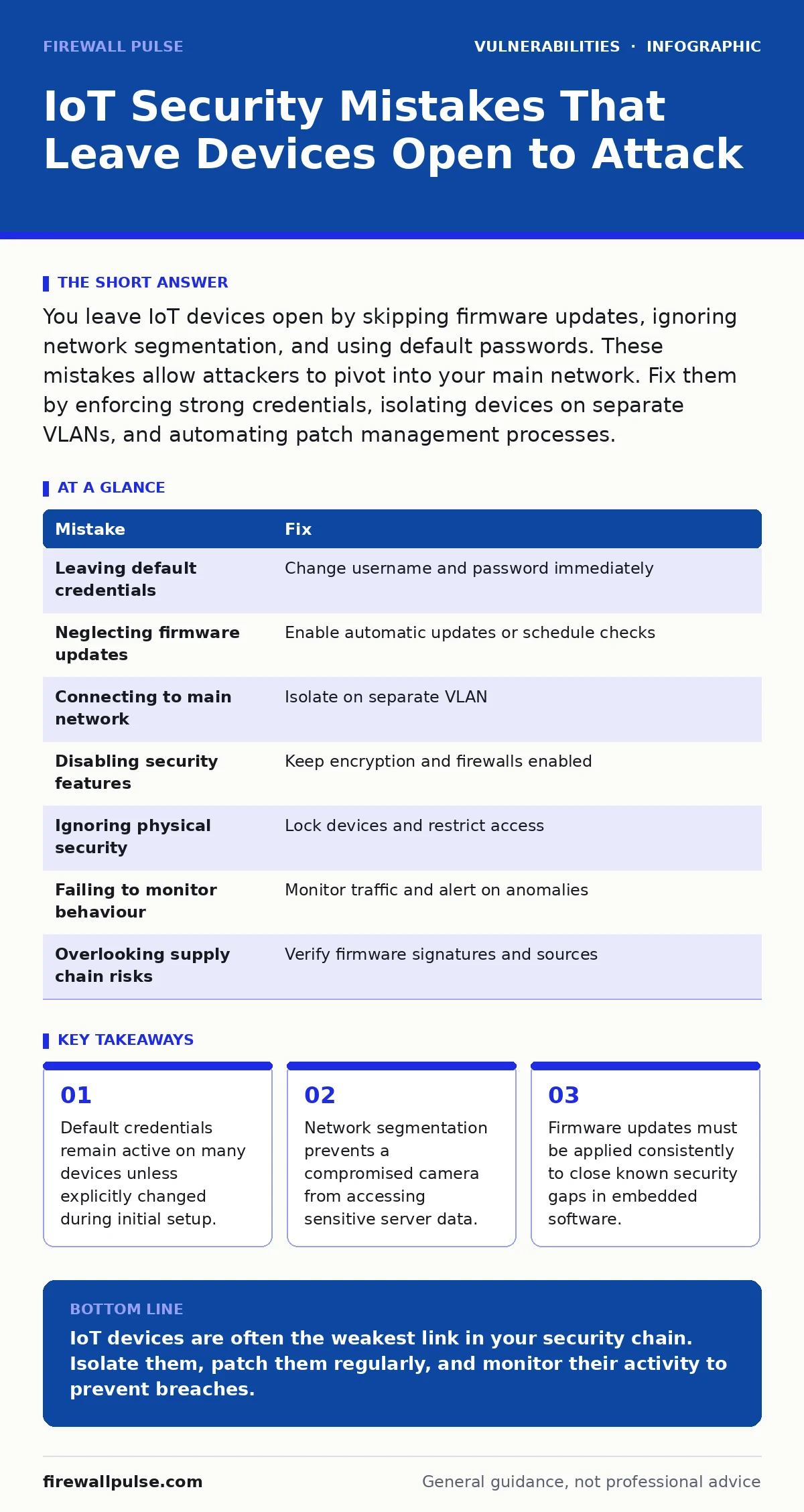
You leave IoT devices open by skipping firmware updates, ignoring network segmentation, and using default passwords. These mistakes allow attackers to pivot into your main network. Fix them by enforcing strong credentials, isolating devices on separate VLANs, and automating patch management processes.
Mistake 1: Leaving default credentials unchanged
You leave the factory-set username and password on your IoT device. Manufacturers often use simple combinations to ease initial setup. Attackers scan for these known defaults instantly. This mistake bypasses all other security controls. You grant immediate administrative access to anyone who reads the manual. The device becomes a permanent open door.
Why it hurts:
Default credentials are public knowledge. Automated bots crawl the internet for devices using these settings. Once inside, the attacker controls the device completely. They can change settings, install malware, or use the device as a pivot point. The compromise is immediate and total. You lose visibility and control instantly.
The fix:
Change the username and password during initial configuration. Use a unique password for every device. Store these credentials in a secure password manager. Disable the default account if the device allows it. Enforce a policy that requires credential changes before network connection. This single step blocks the most common entry method.
Mistake 2: Neglecting firmware updates
You install the device and never update its software. Firmware contains the operating system and application code for the device. Developers release updates to fix security flaws. Ignoring these updates leaves known vulnerabilities active. Attackers use public lists of unpatched flaws to target specific device models. Your device remains vulnerable indefinitely.
Why it hurts:
Unpatched firmware contains known security holes. Attackers exploit these holes with ease. The vulnerability is documented and the exploit code is often available. Your device becomes a reliable target for automated attacks. You cannot rely on obscurity when the flaw is public. The risk grows with every day you delay.
The fix:
Enable automatic updates if the device supports it. If not, schedule regular checks for new firmware versions. Test updates in a staging environment first. Keep a record of installed versions. Review the release notes for security fixes. Treat firmware maintenance like server patching. This practice closes known gaps before attackers find you.
Mistake 3: Connecting IoT devices to the main network
You plug IoT devices into the same network as your computers and servers. This gives the device access to all internal resources. A compromised camera can scan your file servers. It can attempt to attack your workstations. The breach spreads laterally from the weak device to critical assets. You treat all devices as equally trusted.
Why it hurts:
IoT devices often have weaker security than standard computers. They lack advanced endpoint protection. When they share a network, they expose the whole infrastructure. Attackers use the IoT device as a beachhead. They move laterally to access sensitive data. The damage extends far beyond the single device. Your perimeter defence is meaningless here.
The fix:
Place IoT devices on a separate VLAN. Use a firewall to restrict traffic between segments. Allow only necessary communications. Block all inbound traffic from the IoT network to the main network. This segmentation contains the breach. The attacker cannot pivot to your servers. You limit the blast radius of any compromise.
Mistake 4: Disabling security features for convenience
You turn off encryption or firewall settings to make the device easier to use. You disable WPA2 on a Wi-Fi device for open access. You disable SSL on a web interface for speed. These choices reduce friction for users. They also remove critical security layers. Attackers exploit the disabled features instantly. Convenience becomes a liability.
Why it hurts:
Disabling security features removes the last line of defence. Data travels in plain text across the network. Attackers can intercept and read it. They can modify commands in transit. The device becomes transparent to anyone on the network. You sacrifice security for minor usability gains. The trade-off is rarely worth the risk.
The fix:
Keep all security features enabled. Use the strongest encryption available. Configure firewalls to deny all traffic by default. Open only the ports required for operation. Document the reason for every exception. Regularly review these settings. This approach ensures that security remains active. You maintain protection without unnecessary complexity.
Mistake 5: Ignoring physical security
You leave IoT devices accessible to anyone in the building. Attackers can plug in a USB drive to extract data. They can reset the device to factory settings. They can tamper with hardware components. Physical access often bypasses remote security controls. You focus only on digital threats. The physical world remains unprotected.
Why it hurts:
Physical access allows direct interaction with the device. Attackers can bypass network security entirely. They can install hardware keyloggers or sniffers. They can reset credentials to known defaults. The device becomes a tool for the attacker. Remote patches cannot fix physical tampering. You lose trust in the device completely.
The fix:
Mount devices in locked enclosures. Restrict access to authorised personnel only. Use tamper-evident seals on hardware. Monitor physical access logs. Place devices in secure locations. This prevents direct manipulation. You protect the device from hands-on attacks. Physical security complements digital controls.
Mistake 6: Failing to monitor device behaviour
You assume the device is secure after setup. You do not monitor its network traffic. You do not check for unusual activity. Attackers can use the device for cryptomining or DDoS attacks. You only notice when performance drops. The compromise has been active for weeks. Lack of monitoring hides the breach.
Why it hurts:
Unmonitored devices hide malicious activity. Attackers operate silently in the background. They use the device for other attacks. You lose visibility into the threat. Detection relies on chance. The longer the breach lasts, the greater the damage. You cannot respond to what you do not see.
The fix:
Implement network monitoring for IoT traffic. Alert on unusual data volumes. Check for connections to unknown servers. Review logs regularly. Use anomaly detection tools. This reveals hidden activity. You detect compromises early. Monitoring provides the visibility you need.
Mistake 7: Overlooking supply chain risks
You trust the device because of the brand name. You do not check the components or software sources. Attackers compromise the supply chain. They insert backdoors before you receive the device. Your security checks miss the pre-installed threat. The device is compromised from day one.
Why it hurts:
Supply chain attacks bypass your perimeter. The malware is inside the device. Standard security tools may not detect it. You trust a compromised source. The breach is deep and persistent. You cannot fix it with simple patches. The trust model fails completely.
The fix:
Verify the integrity of firmware images. Check digital signatures before installation. Use trusted vendors with clear security practices. Review dependency lists for known issues. This reduces supply chain risk. You ensure the device is genuine. Trust must be verified, not assumed.
| Mistake | Fix |
|---|---|
| Leaving default credentials | Change username and password immediately |
| Neglecting firmware updates | Enable automatic updates or schedule checks |
| Connecting to main network | Isolate on separate VLAN |
| Disabling security features | Keep encryption and firewalls enabled |
| Ignoring physical security | Lock devices and restrict access |
| Failing to monitor behaviour | Monitor traffic and alert on anomalies |
| Overlooking supply chain risks | Verify firmware signatures and sources |
Key takeaways
- Default credentials remain active on many devices unless explicitly changed during initial setup.
- Network segmentation prevents a compromised camera from accessing sensitive server data.
- Firmware updates must be applied consistently to close known security gaps in embedded software.
IoT devices are often the weakest link in your security chain. Isolate them, patch them regularly, and monitor their activity to prevent breaches.
Frequently asked questions
How do I know if my IoT device has been compromised?
Look for unusual network traffic, unexpected reboots, or changes in device settings. Monitor for connections to unknown IP addresses.
Can I secure IoT devices without a dedicated network?
You can use software firewalls and strict access controls, but physical network segmentation provides the strongest protection.
What is the risk of using cheap IoT devices?
Cheap devices often lack security features and regular updates, making them easier targets for attackers.
Should I disable remote access on IoT devices?
Disable remote access unless absolutely necessary. Use VPNs for secure remote management if required.
How this guide was produced: written by the Firewall Pulse editorial team with AI assistance, checked against the public references listed below, and reviewed when the facts change. See our editorial policy or report an error.