Phishing Infrastructure Prevention Checklist for Network Defenders
You can block the email while the malware executes, because modern attacks separate the lure from the payload delivery mechanism entirely.

Secure your domain with DMARC, SPF and DKIM to prevent spoofing. Monitor for fast flux DNS patterns and analyse certificate transparency logs. Isolate endpoints to stop living-off-the-land attacks from spreading laterally.
Domain Authentication and Policy Enforcement
Phishing relies on the victim trusting the sender address. You must enforce strict authentication protocols to verify that incoming messages actually originate from the claimed domain. This stops attackers from impersonating your brand or trusted partners.
- Publish DMARC records with p=reject policy: This tells receiving servers to discard emails that fail authentication checks entirely.
- Align SPF records strictly: This ensures only your authorised mail servers can send messages on your behalf.
- Sign all outgoing mail with DKIM: This cryptographic signature proves the message content has not been altered in transit.
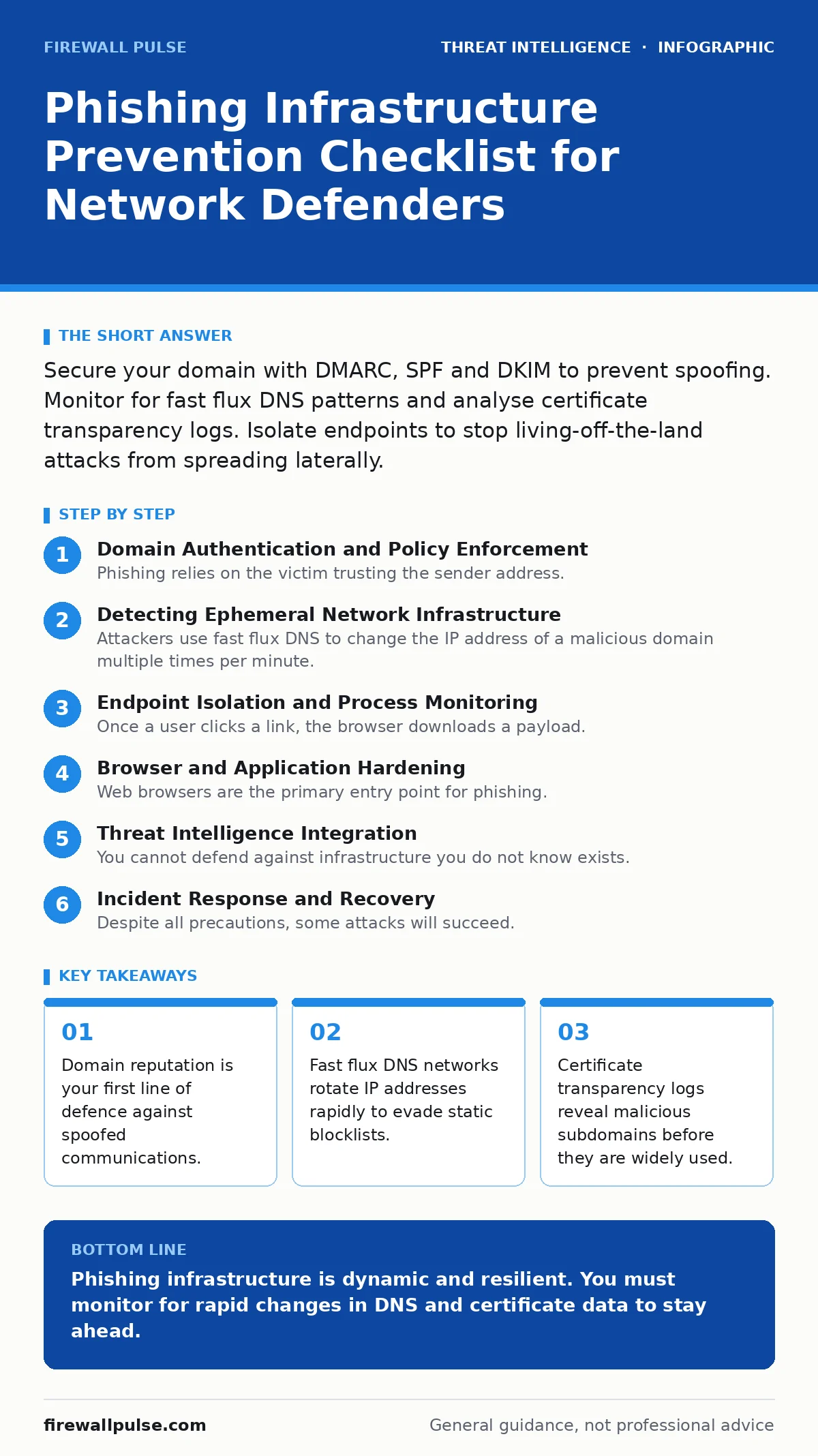
Detecting Ephemeral Network Infrastructure
Attackers use fast flux DNS to change the IP address of a malicious domain multiple times per minute. This technique makes traditional IP blocking ineffective because the address is valid only for seconds. You need to detect the pattern of rapid change rather than block a single static address.
- Monitor DNS query frequency for new domains: High query rates for young domains often indicate fast flux behaviour.
- Analyse TLS certificate issuance for your domain: Attackers may register lookalike domains; certificate transparency logs expose these quickly.
- Inspect DNS response times: Legitimate domains have stable resolution times; fast flux networks often show erratic latency.
- Block connections to known botnet command channels: These channels often use the same infrastructure for phishing and malware distribution.
Endpoint Isolation and Process Monitoring
Once a user clicks a link, the browser downloads a payload. The malware often uses living-off-the-land attacks to hide in plain sight. It uses standard system tools like PowerShell or WScript to execute code, avoiding traditional antivirus detection. You must monitor these tools for unusual behaviour.
- Restrict PowerShell execution policy: This prevents untrusted scripts from running automatically on user workstations.
- Monitor for script-based fileless execution: This detects when standard tools are used to download or run code in memory.
- Isolate compromised endpoints immediately: This prevents lateral movement before privilege escalation attacks can succeed.
- Audit scheduled tasks and registry keys: Attackers use these persistence mechanisms to survive reboots and re-installations.
Browser and Application Hardening
Web browsers are the primary entry point for phishing. Modern browsers include protections, but they can be bypassed if users disable security features or install malicious extensions. You must enforce a secure browser configuration across all devices.
- Enforce HTTPS-only mode: This ensures all traffic is encrypted, preventing man-in-the-middle attacks on public networks.
- Block executable downloads by default: This stops automatic downloads of .exe or .scr files from untrusted sites.
- Update browser plugins regularly: Outdated plugins often contain known vulnerabilities that attackers exploit for drive-by downloads.
- Disable Java and Flash in browsers: These technologies are legacy systems that no longer receive security updates.
Threat Intelligence Integration
You cannot defend against infrastructure you do not know exists. Integrating threat intelligence feeds helps you identify malicious domains and IP addresses before they reach your users. This proactive approach reduces the window of opportunity for attackers.
- Subscribe to open-source threat feeds: These feeds provide lists of known malicious domains and IP addresses for blocking.
- Use YARA rules for file analysis: These rules help you identify known malware signatures in downloaded files.
- Monitor dark web forums for brand mentions: Attackers often discuss their campaigns publicly, revealing infrastructure details early.
- Correlate internal logs with external intelligence: This helps you identify if your users have already been targeted.
See also: Why is a syn flood attack detectable? The mechanics of detection · Fast Flux DNS: How Attackers Hide Malware and How to Stop It
Incident Response and Recovery
Despite all precautions, some attacks will succeed. Your response plan must account for the speed of modern phishing campaigns. Every minute of delay increases the damage. You need automated playbooks to contain the breach quickly.
- Define clear containment procedures: These steps isolate affected systems to prevent further data loss.
- Rotate credentials for compromised accounts: Attackers often harvest passwords during the initial phishing phase.
- Preserve forensic evidence: This data helps you understand the attack vector and improve future defences.
- Communicate with affected users: Transparent communication builds trust and encourages early reporting of suspicious activity.
Key takeaways
- Domain reputation is your first line of defence against spoofed communications.
- Fast flux DNS networks rotate IP addresses rapidly to evade static blocklists.
- Certificate transparency logs reveal malicious subdomains before they are widely used.
Phishing infrastructure is dynamic and resilient. You must monitor for rapid changes in DNS and certificate data to stay ahead.
Frequently asked questions
How do I detect fast flux DNS without expensive tools?
You can use free DNS monitoring services that track the rate of IP address changes for specific domains.
What is the difference between SPF and DKIM?
SPF verifies the sending server's IP address, while DKIM verifies the message content has not been altered.
Can DMARC prevent all phishing emails?
No, DMARC only protects your own domain. It cannot stop attackers from using other domains or social engineering tactics.
How often should I update my threat intelligence feeds?
You should update feeds daily, as new malicious domains and IP addresses are registered constantly.
How this guide was produced: written by the Firewall Pulse editorial team with AI assistance, checked against the public references listed below, and reviewed when the facts change. See our editorial policy or report an error.