Data Center Resilience Planning for Small Business Teams
Resilience is not about preventing failure but about defining acceptable downtime and automating recovery paths before infrastructure collapses.

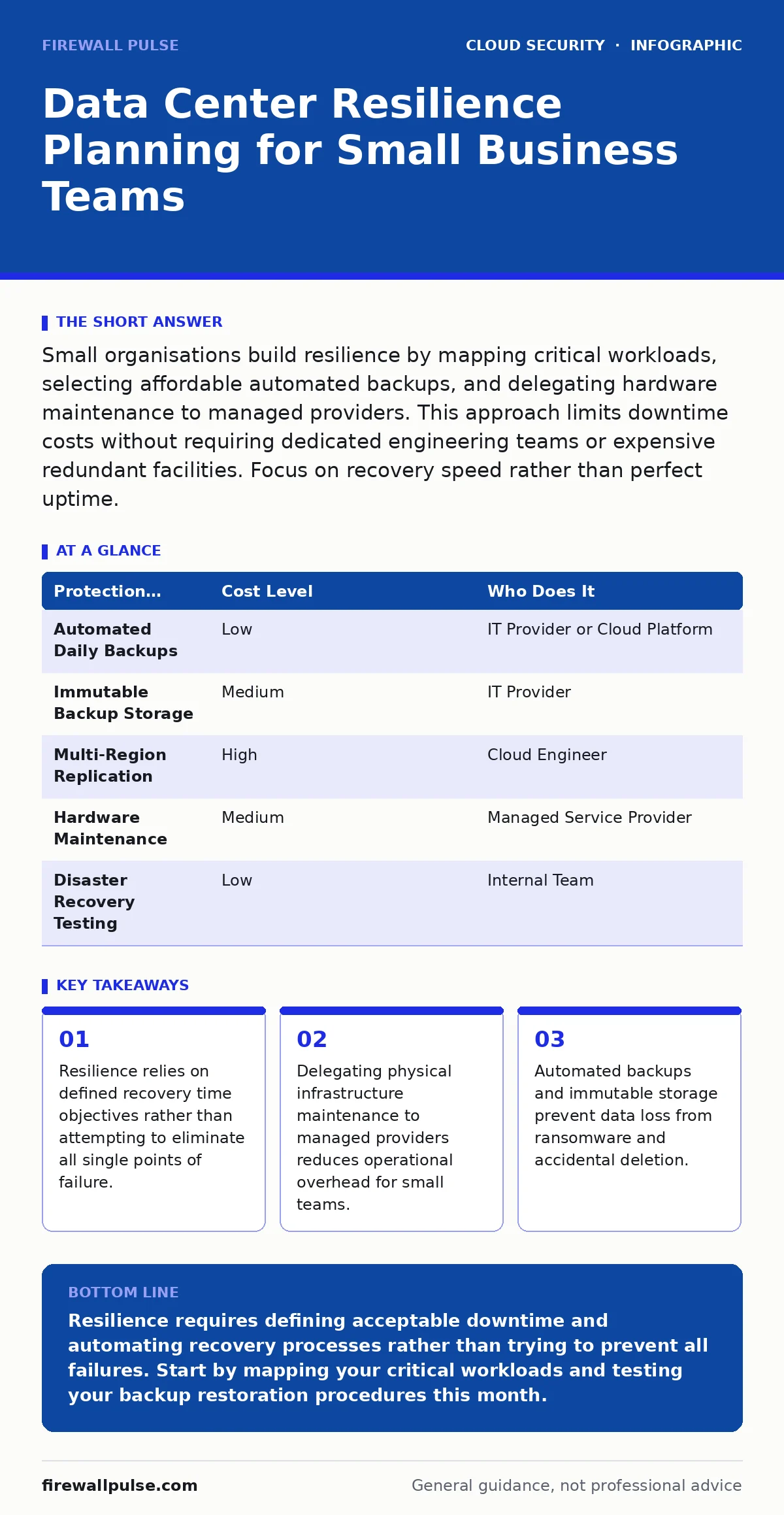
Small organisations build resilience by mapping critical workloads, selecting affordable automated backups, and delegating hardware maintenance to managed providers. This approach limits downtime costs without requiring dedicated engineering teams or expensive redundant facilities. Focus on recovery speed rather than perfect uptime.
Defining Resilience for Small Organisations
Resilience planning for small businesses differs from enterprise strategies because resources are limited. You cannot afford duplicate data centres in different geographic regions. You must accept that some downtime will occur. The goal shifts from preventing every possible failure to ensuring you can recover quickly when failure happens.
Resilience is the ability of a system to absorb disturbance and reorganise while undergoing change so as to still maintain essential functions. For a small team, this means identifying which applications are critical. Not every service needs the same level of protection. A public-facing website requires faster recovery than an internal archive of historical documents.
You must define two metrics before buying any software. Recovery Time Objective (RTO) is the maximum acceptable time a system can be offline. Recovery Point Objective (RPO) is the maximum acceptable amount of data loss measured in time. If your RPO is one hour, you must back up data at least hourly.
Mapping Critical Workloads and Dependencies
You cannot protect what you do not understand. Create a map of your digital assets. List every application, database and service your business relies on. Note which systems depend on others. If the email server fails, does the customer support portal also stop working?
This process reveals hidden dependencies. A small company might run a custom script that pulls data from a third-party API. If that API goes down, your script fails. You must decide if this is an acceptable risk. If the script is critical, you need a fallback mechanism or a manual workaround.
Consider the impact of human error. Most outages are not caused by external attacks but by internal misconfigurations. A staff member might delete a configuration file or change a setting incorrectly. Your resilience plan must include procedures for reverting these changes quickly.
Affordable Automation Strategies
Automation is the most cost-effective way to build resilience. Manual recovery processes are slow and prone to error. When a crisis hits, staff are stressed. They are more likely to make mistakes if they must follow complex manual steps.
Automate your backups. Ensure that backup jobs run without human intervention. Verify that these backups complete successfully. Many organisations discover too late that their backups have been failing silently for months. Set up alerts to notify you if a backup job fails.
Use immutable backups where possible. Immutable storage prevents data from being altered or deleted for a set period. This protects against ransomware that attempts to encrypt or delete your backups. You pay a small premium for this feature, but it saves you from catastrophic data loss.
| Protection Measure | Cost Level | Who Does It |
|---|---|---|
| Automated Daily Backups | Low | IT Provider or Cloud Platform |
| Immutable Backup Storage | Medium | IT Provider |
| Multi-Region Replication | High | Cloud Engineer |
| Hardware Maintenance | Medium | Managed Service Provider |
| Disaster Recovery Testing | Low | Internal Team |
Delegating Infrastructure Management
Small teams often lack the expertise to manage physical hardware or complex cloud configurations. Delegating these tasks to a managed service provider (MSP) is a strategic choice. You pay for their expertise and their ability to respond to hardware failures at any hour.
When you outsource infrastructure management, you must define the scope clearly. The provider should handle server patching, hardware replacement and network monitoring. You retain control over application logic and data access policies. This separation allows you to focus on your core business while they ensure the lights stay on.
Do not delegate security policy decisions. The provider manages the infrastructure, but you define who can access it. You must maintain strict control over identity and access management. Refer to our guide on cloud IAM policies for details on setting least-privilege access.
Testing Recovery Procedures
A resilience plan is useless if you have not tested it. Most organisations create recovery documents and then forget them. When a real outage occurs, they discover that the documented steps no longer work because the software has changed.
Schedule regular recovery tests. Start with small components. Restore a single database from backup. Measure how long it takes. Compare this time against your RTO. If it is too slow, optimise the process. Gradually increase the scope of your tests until you can restore an entire environment.
Testing reveals gaps in your documentation. It also trains your staff. They become familiar with the recovery tools and procedures. This familiarity reduces panic during a real incident. You should test at least once a quarter. More frequent testing is better if your systems change often.
See also: How CI/CD Pipeline Attacks Work: Step-by-Step Breakdown
Managing External Risks
Your resilience depends on third parties. Cloud providers, internet service providers and software vendors can all fail. You cannot control their uptime, but you can prepare for their failures.
Monitor the status pages of your critical vendors. Subscribe to their incident notifications. Know their maintenance windows. If a major cloud provider announces a maintenance event, prepare your team for potential slowdowns or brief outages.
Avoid relying on a single vendor for critical services. If possible, use multiple providers for key functions. This is difficult for small businesses due to cost, but you can achieve some diversity by using different services for different tasks. For example, use one provider for email and another for file storage. This prevents a single outage from disabling all your communications.
Building a Culture of Resilience
Resilience is not just a technical problem. It is a cultural one. Every member of your team should understand the importance of backups and recovery procedures. They should know what to do if they suspect a system failure.
Encourage staff to report issues early. A small problem can become a major outage if it is ignored. Create a simple process for reporting technical issues. Do not punish staff for reporting mistakes. You want them to report problems so you can fix them before they escalate.
Train your team on security basics. Phishing emails are a common way for attackers to gain access to systems. If an attacker gains access, they can delete backups or encrypt data. Your resilience plan must include user training to reduce this risk. See our guide on shadow IT to understand how unauthorised software can bypass your controls.
Continuous Improvement
Resilience planning is not a one-time project. Your business changes. Your technology stack changes. Your threats change. You must review your plan regularly.
Update your asset inventory whenever you add or remove services. Review your RTO and RPO values annually. As your business grows, your tolerance for downtime may decrease. You may need to invest in more advanced recovery solutions.
Learn from every incident. Even minor outages provide valuable lessons. Conduct a post-incident review. Identify what went wrong and how you can prevent it next time. Update your documentation and training materials based on these findings. This continuous loop of testing, failing and improving builds true resilience.
Key takeaways
- Resilience relies on defined recovery time objectives rather than attempting to eliminate all single points of failure.
- Delegating physical infrastructure maintenance to managed providers reduces operational overhead for small teams.
- Automated backups and immutable storage prevent data loss from ransomware and accidental deletion.
Resilience requires defining acceptable downtime and automating recovery processes rather than trying to prevent all failures. Start by mapping your critical workloads and testing your backup restoration procedures this month.
Frequently asked questions
How often should I test my disaster recovery plan?
Test at least once a quarter. More frequent testing is recommended if your infrastructure changes often or if you have experienced recent outages.
Can I use free tools for resilience planning?
Yes. Many cloud providers offer free monitoring and basic backup tools. Open-source automation tools can also help manage recovery scripts without licensing costs.
What is the difference between backup and resilience?
Backup is copying data for restoration. Resilience is the broader ability to maintain operations during and after a disruption, including backups, redundancy and recovery procedures.
How do I choose a managed service provider?
Look for providers with clear service level agreements, transparent pricing and experience in your industry. Ask for references and check their incident response procedures.
How this guide was produced: written by the Firewall Pulse editorial team with AI assistance, checked against the public references listed below, and reviewed when the facts change. See our editorial policy or report an error.