How to Implement XDR: A Practical Step-by-Step Rollout Plan
Extended detection and response shifts security from siloed alerts to unified context, reducing noise by correlating signals across endpoints, networks and cloud workloads simultaneously.

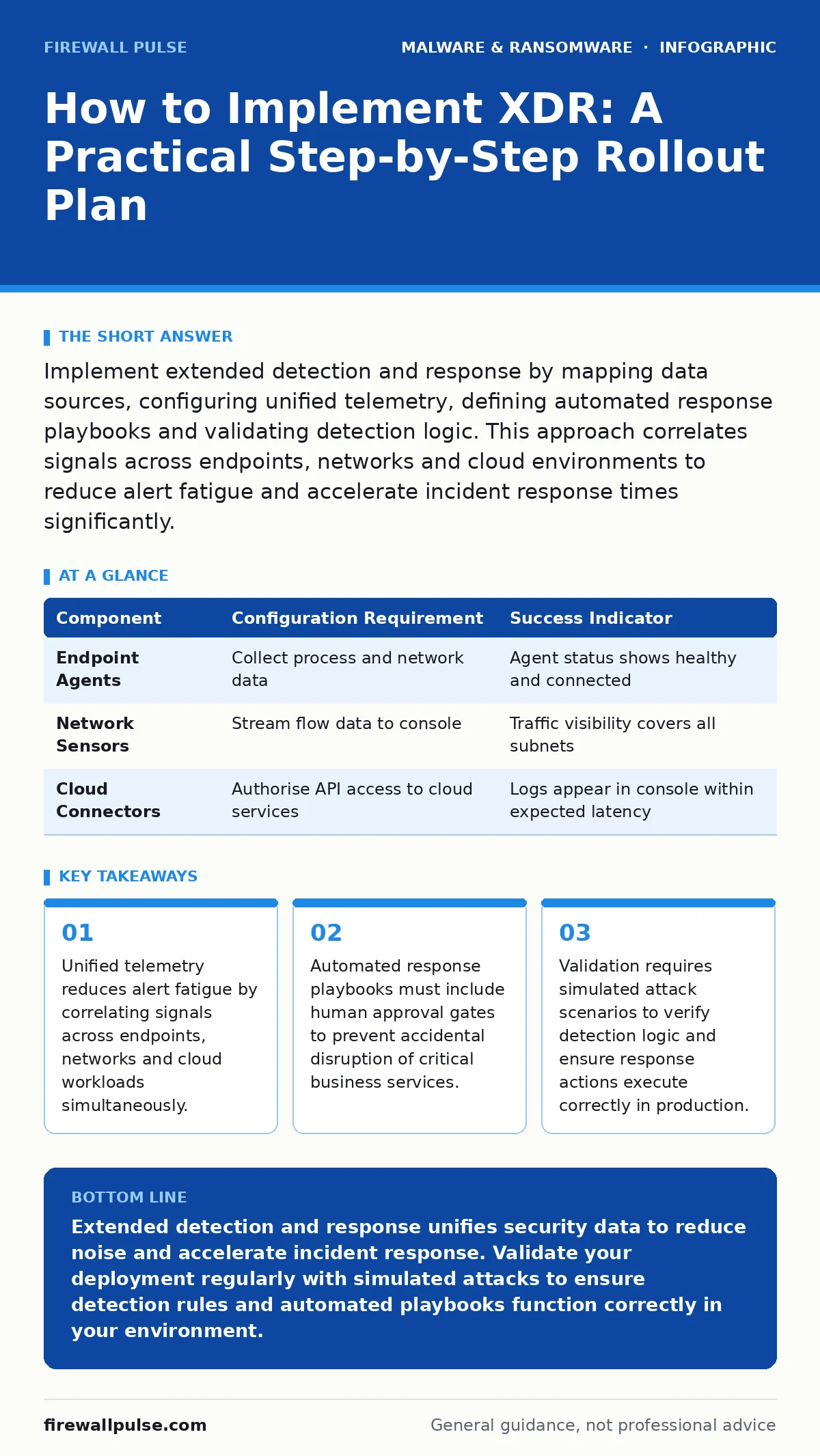
Implement extended detection and response by mapping data sources, configuring unified telemetry, defining automated response playbooks and validating detection logic. This approach correlates signals across endpoints, networks and cloud environments to reduce alert fatigue and accelerate incident response times significantly.
Define the Scope of Telemetry Collection
Extended detection and response relies on the quality and breadth of data it ingests. You must identify every source that generates security telemetry before deploying agents or connectors. This includes endpoints, network appliances, identity providers and cloud infrastructure. Missing a single source creates blind spots that attackers exploit. Map your environment to determine which platforms generate logs, network flow data and authentication events. Decide which data points feed into the XDR platform. Prioritise high-fidelity sources that provide context rather than raw noise.
Imagine a scenario where endpoint logs capture process creation but network logs remain unconnected. The XDR platform cannot correlate a malicious process with its external communication channel. This fragmentation mimics the isolation seen with legacy tools for computer viruses. You lose the ability to trace the full kill chain. Define clear boundaries for data ingestion. Exclude low-value logs that consume storage without adding security value. Establish a baseline of expected normal activity for each source. This baseline allows the platform to distinguish between routine operations and anomalous behaviour.
Configure Data Normalisation and Ingestion
Raw telemetry varies wildly in format, timestamp precision and field naming. Extended detection and response platforms require normalised data to correlate events effectively. You must configure parsers and schema mappings for each data source. Ensure timestamps align across all feeds to maintain accurate event sequencing. Misaligned clocks break temporal correlation, making it impossible to link a login event with a subsequent file access. Verify that fields map correctly to the platform's common data model. Test ingestion pipelines to confirm data arrives without dropping packets or delaying delivery.
Network devices often use different time standards than endpoint agents. Synchronise all devices to a single time source using network time protocol. Check for gaps in log delivery that indicate network issues or agent failures. Review sample data to ensure critical fields such as user identity and process ID appear correctly. This preparation prevents downstream analysis errors. It also ensures that automated queries return accurate results when incidents occur.
Step 1: Deploy Endpoint and Network Sensors
Install the XDR agent on all managed endpoints. Configure the agent to collect process execution, file system changes and network connections. Deploy network sensors or enable streaming on existing appliances to capture traffic metadata. Ensure agents communicate securely with the central console using encrypted channels. Verify that agents do not degrade system performance. Monitor CPU and memory usage during the initial deployment phase. Adjust collection frequency if resource consumption exceeds acceptable thresholds.
| Component | Configuration Requirement | Success Indicator |
|---|---|---|
| Endpoint Agents | Collect process and network data | Agent status shows healthy and connected |
| Network Sensors | Stream flow data to console | Traffic visibility covers all subnets |
| Cloud Connectors | Authorise API access to cloud services | Logs appear in console within expected latency |
Step 2: Establish Identity Context
Security alerts lack meaning without user identity. Connect your identity provider to the XDR platform to resolve machine identifiers to user accounts. This step enables you to track user activity across devices and cloud services. Without identity context, you cannot determine if a compromised account is moving laterally or if multiple users are affected. Configure single sign-on integrations where possible to reduce credential fatigue. Ensure that service accounts and privileged identities are clearly labelled and monitored separately.
Step 3: Define Detection Rules and Playbooks
Create detection rules that correlate signals across multiple data sources. Avoid single-source alerts that generate high volumes of noise. Design playbooks that outline automated responses for common threats. Include steps for containment, such as isolating a device or disabling a user account. Ensure every automated action has a manual override or approval step. This prevents accidental disruption of critical services. Test each playbook in a staging environment before enabling it in production.
Step 4: Validate Detection Logic with Simulation
You cannot trust detection rules until you verify they trigger correctly. Use simulated attack scenarios to test the platform's ability to detect and respond. These simulations should mimic real-world techniques, such as credential dumping or lateral movement. Observe whether the XDR platform correlates the events and triggers the intended playbook. Adjust rules that fail to detect the simulation or generate false alarms. Document the results to establish a baseline for effectiveness.
This validation process mirrors techniques used to identify logic bombs or dormant threats. You must prove the system detects the trigger and executes the response. Review the timeline of events to ensure the platform captures the full sequence. Verify that analysts receive clear context about the threat, not just a generic alert. This clarity reduces the time needed to triage incidents.
Maintain and Tune the Platform
Extended detection and response requires continuous tuning to remain effective. New software, hardware and cloud services introduce new data sources and potential blind spots. Review detection rules regularly to remove obsolete logic and add coverage for new threats. Monitor platform performance to ensure it handles increased data volumes without degradation. Engage analysts in feedback loops to refine alert quality. Reduce noise by adjusting thresholds and adding exclusions for known benign activity.
Suppose your organisation adopts a new cloud service. You must connect this service to the XDR platform and update detection rules to cover its specific risk profile. Failure to do so creates a gap that attackers can exploit. Similarly, changes to network architecture may require reconfiguring sensors. Keep documentation updated to reflect these changes. This discipline ensures the platform remains aligned with your evolving infrastructure.
Verify Operational Readiness
Regular testing confirms the platform operates as expected. Conduct periodic reviews of detection coverage and response capabilities. Simulate incidents to verify that analysts can investigate and remediate effectively. Check that data ingestion continues without interruption. Review alert triage times to identify bottlenecks in the workflow. Adjust playbooks based on real-world incident data. This iterative process improves both detection accuracy and response speed.
Integrate your XDR platform with other security tools to streamline workflows. This integration reduces the manual effort required to gather context during investigations. Ensure that incident data flows smoothly to your case management system. This continuity supports disaster recovery plans by providing accurate records of security events. You can reconstruct the timeline of an incident more effectively when data is centralised and consistent.
- All endpoints report status as healthy
- Network flow data covers all critical segments
- Identity resolution maps users to machines accurately
- Detection rules trigger for simulated attacks
- Automated playbooks execute without errors
- Analysts can triage alerts within target timeframes
See also: Zero Day Malware: How It Works and How to Contain It · Build a Security Operations Center: A Practical Implementation Plan
Understand the Limitations of XDR
Extended detection and response does not replace other security controls. It enhances visibility and response capability but does not prevent all attacks. You still need strong access controls, patch management and user training. The platform relies on the data it receives; poor data quality leads to poor insights. It cannot detect threats that do not generate telemetry or that operate entirely in memory without leaving traces.
Imagine an attacker using a technique that leaves no file system artefacts. The XDR platform may miss this activity if it relies solely on file-based indicators. This limitation highlights the importance of combining XDR with behavioural analysis and memory inspection tools. It also underscores the need for continuous monitoring of new threat techniques. No single tool provides complete protection. XDR is a component of a broader defence strategy that requires layered controls and human expertise.
Key takeaways
- Unified telemetry reduces alert fatigue by correlating signals across endpoints, networks and cloud workloads simultaneously.
- Automated response playbooks must include human approval gates to prevent accidental disruption of critical business services.
- Validation requires simulated attack scenarios to verify detection logic and ensure response actions execute correctly in production.
Extended detection and response unifies security data to reduce noise and accelerate incident response. Validate your deployment regularly with simulated attacks to ensure detection rules and automated playbooks function correctly in your environment.
Frequently asked questions
How long does it take to implement XDR?
Implementation varies based on environment complexity. Simple deployments may take weeks, while large organisations with diverse infrastructure require months. Prioritise critical assets and data sources to achieve early value.
Does XDR replace SIEM?
XDR complements SIEM by focusing on correlated detection and automated response. SIEM provides broader log aggregation and compliance reporting. Many organisations use both tools, with XDR handling real-time threat detection and response.
What data sources are most critical for XDR?
Endpoint telemetry, network flow data and identity logs are the most critical. These sources provide the context needed to correlate events and identify lateral movement. Cloud audit logs are also essential for organisations using cloud services.
How do I reduce false positives in XDR?
Tune detection rules based on baseline normal activity. Exclude known benign processes and users. Use simulation data to validate rule accuracy. Engage analysts to refine rules based on real-world incident data.
How this guide was produced: written by the Firewall Pulse editorial team with AI assistance, checked against the public references listed below, and reviewed when the facts change. See our editorial policy or report an error.