Zero Day Malware: How It Works and How to Contain It
Zero day malware exploits unknown vulnerabilities before patches exist, making signature-based detection useless and forcing reliance on behaviour analysis.

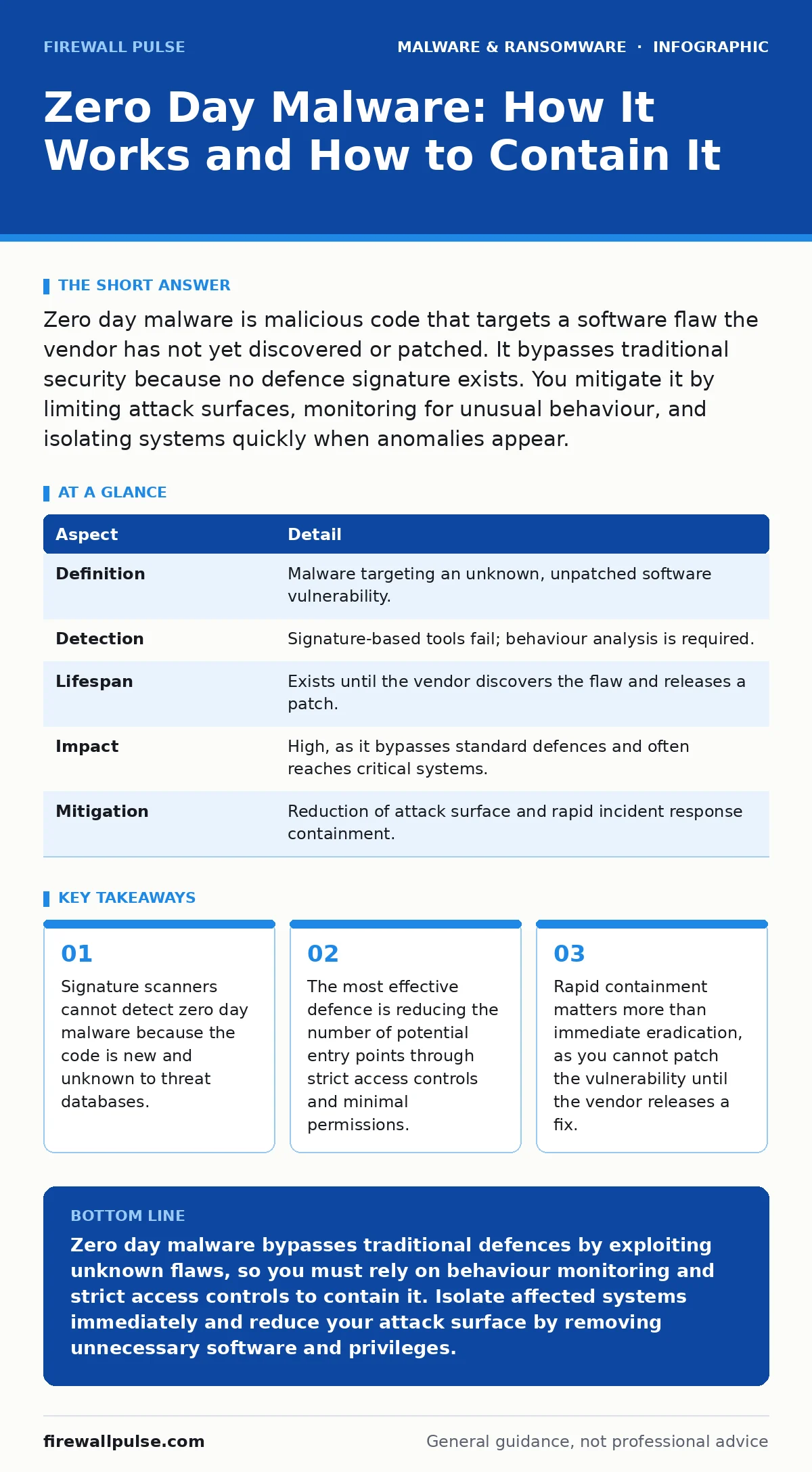
Zero day malware is malicious code that targets a software flaw the vendor has not yet discovered or patched. It bypasses traditional security because no defence signature exists. You mitigate it by limiting attack surfaces, monitoring for unusual behaviour, and isolating systems quickly when anomalies appear.
The Analogy: Locks and Master Keys
Imagine a building with standard locks. Security guards know the key shapes and stop anyone without the right key. Zero day malware is like a thief who finds a hidden panel in the door frame that the architect forgot to mention. The guard has no record of this entry method. The thief walks in openly, and the standard checks fail completely. This is why traditional security often misses these threats.
What Is Zero Day Malware?
Zero day malware is malicious software that exploits a previously unknown vulnerability in a system or application. The term "zero day" refers to the number of days the vendor has known about the flaw before it is exploited. Since the vendor is unaware, no patch or update exists to close the gap. Attackers use this window to move freely.
| Aspect | Detail |
|---|---|
| Definition | Malware targeting an unknown, unpatched software vulnerability. |
| Detection | Signature-based tools fail; behaviour analysis is required. |
| Lifespan | Exists until the vendor discovers the flaw and releases a patch. |
| Impact | High, as it bypasses standard defences and often reaches critical systems. |
| Mitigation | Reduction of attack surface and rapid incident response containment. |
How Zero Day Malware Works
The process begins with reconnaissance. Attackers scan for systems running specific software versions. They then deploy payload code designed to trigger the hidden flaw. This flaw might allow the malware to execute commands with higher privileges than intended. Once inside, the malware establishes persistence. It may hide its processes or mimic legitimate system files. Because the vulnerability is unknown, the operating system assumes the activity is normal.
This mechanism relies on the trust built into the software. For example, a browser trusts that a plugin will not access the hard drive. A zero day exploit breaks that trust. The malware does not need to guess passwords or bypass firewalls if it enters through a trusted service that is already allowed through. This makes network perimeter defences less effective against these specific attacks.
Who It Affects and Why
Every organisation running software is a potential target. Attackers often prioritise systems that provide high value. This includes servers holding sensitive data, workstations with administrative rights, and devices that act as bridges to other networks. Small businesses are not immune. Attackers use automated tools to find vulnerable systems at scale.
The impact depends on what the malware accesses. It might steal credentials, encrypt files for ransom, or create a backdoor for future access. If the malware reaches a system that connects to partners or clients, the damage spreads. This is why understanding your network topology is vital. You must know which systems talk to each other to predict how far the malware can travel.
What People Usually Get Wrong
Many teams believe that updating software solves the problem. Updates fix known flaws, but they do not protect against unknown ones. Another common error is relying solely on antivirus software. Most antivirus tools use signatures, which are patterns of known malware. Zero day malware has no pattern in the database. It looks like new, unique code.
Some organisations think air-gapping systems makes them safe. If an air-gapped system accepts data from outside, such as via USB drives or manual file transfers, it can still be infected. The malware rides on the physical medium. The isolation only stops remote network attacks, not physical ones. You must treat all external inputs as potentially hostile, regardless of how they arrive.
See also: How Breach Notification Letters Work: The Hidden Mechanics · Leaked Source Code: How to Contain and Neutralise the Threat
Effective Mitigation Strategies
Since you cannot patch what you do not know, you must limit what the malware can do. Start with the principle of least privilege. Users and services should only have the access they need to perform their tasks. If a user account is compromised, the malware cannot jump to other systems with higher rights.
Segment your network into smaller zones. If malware enters one zone, it cannot easily reach others. Use strict firewall rules between zones. Monitor for unusual behaviour rather than just known threats. Look for processes that start unexpectedly, network connections to unknown addresses, or files being modified at odd times. This is where heuristic detection helps. It analyses the behaviour of code, not just its signature. If a program acts like malware, it gets blocked, even if it is new.
Regularly review and remove unnecessary software. Every installed application is a potential entry point. If a system does not need a web browser, remove it. If a server does not need to run a database, disable that service. Reducing the number of running services reduces the number of vulnerabilities available to exploit.
What To Do When You Suspect an Attack
If you detect unusual activity, assume the system is compromised. Do not try to analyse the malware on the live system. This can trigger further actions or destroy evidence. Isolate the system immediately. Disconnect it from the network but keep it powered on if you need to analyse memory. If you do not need the data, shut it down to stop the malware from spreading.
Document every step you take. Note the time of the first sign, the actions you observed, and the systems you isolated. This information helps your incident response team understand the scope. Check other systems that communicated with the affected device. Zero day malware often moves laterally. Look for similar behaviour on connected systems.
Once contained, work with vendors to identify the vulnerability. They may release a patch or a workaround. Apply it as soon as it is available. Restore systems from clean backups if necessary. Ensure your disaster recovery plans include steps for unknown threats. These plans should cover scenarios where standard tools fail. Testing these plans regularly ensures your team knows how to react under pressure.
The Long-Term View
Defending against zero day malware is an ongoing process. It is not a product you buy. It is a set of practices you maintain. You must continuously reduce your attack surface. You must monitor for behaviour that deviates from the norm. You must respond quickly when things go wrong.
This approach aligns with broader security goals. It complements measures against malware in general. It supports device hardening efforts by ensuring systems are configured securely. It reduces the risk of web shells being planted via unpatched flaws. By focusing on behaviour and access control, you build a defence that works even when the specific threat is unknown. The goal is not to stop every attack, but to limit the damage when one gets through.
Key takeaways
- Signature scanners cannot detect zero day malware because the code is new and unknown to threat databases.
- The most effective defence is reducing the number of potential entry points through strict access controls and minimal permissions.
- Rapid containment matters more than immediate eradication, as you cannot patch the vulnerability until the vendor releases a fix.
Zero day malware bypasses traditional defences by exploiting unknown flaws, so you must rely on behaviour monitoring and strict access controls to contain it. Isolate affected systems immediately and reduce your attack surface by removing unnecessary software and privileges.
Frequently asked questions
Can antivirus software detect zero day malware?
Standard signature-based antivirus cannot detect zero day malware because the code is new. You need behaviour-based detection or heuristic analysis to identify suspicious activity.
How long does a zero day vulnerability remain unpatched?
The duration varies widely. It depends on when the vendor discovers the flaw and how quickly they can develop and test a fix. Some vulnerabilities remain unpatched for months or years.
Is encryption a defence against zero day malware?
Encryption protects data at rest and in transit, but it does not prevent execution of malicious code. If malware accesses encrypted data while the system is running, it can still steal or corrupt it.
Should I use a virtual machine for high-risk tasks?
Using a virtual machine can limit damage by isolating high-risk activities. If the VM is compromised, the malware may not reach the host system, provided the hypervisor is secure.
How this guide was produced: written by the Firewall Pulse editorial team with AI assistance, checked against the public references listed below, and reviewed when the facts change. See our editorial policy or report an error.