Hardcoded Secrets in Source Code: Risks and Protection for Small Businesses
Hardcoded secrets remain active until code is rebuilt, creating a permanent breach vector that survives every subsequent security patch and configuration change.

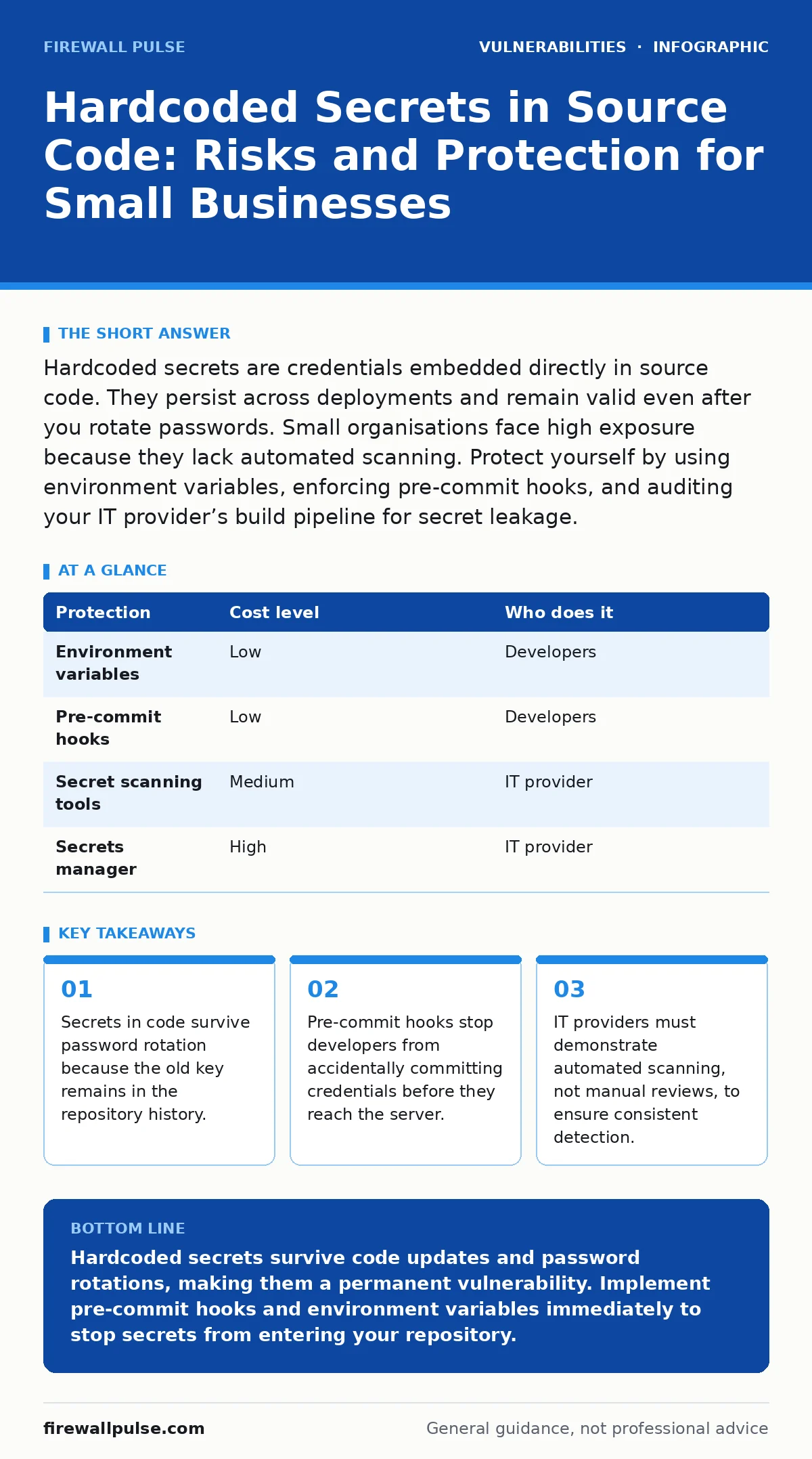
Hardcoded secrets are credentials embedded directly in source code. They persist across deployments and remain valid even after you rotate passwords. Small organisations face high exposure because they lack automated scanning. Protect yourself by using environment variables, enforcing pre-commit hooks, and auditing your IT provider’s build pipeline for secret leakage.
Why Small Organisations Face Disproportionate Risk
Small teams often treat source code as a private diary rather than a public broadcast. This mindset creates a false sense of security. When credentials are hardcoded, they become part of the software’s immutable history. Every time you deploy an update, you redeploy the secret. You do not need a sophisticated attack to find these keys. Automated scanners crawl public code repositories continuously. They look for patterns that match API keys, database passwords, and private keys.
The risk compounds because small organisations rarely have dedicated security engineers. Developers wear multiple hats. They write code, manage servers, and handle deployments. This consolidation leads to shortcuts. Embedding a secret in code is faster than configuring an external secrets manager. It also feels safer because the credential does not sit in a separate file on the server. This intuition is wrong. The code travels everywhere the application goes. It ends up in build artefacts, container images, and backup archives. Each copy is a potential leak point.
Consider the lifecycle of a credential. When you hardcode a password, you tie its lifespan to the code’s lifespan. If you rotate the password, you must update every instance of the code. You must rebuild and redeploy the application. Until that deployment completes, the old password remains active in production. This window of vulnerability is often larger than you expect. Attackers exploit this delay. They use the old credential to access systems before the patch reaches every server.
The Hidden Cost of Manual Secret Management
Manual management of secrets introduces human error at every stage. Developers copy and paste credentials between environments. They forget to remove test keys before merging code. They share credentials via chat applications that lack encryption. These actions create a trail of digital fingerprints. Forensic analysis can trace a breach back to a specific commit or a chat log.
The cost is not just technical. It is operational. When a secret is compromised, you must identify every place it was used. You must revoke the old credential and issue a new one. You must update all configurations. This process takes time. During that time, your systems are exposed. Small teams struggle with this workload. They lack the tools to track credential usage across dozens of services.
Imagine you discover a leaked API key. You revoke it immediately. However, the key was used in a background job that runs once a day. The job fails. The team does not notice the failure for 24 hours. In that time, the attacker uses the revoked key to perform actions that appear legitimate. The lack of immediate detection allows the breach to expand. This scenario highlights the need for automated monitoring. You cannot rely on human vigilance to catch every failure.
Low-Cost Protections for Limited Budgets
You do not need expensive enterprise tools to protect your secrets. Several low-cost methods provide strong defence. The first step is to move secrets out of the code. Use environment variables to store credentials. These variables exist outside the source code. They are injected into the application at runtime. This separation ensures that the code does not contain sensitive data.
The next step is to implement pre-commit hooks. These are scripts that run before a developer pushes code to the repository. The hook scans the code for patterns that look like secrets. If it finds a match, it blocks the commit. This stops the secret from entering the repository in the first place. It is a proactive measure that prevents accidents.
You should also use a .gitignore file to exclude sensitive files from version control. This file tells git to ignore specific files or directories. It prevents accidental commits of configuration files that contain passwords. However, this is not a complete solution. Developers can still hardcode secrets into other files. The .gitignore file only protects the files you explicitly list.
| Protection | Cost level | Who does it |
|---|---|---|
| Environment variables | Low | Developers |
| Pre-commit hooks | Low | Developers |
| Secret scanning tools | Medium | IT provider |
| Secrets manager | High | IT provider |
What to Ask Your IT Provider
Your IT provider plays a critical role in secret management. They must have processes to detect and prevent secret leakage. Do not accept vague assurances. Ask specific questions about their tools and procedures. You need to know how they handle secrets in their build pipeline.
Ask them how they scan for secrets. Do they use automated tools? Do they scan the entire codebase, including historical commits? Automated scanning is more reliable than manual review. It catches patterns that humans miss. Ask for evidence of these scans. You should see reports that show what was found and how it was remediated.
Ask them about their incident response plan for leaked secrets. What happens if a secret is discovered in the wild? How quickly do they rotate the credential? How do they notify you? A clear plan reduces the impact of a breach. It ensures that the team knows what to do when things go wrong.
- How do you detect hardcoded secrets in our codebase?
- Do you scan historical commits for leaked credentials?
- What is your process for rotating compromised secrets?
- How do you prevent secrets from entering build artefacts?
- Can you demonstrate a pre-commit hook in action?
Integrating Secrets Management into Development
Secrets management is not a one-time task. It is a continuous process. You must integrate it into your development workflow. This means making it easy for developers to use secrets correctly. If the process is difficult, they will find shortcuts. Shortcuts lead to vulnerabilities.
Train your developers on the risks of hardcoded secrets. Explain how attackers find these keys. Show them the consequences of a leak. Use real-world examples to illustrate the danger. This training should be ongoing. New developers need to learn these practices. Existing developers need refreshers.
Use a secrets manager if your budget allows. These tools store secrets securely. They provide access controls and audit logs. They rotate credentials automatically. This reduces the workload on your team. It also reduces the risk of human error. If you cannot afford a commercial secrets manager, consider open-source alternatives. They provide similar functionality at a lower cost.
See also: Zero-Click Exploits Explained: How Attacks Work Without Your Input
The Role of Least Privilege Access
Even with good secret management, you must limit the damage of a leak. Use least privilege access to restrict what each service can do. A service should only have the permissions it needs to function. If a secret is compromised, the attacker can only do what that service can do.
For example, if a database password is leaked, the attacker can only access the data that the service has permission to read. If the service has read-only access, the attacker cannot modify or delete data. This limits the impact of the breach. It also makes it easier to detect malicious activity. Unusual access patterns stand out against a baseline of normal activity.
Combine least privilege with configuration hardening to strengthen your defence. Hardening reduces the attack surface. It closes unnecessary ports and disables unused services. This makes it harder for attackers to exploit a leaked secret. You must also monitor your systems for unusual activity. Alerts help you detect breaches early. Early detection limits the damage.
Conclusion of Secret Management Practices
Hardcoded secrets are a persistent threat. They require a multi-layered defence. You must move secrets out of the code. You must scan for leaks automatically. You must rotate credentials regularly. You must limit the permissions of each service. These steps work together to protect your organisation.
Small businesses often overlook these practices. They assume that their size protects them. This assumption is wrong. Attackers target small organisations because they are easier to breach. You must take proactive steps to secure your secrets. Do not wait for a breach to act. Start today. Review your code. Implement pre-commit hooks. Ask your IT provider the right questions.
Remember that security is a journey, not a destination. New vulnerabilities emerge. New attack techniques develop. You must stay informed. Keep your tools up to date. Train your team regularly. Adapt your processes as needed. This ongoing effort ensures that your secrets remain safe.
Key takeaways
- Secrets in code survive password rotation because the old key remains in the repository history.
- Pre-commit hooks stop developers from accidentally committing credentials before they reach the server.
- IT providers must demonstrate automated scanning, not manual reviews, to ensure consistent detection.
Hardcoded secrets survive code updates and password rotations, making them a permanent vulnerability. Implement pre-commit hooks and environment variables immediately to stop secrets from entering your repository.
Frequently asked questions
How do I find hardcoded secrets in my existing code?
Use automated secret scanning tools that analyse your entire repository, including historical commits, to identify patterns matching known credential formats.
Is it safe to store secrets in a .env file?
No, .env files are often committed to repositories by mistake. Use environment variables injected at runtime or a dedicated secrets manager instead.
What if my IT provider refuses to scan historical commits?
Replace the provider. Historical scans are necessary because secrets often leak in early development stages and remain accessible to attackers.
How often should I rotate API keys?
Rotate keys immediately upon suspicion of compromise and on a regular schedule, such as every 90 days, to limit the window of exposure.
How this guide was produced: written by the Firewall Pulse editorial team with AI assistance, checked against the public references listed below, and reviewed when the facts change. See our editorial policy or report an error.