Secrets Managers: 6 Common Misunderstandings and Fixes
Treating a secrets manager as a vault creates false security that hides operational debt and leaves dynamic workloads exposed to credential theft.

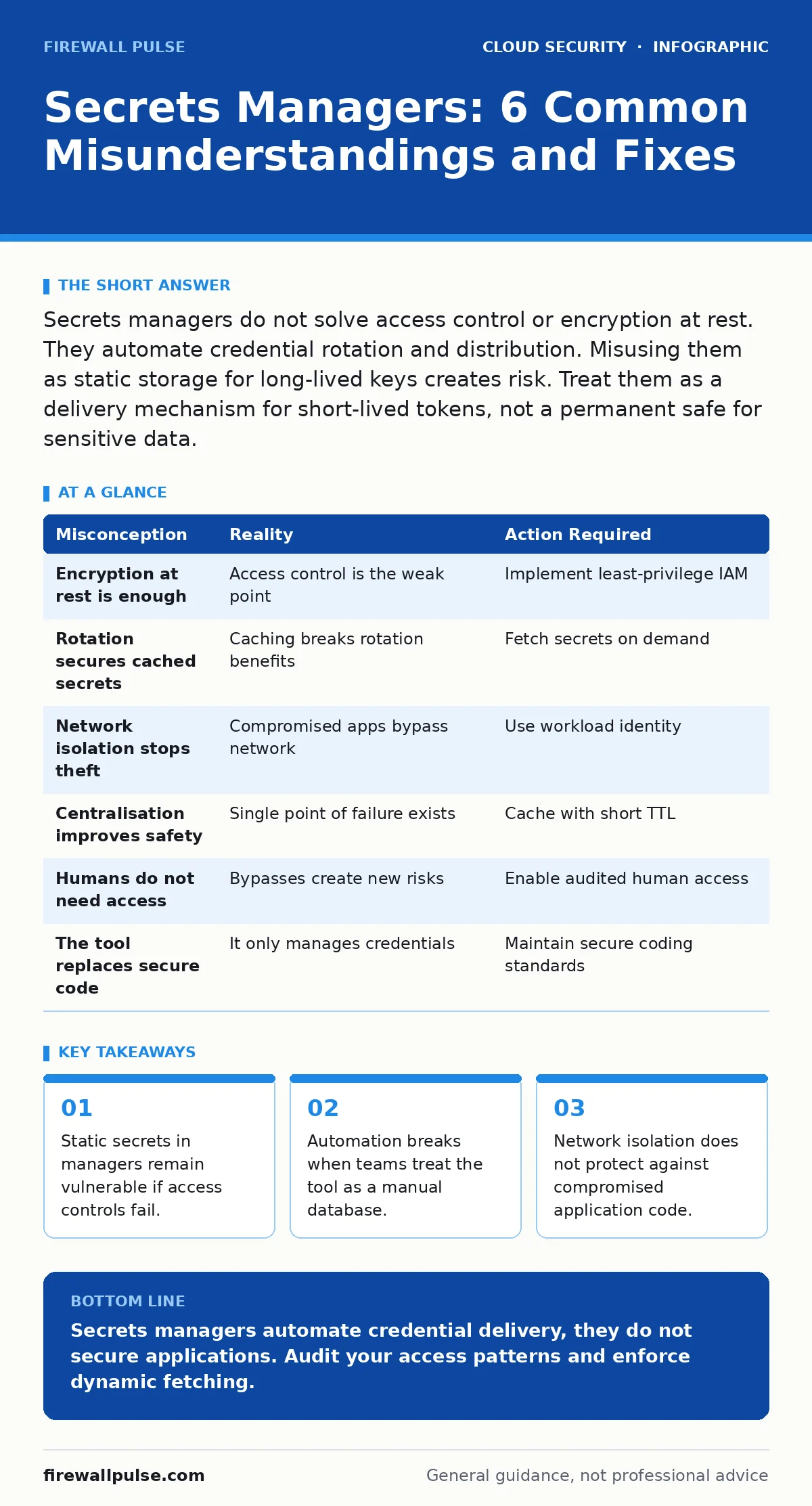
Secrets managers do not solve access control or encryption at rest. They automate credential rotation and distribution. Misusing them as static storage for long-lived keys creates risk. Treat them as a delivery mechanism for short-lived tokens, not a permanent safe for sensitive data.
Misreading: The Manager Encrypts Everything
Correct reading: A secrets manager stores values in an encrypted state at rest, but it does not encrypt the data in your application or database. The manager protects the key that unlocks your other systems. It does not protect the payload you store inside it if you misconfigure the access policy. Imagine a bank vault that is bulletproof, but the manager hands out the combination to anyone who asks. The vault is secure, but the process is broken. You must secure the API that retrieves the secret. You must also secure the application that uses it. Refer to cloud IAM policies for the underlying permission model.
Misreading: Storage Replaces Access Control
Correct reading: Putting a password in a secrets manager does not restrict who can use it. If your application identity has broad permissions, the secret is exposed to any attacker who compromises that identity. The manager is a delivery mechanism, not a gatekeeper. You need least-privilege access for every service account. Review your overprivileged cloud identities to find services that can read secrets they do not need. A secret is only as safe as the identity retrieving it. The manager logs the access, but it cannot stop an authorised but malicious request.
Misreading: Rotation Fixes Bad Practices
Correct reading: Automatic rotation changes the secret value regularly, but it does not fix applications that cache credentials for hours. If your code grabs a secret at startup and holds it in memory, rotation is useless until the next restart. This creates a window where old credentials are still valid but no longer logged. You must design your application to fetch secrets on demand or use short-lived tokens. Workload identity solves this by binding the secret to the runtime instance. Without dynamic fetching, rotation is just a cosmetic change that gives false confidence.
Misreading: Network Isolation Provides Safety
Correct reading: Placing the secrets manager in a private subnet does not protect you if the application itself is compromised. An attacker inside your network can call the secrets manager API if the application has the right permissions. Network security groups and cloud security groups control traffic flow, but they do not validate intent. If the code is infected, the attacker uses the application’s own identity to steal secrets. You must assume the host is compromised. Use mutual TLS or hardware-backed attestation to verify the client before releasing credentials.
Misreading: Centralisation Reduces Risk
Correct reading: Centralising all secrets in one system creates a single point of failure for your entire infrastructure. If the secrets manager goes down, your applications cannot start. This is not a data center resilience planning issue; it is an architectural dependency. You must cache secrets locally with a strict time-to-live. This allows applications to keep running during brief outages. However, caching reintroduces the risk of static secrets. You must balance availability with security. Do not cache highly privileged credentials. Use hierarchical policies to limit blast radius.
See also: Cloud Audit Logs: Decoding the Record of Every Action · Why is shadow IT dangerous? Real risks and how to manage them
Misreading: Human Access Is Rare
Correct reading: Teams often believe that only machines need secrets. Humans rarely access the manager directly. This is incorrect. Developers, auditors and incident responders need access for debugging and recovery. If you do not provide a secure, audited path for human access, they will bypass the tool. They will write secrets in chat logs or config files. You must enable temporary human access with multi-factor authentication. Log every retrieval. Monitor for unusual patterns. Assume human error will occur. Design the tool to be hard to misuse, not just hard to break.
Misreading: The Tool Is a Silver Bullet
Correct reading: A secrets manager does not replace secure coding practices. It does not fix insecure cloud APIs that leak data. It does not prevent misconfigured databases. It only manages the lifecycle of credentials. You must still validate input, encrypt data in transit and monitor for anomalies. The manager is one layer in a defence-in-depth strategy. Do not rely on it for compliance. Use it to reduce the surface area of credential theft. Combine it with other controls for real protection.
| Misconception | Reality | Action Required |
|---|---|---|
| Encryption at rest is enough | Access control is the weak point | Implement least-privilege IAM |
| Rotation secures cached secrets | Caching breaks rotation benefits | Fetch secrets on demand |
| Network isolation stops theft | Compromised apps bypass network | Use workload identity |
| Centralisation improves safety | Single point of failure exists | Cache with short TTL |
| Humans do not need access | Bypasses create new risks | Enable audited human access |
| The tool replaces secure code | It only manages credentials | Maintain secure coding standards |
Checking Your Understanding
Correct reading: Review your current implementation. Look for static secrets in configuration files. Check if applications restart frequently to pick up new secrets. Verify that human access is logged and time-bound. Ensure that the secrets manager is not the only control for sensitive data. If you find gaps, address them immediately. Do not wait for an incident. Proactive adjustment prevents large-scale exposure. Refer to cloud backup strategies to ensure you can recover from misconfigurations. Regular audits keep your posture strong.
Key takeaways
- Static secrets in managers remain vulnerable if access controls fail.
- Automation breaks when teams treat the tool as a manual database.
- Network isolation does not protect against compromised application code.
Secrets managers automate credential delivery, they do not secure applications. Audit your access patterns and enforce dynamic fetching.
Frequently asked questions
Do secrets managers prevent data breaches?
No. They reduce the risk of credential theft. They do not stop attackers who compromise application logic or user endpoints. You need additional layers of security.
Should I store database passwords in a secrets manager?
Yes, but only if the application fetches them dynamically. Static storage creates risk if the access policy is too broad. Ensure least-privilege access is enforced.
How often should secrets rotate?
As often as your application allows. Short-lived tokens are best. If your app cannot handle frequent changes, you are not using the manager correctly. Fix the application first.
Can I use a secrets manager for API keys?
Yes, but treat third-party keys with extra caution. If a third-party service is compromised, your key is exposed. Rotate immediately. Monitor usage for anomalies.
How this guide was produced: written by the Firewall Pulse editorial team with AI assistance, checked against the public references listed below, and reviewed when the facts change. See our editorial policy or report an error.