Unsecured Cloud Databases: 7 Mistakes Leaving Data Open
Default cloud database configurations often allow public internet access, meaning sensitive data is exposed until you explicitly configure network restrictions and identity verification.

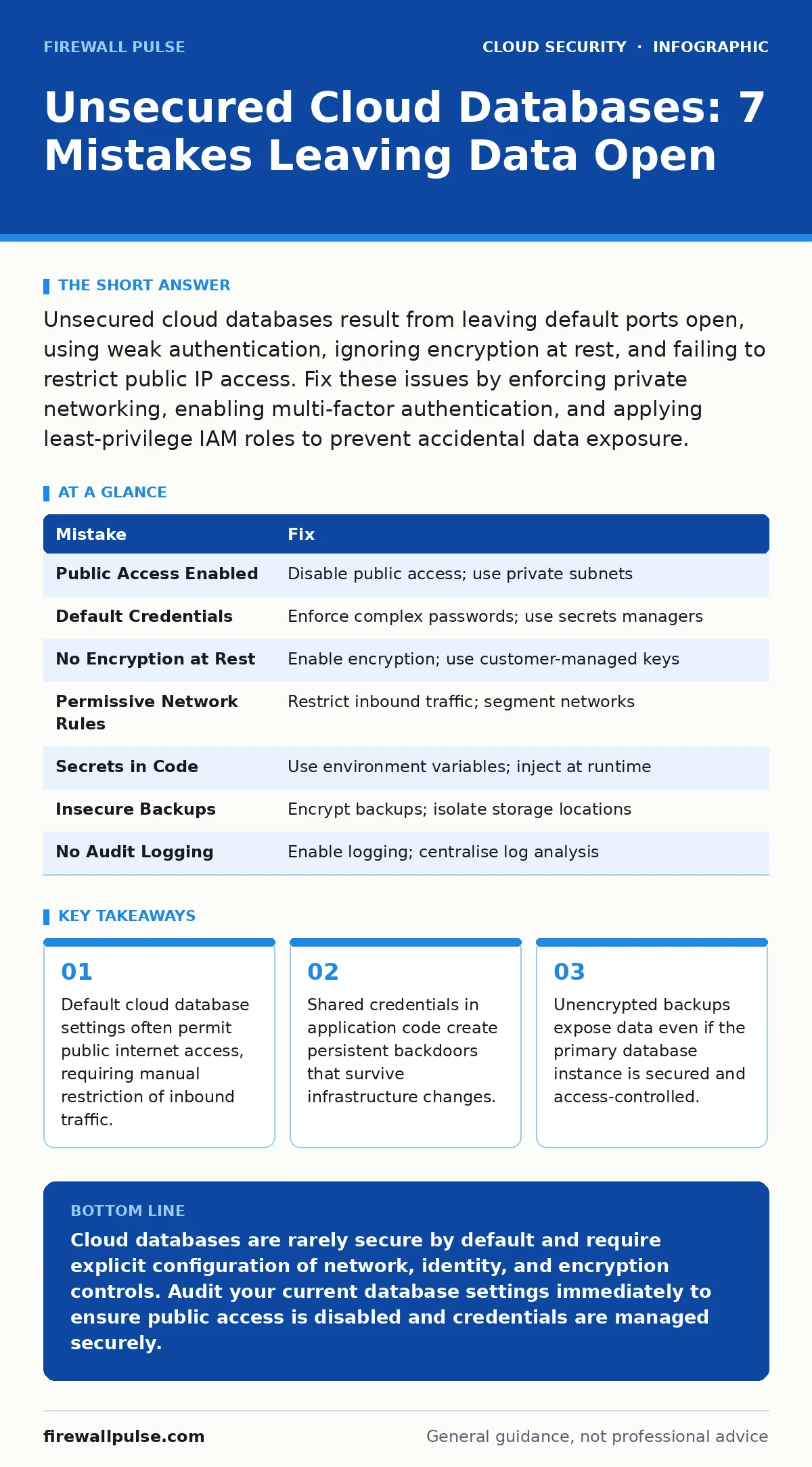
Unsecured cloud databases result from leaving default ports open, using weak authentication, ignoring encryption at rest, and failing to restrict public IP access. Fix these issues by enforcing private networking, enabling multi-factor authentication, and applying least-privilege IAM roles to prevent accidental data exposure.
Mistake 1: Leaving Public Access Enabled
Cloud database services often deploy with public accessibility enabled by default to simplify initial connectivity. This configuration allows any IP address to attempt a connection to the database port. Attackers scan the internet for these open ports continuously. They do not need to hack your firewall if the cloud provider allows direct internet reach.
Why it hurts: Public exposure increases the attack surface exponentially. Automated bots probe open ports for known vulnerabilities or weak credentials. A single successful brute-force attempt grants full database access. The database becomes a direct entry point into your infrastructure, bypassing perimeter defences.
The fix: Disable public access immediately after creation. Place the database instance in a private subnet that has no route to the internet. Use a bastion host or a virtual private cloud endpoint for administrative access. This ensures only authorised internal resources can communicate with the database service.
Mistake 2: Using Default or Weak Credentials
Many administrators reuse default credentials or set simple passwords for initial setup, intending to change them later. This intention often fails due to time pressures or oversight. The database remains accessible with well-known default usernames like 'admin' or 'root'.
Why it hurts: Default credentials are public knowledge. Attackers use automated tools to test common username and password combinations against exposed services. Weak passwords are vulnerable to dictionary attacks and credential stuffing. Once an attacker gains access, they can read, modify, or delete all data within the database without further authentication hurdles.
The fix: Enforce complex password policies that require a mix of characters, numbers, and symbols. Rotate credentials regularly and never store them in plain text within application code. Integrate with secrets managers to handle credential distribution securely. This practice ensures that even if code is leaked, the database remains protected.
Mistake 3: Ignoring Encryption at Rest
Data stored on disk is vulnerable if the underlying storage media is stolen or improperly disposed of. Many cloud databases offer encryption at rest as an optional feature rather than a mandatory default. Administrators often overlook this setting during rapid deployment phases.
Why it hurts: Unencrypted data at rest is readable by anyone with physical access to the storage devices or cloud provider infrastructure. Insider threats at the cloud provider level could potentially access raw data. Regulatory compliance frameworks often mandate encryption for sensitive information. Failure to encrypt can lead to severe legal penalties and loss of customer trust.
The fix: Enable encryption for all database volumes and backups. Use customer-managed keys to retain control over the encryption lifecycle. Ensure that the key management service is configured to rotate keys periodically. This measure protects data even if the underlying infrastructure is compromised.
Mistake 4: Overly Permissive Network Security Groups
Network security groups act as virtual firewalls for cloud instances. Misconfigured rules often allow inbound traffic from any source (0.0.0.0/0) on database ports. This mistake stems from a desire for convenience during development or testing phases.
Why it hurts: Broad network rules allow unauthorised hosts to initiate connections to the database. Attackers can pivot from compromised external servers to internal databases if network segmentation is absent. The lack of specific source IP restrictions makes it difficult to trace malicious activity. It also increases the risk of denial-of-service attacks targeting the database.
The fix: Restrict inbound traffic to specific IP addresses or subnets that require database access. Use application-layer security groups to filter traffic based on protocol and port. Implement network segmentation to isolate database tiers from web-facing tiers. This approach limits lateral movement within the cloud environment.
Mistake 5: Storing Secrets in Application Code
Developers often embed database connection strings, usernames, and passwords directly into application source code for ease of deployment. This practice simplifies initial setup but creates significant security risks. Code repositories become repositories for sensitive credentials.
Why it hurts: Source code is often shared among team members or stored in version control systems. If the repository is exposed, attackers gain immediate access to database credentials. This exposure persists even if the code is later modified, as historical commits remain accessible. It undermines the principle of least privilege and centralises risk.
The fix: Move all secrets out of the codebase. Use environment variables or dedicated secrets managers to inject credentials at runtime. Ensure that the application code only references the secret identifiers, not the values themselves. This separation ensures that code exposure does not lead to credential theft.
See also: Cloud Audit Logs: Decoding the Record of Every Action · Why is shadow IT dangerous? Real risks and how to manage them
Mistake 6: Neglecting Backup Security
Backups are often treated as secondary data stores with lower security requirements. Administrators may copy backups to cheaper storage classes without applying the same encryption or access controls. This assumption leaves a critical recovery point vulnerable.
Why it hurts: Attackers target backups specifically because they are often less protected than primary systems. A compromised backup can be used to restore data after a ransomware attack or to exfiltrate historical information. Unencrypted backups are readable by anyone with storage access. This creates a single point of failure for data integrity.
The fix: Apply the same encryption and access controls to backups as to primary databases. Store backups in a separate region or account to ensure isolation. Regularly test backup restoration procedures to verify integrity. Consider related strategies in cloud backup practices to ensure resilience against data loss and corruption.
Mistake 7: Lack of Audit Logging
Many cloud databases allow disabling audit logs to reduce storage costs or simplify configuration. Without logging, administrators cannot track who accessed the database, what queries were executed, or when changes occurred. This blindness hinders incident response.
Why it hurts: Without logs, detecting unauthorised access or data exfiltration becomes nearly impossible. Attackers can operate undetected for extended periods. Post-incident forensics are severely limited, making it difficult to determine the scope of a breach. Compliance audits often require detailed access logs for accountability.
The fix: Enable comprehensive audit logging for all database activities. Forward logs to a centralised security information and event management system for analysis. Set up alerts for suspicious activities such as multiple failed login attempts or bulk data exports. Refer to cloud IAM policies for best practices on log retention and access control.
| Mistake | Fix |
|---|---|
| Public Access Enabled | Disable public access; use private subnets |
| Default Credentials | Enforce complex passwords; use secrets managers |
| No Encryption at Rest | Enable encryption; use customer-managed keys |
| Permissive Network Rules | Restrict inbound traffic; segment networks |
| Secrets in Code | Use environment variables; inject at runtime |
| Insecure Backups | Encrypt backups; isolate storage locations |
| No Audit Logging | Enable logging; centralise log analysis |
Key takeaways
- Default cloud database settings often permit public internet access, requiring manual restriction of inbound traffic.
- Shared credentials in application code create persistent backdoors that survive infrastructure changes.
- Unencrypted backups expose data even if the primary database instance is secured and access-controlled.
Cloud databases are rarely secure by default and require explicit configuration of network, identity, and encryption controls. Audit your current database settings immediately to ensure public access is disabled and credentials are managed securely.
Frequently asked questions
Can I secure a cloud database after it has been exposed?
Yes, but you must assume the data has been compromised. Rotate all credentials, revoke active sessions, and audit access logs for unauthorised activity before re-securing the instance.
Does encryption at rest protect against SQL injection?
No, encryption at rest protects data stored on disk. SQL injection exploits application logic to manipulate queries. You must use input validation and parameterised queries to prevent injection attacks.
How often should I rotate database credentials?
Rotate credentials whenever a user leaves the organisation or a security incident occurs. Regular rotation, such as every 90 days, reduces the window of opportunity for attackers using stolen credentials.
Are managed cloud databases inherently more secure?
Managed services handle infrastructure maintenance and patching, reducing operational risk. However, configuration security, such as network access and IAM roles, remains the responsibility of the user. See insecure cloud APIs for related configuration risks.
How this guide was produced: written by the Firewall Pulse editorial team with AI assistance, checked against the public references listed below, and reviewed when the facts change. See our editorial policy or report an error.