Email Account Compromise Prevention Checklist for Secure Operations
Most email breaches occur because attackers bypass the login screen entirely by exploiting trusted device sessions and weak recovery paths.
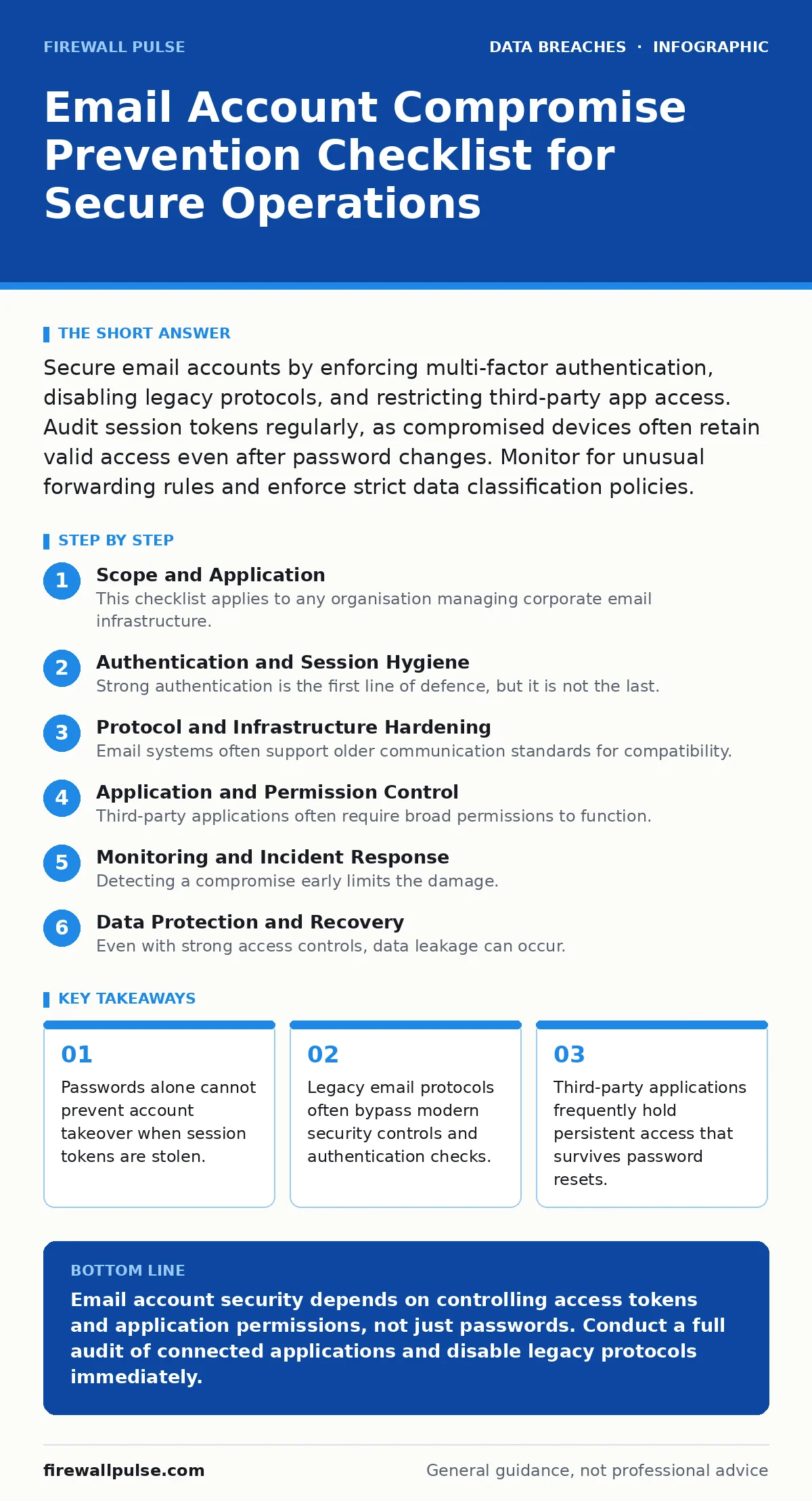
Secure email accounts by enforcing multi-factor authentication, disabling legacy protocols, and restricting third-party app access. Audit session tokens regularly, as compromised devices often retain valid access even after password changes. Monitor for unusual forwarding rules and enforce strict data classification policies.
Scope and Application
This checklist applies to any organisation managing corporate email infrastructure. You use it to verify that your defensive layers address both authentication weaknesses and session persistence risks. The items below group technical controls into logical categories. You review these controls quarterly or after any personnel change. The goal is to reduce the attack surface before an adversary finds an entry point.
Authentication and Session Hygiene
Strong authentication is the first line of defence, but it is not the last. Attackers often target the session layer once they have initial access. You must ensure that credentials alone are insufficient for entry.
- Enforce phishing-resistant multi-factor authentication: Standard SMS codes can be intercepted; hardware keys or authenticator apps provide stronger verification.
- Disable single sign-on legacy tokens: Old authentication tokens may remain valid for extended periods, allowing access without re-authentication.
- Implement just-in-time access for privileged accounts: Permanent access increases the window of opportunity for attackers to exploit compromised credentials.
- Review password reuse policies: Users who reuse passwords across services risk credential stuffing attacks that bypass unique password requirements.
Protocol and Infrastructure Hardening
Email systems often support older communication standards for compatibility. These standards frequently lack modern encryption or authentication mechanisms. You must disable protocols that cannot support strong security controls.
- Disable IMAP and POP3 for external access: These legacy protocols transmit credentials in ways that are easier to intercept than modern web interfaces.
- Enforce TLS encryption for all mail transit: Unencrypted email transmission allows eavesdropping and man-in-the-middle attacks on sensitive data.
- Restrict SMTP relay to authorised servers: Open relays allow attackers to send spam or phishing emails using your infrastructure.
- Configure DNS authentication records correctly: Proper SPF, DKIM, and DMARC records prevent domain spoofing and reduce phishing success rates.
Application and Permission Control
Third-party applications often require broad permissions to function. These permissions can persist even after a user changes their password. You must treat every connected application as a potential backdoor.
- Audit OAuth application grants regularly: Connected apps may retain access tokens that survive password changes and account lockouts.
- Remove unused application permissions: Excessive permissions increase the blast radius if an application account is compromised.
- Implement role-based access control for email folders: Limiting who can view or manage shared folders prevents lateral movement by attackers.
- Disable auto-forwarding by default: Attackers often create forwarding rules to exfiltrate data without triggering volume-based alerts.
Monitoring and Incident Response
Detecting a compromise early limits the damage. You need visibility into account activity that goes beyond standard login alerts. Unusual patterns often indicate an ongoing breach.
- Enable audit logging for rule changes: Modifying inbox rules is a common technique to hide malicious activity from the victim.
- Monitor for login from new locations: Sudden geographic shifts in login attempts often indicate credential theft or session hijacking.
- Establish clear chain of custody procedures for evidence: Proper evidence handling ensures that forensic data remains admissible and untampered.
- Define escalation paths for suspected compromise: Rapid response reduces the time an attacker has to move laterally through the network.
See also: Clone Phishing: How to Spot Cloned Emails and Stop Fraud · Malicious Email Attachments: Debunking Six Common Security Myths
Data Protection and Recovery
Even with strong access controls, data leakage can occur. You must classify data to understand what is at risk and ensure you can recover from a breach.
- Apply data classification labels to sensitive emails: Classification helps automated systems detect and block unauthorized exfiltration attempts.
- Maintain immutable backup strategies for email archives: Backups must be resistant to deletion or encryption by ransomware actors.
- Test recovery procedures regularly: Theoretical recovery plans often fail in practice; regular testing identifies gaps in the process.
- Review unauthorized access detection thresholds: Alerts must be tuned to catch subtle anomalies without overwhelming the security team.
Related Considerations
Email security does not exist in isolation. It intersects with broader data protection and compliance requirements. You should align your email controls with your overall security posture.
Organisations handling health data must ensure email controls meet HIPAA Security Rule requirements. This includes specific audit controls and transmission security. Similarly, your incident response plan should include templates for customer breach notification letters. These letters must be prepared in advance to ensure timely communication.
Final Verification Steps
You have reviewed the checklist items. Now you must verify their implementation. This verification step ensures that the controls are active and effective.
- Confirm all legacy protocols are disabled: Test access attempts via IMAP and POP3 to ensure they are rejected.
- Validate MFA enrollment status: Check for any accounts that still rely on single-factor authentication.
- Review recent audit logs for anomalies: Look for patterns that deviate from normal user behaviour.
- Update contact information for security incidents: Ensure your team has current contact details for rapid response.
Key takeaways
- Passwords alone cannot prevent account takeover when session tokens are stolen.
- Legacy email protocols often bypass modern security controls and authentication checks.
- Third-party applications frequently hold persistent access that survives password resets.
Email account security depends on controlling access tokens and application permissions, not just passwords. Conduct a full audit of connected applications and disable legacy protocols immediately.
Frequently asked questions
How do I know if my email account has been compromised?
Check for unfamiliar forwarding rules, unexpected sent items, and login alerts from unknown locations or devices.
Is two-factor authentication enough to prevent email breaches?
No, attackers can hijack active sessions or exploit third-party app permissions that bypass standard authentication checks.
Should I disable all third-party email applications?
You should restrict them to those that are strictly necessary and review their permission scopes regularly.
What is the first step after discovering a compromised email account?
Change the password immediately, revoke all active sessions, and disable any forwarding rules or connected apps.
How this guide was produced: written by the Firewall Pulse editorial team with AI assistance, checked against the public references listed below, and reviewed when the facts change. See our editorial policy or report an error.