Password reuse is a security risk: how to break the chain
A single leaked credential can unlock your entire digital identity, making unique passwords the only effective barrier against automated credential stuffing attacks.
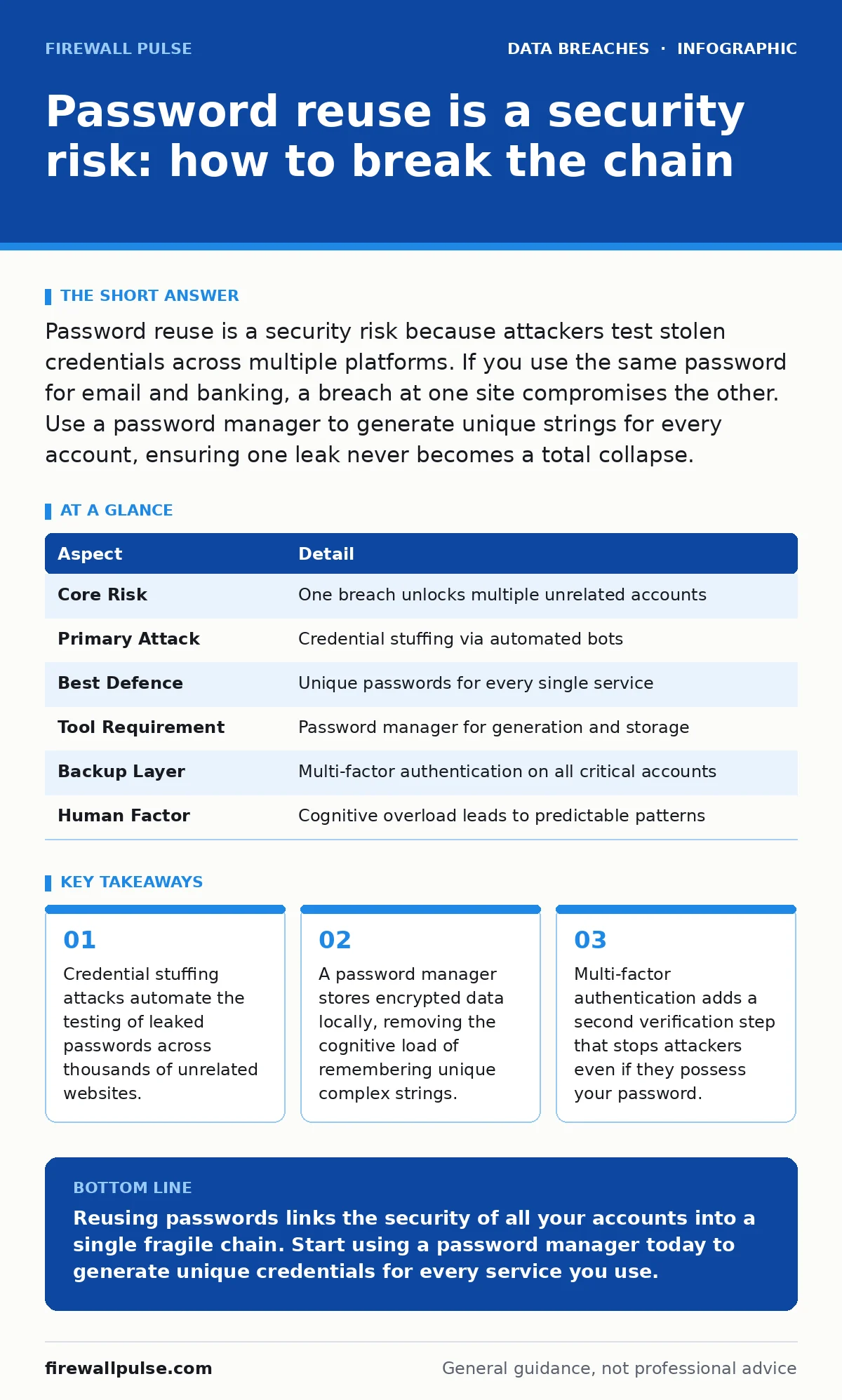
Password reuse is a security risk because attackers test stolen credentials across multiple platforms. If you use the same password for email and banking, a breach at one site compromises the other. Use a password manager to generate unique strings for every account, ensuring one leak never becomes a total collapse.
The house key analogy
Imagine you use the same physical key for your front door, your car, and your office safe. If a thief copies that key, they gain entry to every location simultaneously. Digital password reuse works exactly the same way. You are creating a single point of failure for your entire digital life.
When you reuse a password, you link the security of unrelated accounts together. A breach at a low-security forum can grant access to your high-security banking portal. This linkage transforms a minor data leak into a catastrophic identity compromise. The convenience of remembering one phrase outweighs the severe risk of total account takeover.
At a glance
| Aspect | Detail |
|---|---|
| Core Risk | One breach unlocks multiple unrelated accounts |
| Primary Attack | Credential stuffing via automated bots |
| Best Defence | Unique passwords for every single service |
| Tool Requirement | Password manager for generation and storage |
| Backup Layer | Multi-factor authentication on all critical accounts |
| Human Factor | Cognitive overload leads to predictable patterns |
How credential stuffing works
Attackers harvest large lists of usernames and passwords from public data breaches. They do not need to hack your specific bank. They simply buy or find a list of credentials from another site where you reused your password. Automated software, known as bots, then tests these combinations against thousands of websites.
This process is called credential stuffing. The bots submit login attempts at speeds humans cannot match. They check if the username and password pair works on social media, email, or shopping sites. If the combination matches, the attacker gains immediate access. The system records a successful login, often bypassing basic security checks because the credentials are technically valid.
You remain unaware until the attacker changes your password or transfers funds. The attack relies entirely on your habit of reusing credentials. Without reuse, the stolen list is useless. The attacker has the key, but it opens no doors. This is why unique passwords are the primary defence against this specific threat vector.
Who suffers the most
Password reuse affects every internet user, but the impact varies by role. Individuals face identity theft and financial loss. Businesses face unauthorized access to internal systems. Attackers target accounts with high value, such as administrative privileges or financial transaction capabilities.
If you hold a role with elevated permissions, your reused password is a high-value target. Attackers scan for accounts linked to known breaches to find entry points into corporate networks. Once inside, they move laterally to access sensitive data. This is why understanding data classification matters; not all accounts hold the same risk, but all can be entry points.
Small teams often lack dedicated security staff. They rely on personal accounts for business tools. Reusing passwords here blurs the line between personal and professional security. A leak in your personal life can compromise your employer's systems. This overlap creates significant third-party risk assessments challenges for larger organisations that interact with your team.
What people usually get wrong
Many users believe that adding a symbol or number to a reused password makes it unique. Changing "Password123" to "Password123!" is not unique. Attackers expect these predictable variations. They run algorithms that test common modifications before trying the original password.
Another common error is relying solely on memory. Human brains are designed to remember stories, not random strings. When forced to remember 50 unique passwords, users create patterns. They might use "BlueSky" for one site and "RedOcean" for another. These patterns are easy for software to guess. The cognitive load of memorisation forces users into predictable behaviours that undermine security.
Some assume that if a site is small, it is not worth attacking. This is false. Small sites are often less secure and easier to breach. Attackers harvest credentials from these sites precisely because they are low-hanging fruit. The data is then sold or used for credential stuffing against larger, more valuable targets. No account is too small to ignore.
See also: Credit Freezes: 6 Common Misunderstandings That Leave You Exposed · Email Account Compromise Prevention Checklist for Secure Operations
The correct defence strategy
You must use a password manager. This software generates long, random, and unique passwords for every account. It stores them in an encrypted vault, accessible only by a single master password. You only need to remember that one master password. The manager fills in the complex strings for you.
This approach eliminates the cognitive burden. You do not need to recall 50 different passwords. You only need the manager. If one account is breached, the unique password renders the stolen data useless for other sites. The chain is broken. The attacker has a key that opens only one door.
Implement multi-factor authentication wherever possible. This adds a second layer of verification, such as a code from an app or a hardware token. Even if an attacker has your password, they cannot log in without the second factor. This combination of unique passwords and multi-factor authentication provides the strongest practical defence available.
Managing the transition
Switching to unique passwords requires effort. Start with your most critical accounts: email, banking, and work systems. Change these passwords first. Use your password manager to generate new, complex strings for each.
Then, gradually update other accounts. Do not try to change everything at once. This approach reduces stress and allows you to build the habit. Check if your password manager offers browser integration. This makes logging in seamless, removing the friction of manual entry.
Monitor your accounts for suspicious activity. Look for login alerts from unfamiliar locations. If you suspect a breach, change the password immediately. Review your connected applications and revoke access for any you no longer use. This regular maintenance keeps your digital perimeter secure.
Long-term maintenance
Security is not a one-time task. It requires ongoing attention. Regularly review the passwords stored in your manager. Remove accounts you no longer use. Delete old credentials to reduce the surface area for potential attacks.
Update your master password periodically. While not strictly necessary if it is strong and private, doing so every few years is a good hygiene practice. Ensure your password manager software is updated to the latest version. This ensures you have the latest encryption standards and security patches.
Consider the broader context of your security. Passwords are just one layer. Understanding role-based access control helps limit what an attacker can do even if they get in. Similarly, being aware of how customer breach notification letters work helps you react quickly when others are compromised. Proactive management prevents small issues from becoming major incidents.
Key takeaways
- Credential stuffing attacks automate the testing of leaked passwords across thousands of unrelated websites.
- A password manager stores encrypted data locally, removing the cognitive load of remembering unique complex strings.
- Multi-factor authentication adds a second verification step that stops attackers even if they possess your password.
Reusing passwords links the security of all your accounts into a single fragile chain. Start using a password manager today to generate unique credentials for every service you use.
Frequently asked questions
Is it safe to use a password manager if it gets hacked?
Password managers use strong encryption, so even if the provider is breached, your passwords remain unreadable without your master key.
What if I forget my master password?
You must use the recovery method provided by the manager, such as a recovery code or email verification, to regain access.
Do I need unique passwords for every single website?
Yes, because any site can be breached, and attackers will test those credentials against more valuable targets.
How does multi-factor authentication help with password reuse?
It blocks login attempts even if the password is correct, adding a barrier that credential stuffing cannot bypass.
How this guide was produced: written by the Firewall Pulse editorial team with AI assistance, checked against the public references listed below, and reviewed when the facts change. See our editorial policy or report an error.