Privilege Escalation Attack Prevention Checklist for Secure Systems
Default system configurations often contain hidden permission paths that allow attackers to move laterally without triggering standard alerts.

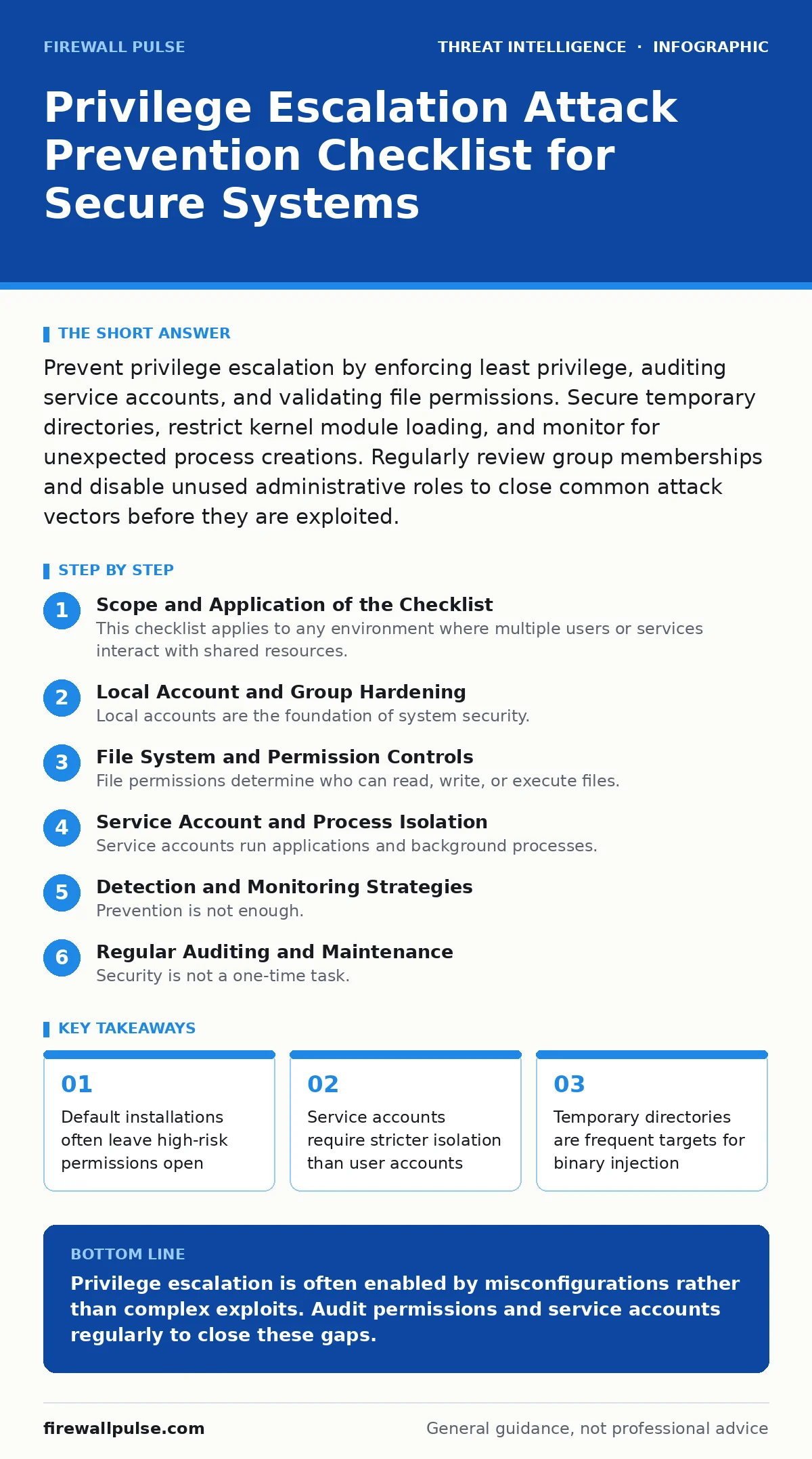
Prevent privilege escalation by enforcing least privilege, auditing service accounts, and validating file permissions. Secure temporary directories, restrict kernel module loading, and monitor for unexpected process creations. Regularly review group memberships and disable unused administrative roles to close common attack vectors before they are exploited.
Scope and Application of the Checklist
This checklist applies to any environment where multiple users or services interact with shared resources. You use it to verify that your systems do not grant more access than necessary for routine operations. Privilege escalation occurs when an attacker gains higher-level permissions than their original account allows. This often happens through misconfigurations rather than software vulnerabilities.
The goal is not to eliminate all risk, which is impossible, but to remove the easy paths attackers prefer. When you reduce the number of ways to gain administrative access, you force attackers to use more complex methods. These complex methods are easier to detect and slower to execute. This buys your detection teams time to respond before the attacker reaches critical assets.
Local Account and Group Hardening
Local accounts are the foundation of system security. If these are weak, the entire defence structure collapses. You must ensure that every account follows the principle of least privilege. This means granting only the permissions required for specific tasks and nothing more.
- Remove local administrator rights from standard user accounts: Standard users should not be able to install software or modify system files.
- Audit built-in group memberships for unnecessary entries: Groups like "Administrators" or "Root" should contain only the minimum number of required accounts.
- Disable or rename default administrator accounts: Attackers often target known default accounts first, so changing them adds a layer of obscurity.
- Enforce strict password complexity for privileged accounts: Weak passwords allow brute-force attacks that bypass other security controls.
- Review scheduled tasks for elevated privileges: Scheduled tasks often run with higher permissions than the user who created them.
Suppose an attacker compromises a standard user account. If that user is part of a group with administrative rights, the attacker gains immediate control. By auditing group memberships, you ensure that standard users cannot escalate their privileges through group association. This is a common oversight in many organisations.
File System and Permission Controls
File permissions determine who can read, write, or execute files. Misconfigured permissions are a leading cause of privilege escalation. Attackers look for writable directories where they can place malicious scripts or binaries. They then trick the system into executing these files with higher privileges.
- Check world-writable directories for execution permissions: Directories that anyone can write to should not allow code execution.
- Verify ownership of critical system binaries: System files should be owned by the root or system account, not by users.
- Restrict access to temporary directories: Temporary folders are often used to store malicious payloads that are later executed.
- Ensure sensitive configuration files are not readable by all users: Configuration files may contain credentials or security settings.
- Validate permissions on log files: Attackers may try to tamper with logs to cover their tracks.
Imagine a scenario where an attacker finds a writable temporary directory. They place a malicious script there and modify a service to execute it. If the service runs with elevated privileges, the attacker gains those privileges. By restricting access to temporary directories, you prevent this type of injection attack.
Service Account and Process Isolation
Service accounts run applications and background processes. These accounts often have higher privileges than standard users. If an attacker compromises a service, they inherit the privileges of that service. Therefore, service accounts must be isolated and tightly controlled.
- Run services under dedicated, low-privilege accounts: Each service should have its own account with minimal permissions.
- Disable unused services and daemons: Every running service is a potential entry point for an attacker.
- Restrict the ability to load kernel modules: Kernel modules run at the highest privilege level and can bypass many controls.
- Validate that services do not run as root or administrator: Only essential system processes should run with full privileges.
- Monitor for unexpected process creations: Unexpected processes may indicate that a service has been compromised.
Suppose a web server runs with administrative privileges. If an attacker exploits a vulnerability in the web server, they gain full control of the system. By running the web server under a low-privilege account, you limit the damage. The attacker cannot escalate privileges easily because the service lacks the necessary permissions.
Detection and Monitoring Strategies
Prevention is not enough. You must detect attempts to escalate privileges. Detection engineering focuses on creating alerts that identify suspicious behaviour. These alerts help you respond quickly to potential breaches. You need to monitor for specific indicators that suggest an attacker is trying to gain higher privileges.
- Monitor for changes to user and group memberships: Unexpected changes may indicate that an attacker is adding themselves to privileged groups.
- Alert on new process executions from unexpected directories: Attackers often run malicious scripts from temporary or user directories.
- Track modifications to system binaries and configuration files: Changes to these files may indicate that an attacker is installing backdoors.
- Watch for failed privilege escalation attempts: Failed attempts can signal that an attacker is probing the system.
- Log and review all administrative actions: Administrative logs provide a record of who did what and when.
Imagine an attacker tries to add a new user to the administrators group. If your monitoring system detects this change, you can investigate immediately. Without this detection, the attacker may remain undetected for a long time. This is why monitoring is a critical part of your defence strategy.
For deeper insights on identifying these behaviours, see our guide on detection engineering. Understanding how attackers move laterally helps you build better alerts. You can also refer to our material on network detection and response for broader visibility.
See also: Overprivileged Cloud Identities: How Excess Access Enables Breaches
Regular Auditing and Maintenance
Security is not a one-time task. You must regularly audit your systems to ensure that controls remain effective. Over time, permissions can drift as new software is installed and users change roles. Regular audits help you identify and correct these drifts before attackers exploit them.
- Conduct quarterly reviews of all privileged accounts: Ensure that every privileged account is still necessary and active.
- Verify that security patches are applied promptly: Unpatched systems are vulnerable to known privilege escalation exploits.
- Test incident response plans for privilege escalation scenarios: Ensure that your team knows how to respond when an escalation occurs.
- Review access logs for anomalies: Look for patterns that suggest unauthorized access or privilege abuse.
- Update security policies based on audit findings: Policies should reflect the current state of your environment.
Suppose an employee leaves the organisation but their account remains active with administrative privileges. An attacker could exploit this account to gain access. By conducting regular reviews, you ensure that inactive accounts are disabled promptly. This reduces the attack surface and improves overall security.
Integration with Broader Security Frameworks
Privilege escalation prevention is part of a larger security strategy. You should integrate these controls with other security measures. For example, understanding attacker reconnaissance helps you anticipate where attackers will look for weaknesses. This knowledge allows you to harden those areas proactively.
See our guide on attacker reconnaissance for details on how attackers identify potential targets. You can also explore our content on strategic threat intelligence to understand the broader context of these attacks. For insights on how attackers operate after initial access, refer to our material on the Unified Kill Chain.
Key takeaways
- Default installations often leave high-risk permissions open
- Service accounts require stricter isolation than user accounts
- Temporary directories are frequent targets for binary injection
- Kernel module loading must be restricted to prevent root access
Privilege escalation is often enabled by misconfigurations rather than complex exploits. Audit permissions and service accounts regularly to close these gaps.
Frequently asked questions
How often should I review service account permissions?
Review service account permissions at least quarterly or after any significant system change.
What is the principle of least privilege?
It means granting users and services only the permissions they need to perform their specific tasks.
Can file permissions prevent all privilege escalation?
No, but they can prevent many common attacks by restricting access to sensitive files and directories.
Why is monitoring failed attempts important?
Failed attempts often indicate that an attacker is probing the system and may succeed later.
How this guide was produced: written by the Firewall Pulse editorial team with AI assistance, checked against the public references listed below, and reviewed when the facts change. See our editorial policy or report an error.